
eswizzle05 - Minecraft Skins & Skin History
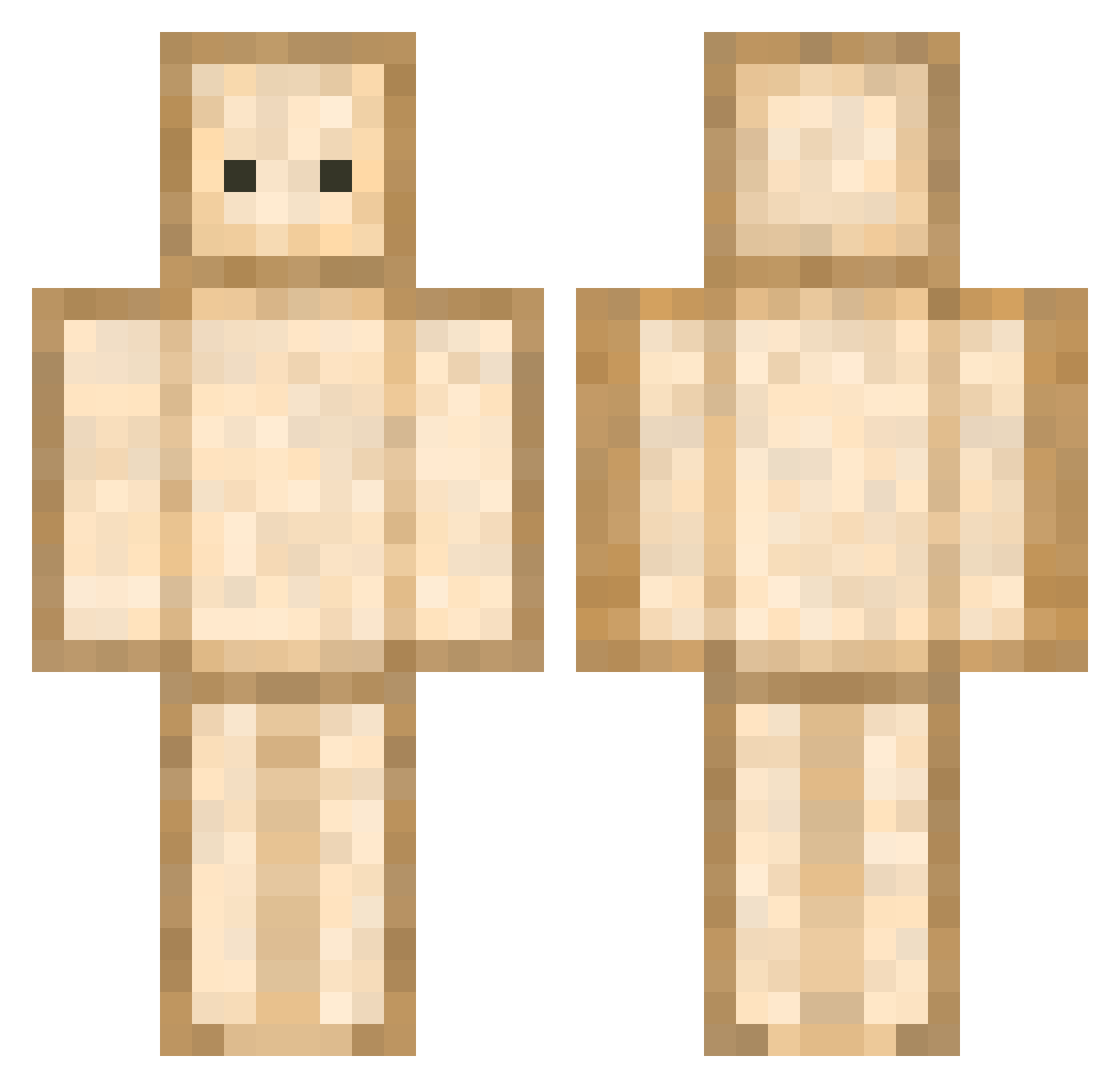
Current Minecraft skin of the player eswizzle05, loaded from the official Mojang API. Rotate the 3D model with your mouse or finger, then download the skin as a PNG file and use it in Minecraft: Bedrock Edition or Java Edition for free. When eswizzle05 changes their skin, this page updates automatically and the old skin stays in the history below.
Other players with this skin (754)
eswizzle05 was the 632nd player we have seen with this skin, first spotted on 26.10.2026. The same skin was seen on these players. Open a nickname to see their current skin and skin history.
 Actul DraGzUseVape geoostorm Schmikamii sugaringcandy_2 melsTT Subtilizer427 NotReborn ehdgoanfrhk TheLord_ofVoid Octo930000 bananahbelle Ojoesinco Escruchi AloeFeroxx PaleEliteNOOB MurphhBot DigemFrog heeeunji BucketBoy77 GLXYT GreatSandwiches Ballular_ MEME_Madfrog Meir0s Potatjo Doofalo oovey ghost25chan OoHYUNoO SpadeSwapper zTeki Natznatzim Baustelac123 mangosteen1884 BBBBBread Legumes2002 PaddeOP ballu02 sopya2487 Blanco84 Spenpai__ shadow_YT0 TavukluYumurta BigEllie162 AnimeEyes _wumi krazykid44 Steve10Gamer Kimmycupcakes Kaeptn_Weissbrot Rylunas H_erick l_OuO_l EBoyEBoy MethSkies Pressxpers abaldetti Euuuuh Petitpaim
More Toast Minecraft skins
How to install the eswizzle05 skin
- Press the Download button above to save the skin as a PNG file.
- Minecraft: Bedrock Edition (PE): open the Dressing Room from the main menu (or tap your character → Edit Character), go to Classic Skins → Owned, press the + (new skin) button, choose the downloaded PNG and pick the Classic (Steve) model. Works on PC and mobile; consoles cannot import custom skins.
- Minecraft: Java Edition: open the Minecraft Launcher, go to the Skins tab, click New Skin, load the PNG, pick the Classic (Steve) model and press Save & Use. You can also upload it at minecraft.net → Profile → Change Skin.
The skin does not show up after import - what should I do?
Restart Minecraft and open the Dressing Room again - imported skins sometimes appear only after a restart. Also make sure you selected the imported skin and picked the Classic (Steve) model.
Which model should I choose, Classic or Slim?
This skin is designed for the Classic (Steve) model. If you pick the wrong model, the arms of the skin will look stretched or squeezed.
Is the skin of eswizzle05 free to download?
Yes. Press Download, save the PNG file and use it in Minecraft: Bedrock Edition or Java Edition - no payment or registration needed. The skin also works on multiplayer servers and Realms.
More skins
Looking for more? Go back to all Minecraft skins and check the top skins of the week, month and all time, or find any player's skin by nickname.