
ermis2011 - Minecraft Skins & Skin History
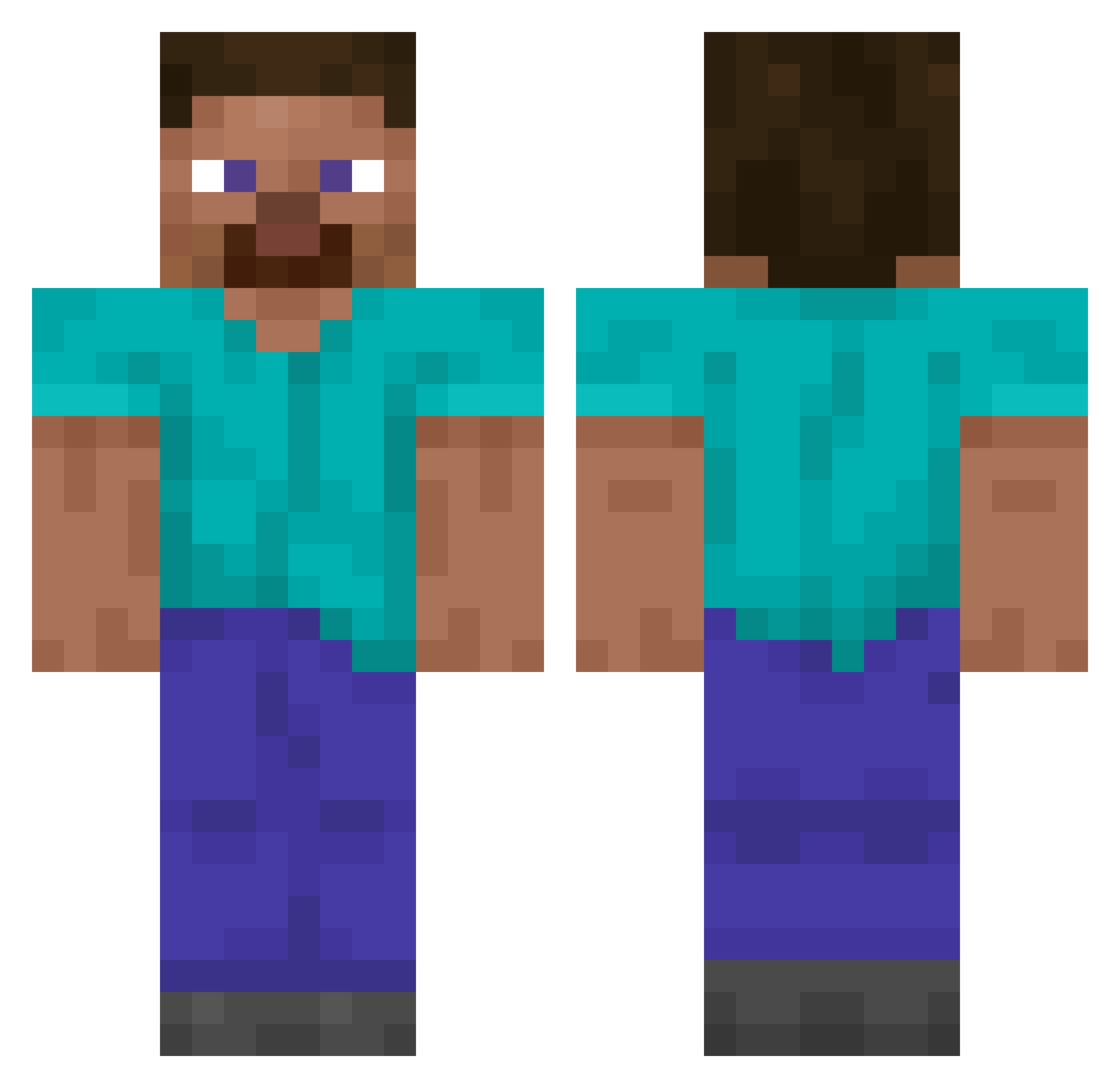
Current Minecraft skin of the player ermis2011, loaded from the official Mojang API. Rotate the 3D model with your mouse or finger, then download the skin as a PNG file and use it in Minecraft: Bedrock Edition or Java Edition for free. When ermis2011 changes their skin, this page updates automatically and the old skin stays in the history below.
Other players with this skin (14062)
ermis2011 was the 10364th player we have seen with this skin, first spotted on 13.10.2026. The same skin was seen on these players. Open a nickname to see their current skin and skin history.
 SYS74 dropping_chicken xunlong andrew1212121 salvador14 Lea12182 Crunch0261 EichobinX Ultranationalism konradek12 ReeceOK lufifraca mugg_unge32 Brynjar42 Hymenopteran drelp BananaFood yab7 cooldude3457476 Freehitter NotBotBro15 johhn Fire_Tornado baebae_12 Matteo708 condensed_duck BlackPanda445 Franeklat11 bojjenclon MonsterAwesome2 Rekamon pjm4143 Inugamiz trele28 maisitaa1 mc029hk ahwdhw1021 onibuilder Petyx2836 IKE9003 p30r Nojujosas dimsilence redydem bolleboyd gifti3003 ouzqe nutrud ashtronyy HiddenxGulf Avid_9120830 kitabi Cardio_Man M_0_r__M_0_r TobenderEngel XiaoP_0410 roguedom nuttiestnutter pikiyo123456 10goldpots
Previous skins of ermis2011
Skins that ermis2011 wore before, newest first. Click a skin to open its page and download it.
How to install the ermis2011 skin
- Press the Download button above to save the skin as a PNG file.
- Minecraft: Bedrock Edition (PE): open the Dressing Room from the main menu (or tap your character → Edit Character), go to Classic Skins → Owned, press the + (new skin) button, choose the downloaded PNG and pick the Classic (Steve) model. Works on PC and mobile; consoles cannot import custom skins.
- Minecraft: Java Edition: open the Minecraft Launcher, go to the Skins tab, click New Skin, load the PNG, pick the Classic (Steve) model and press Save & Use. You can also upload it at minecraft.net → Profile → Change Skin.
The skin does not show up after import - what should I do?
Restart Minecraft and open the Dressing Room again - imported skins sometimes appear only after a restart. Also make sure you selected the imported skin and picked the Classic (Steve) model.
Which model should I choose, Classic or Slim?
This skin is designed for the Classic (Steve) model. If you pick the wrong model, the arms of the skin will look stretched or squeezed.
Is the skin of ermis2011 free to download?
Yes. Press Download, save the PNG file and use it in Minecraft: Bedrock Edition or Java Edition - no payment or registration needed. The skin also works on multiplayer servers and Realms.
More skins
Looking for more? Go back to all Minecraft skins and check the top skins of the week, month and all time, or find any player's skin by nickname.