
Current Minecraft skin of the player duncliam, loaded from the official Mojang API. Rotate the 3D model with your mouse or finger, then download the skin as a PNG file and use it in Minecraft: Bedrock Edition or Java Edition for free. When duncliam changes their skin, this page updates automatically and the old skin stays in the history below.
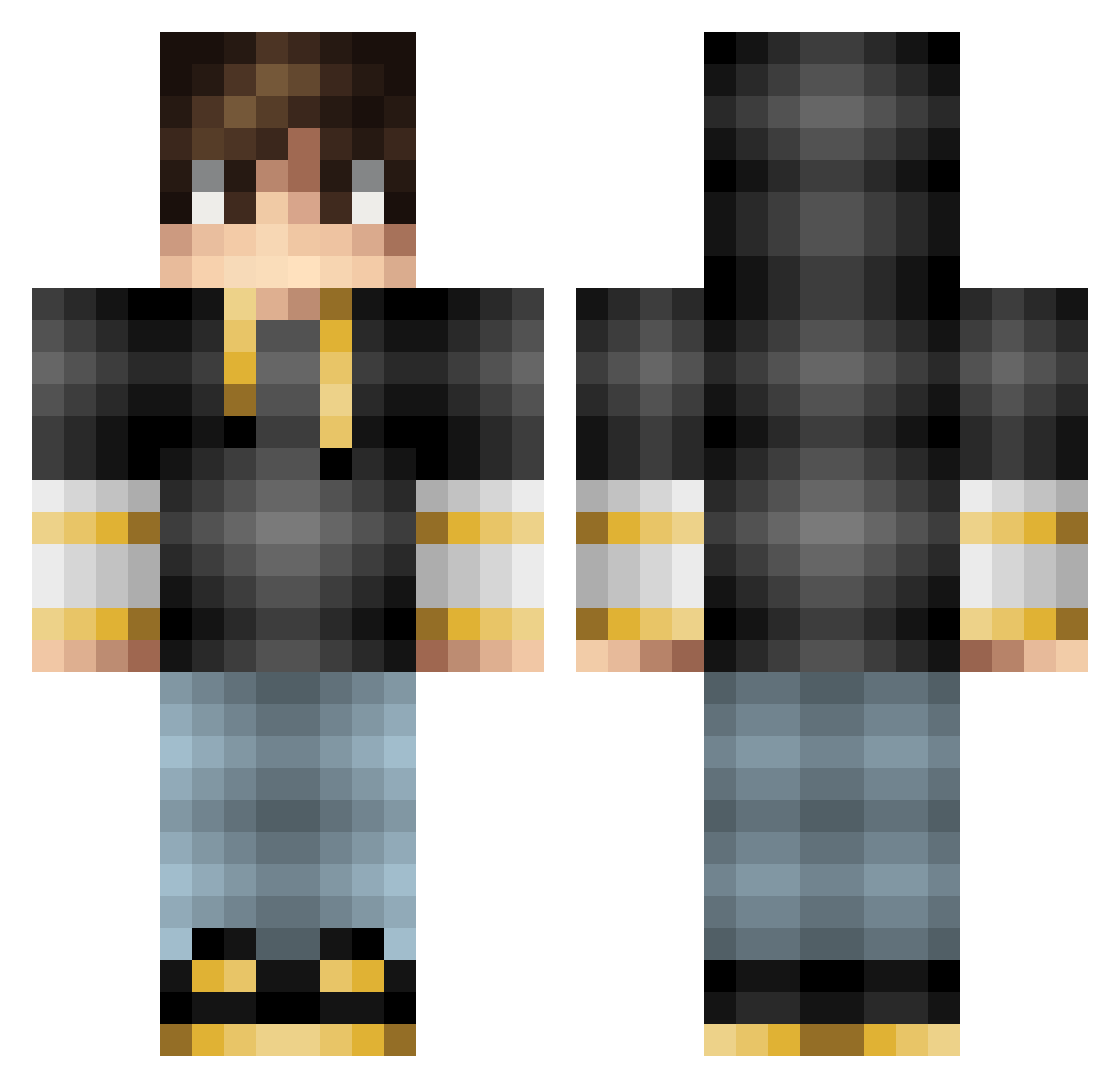
Other players with this skin (95)
The same skin was seen on these players. Open a nickname to see their current skin and skin history.
 Stipess1 Mikkel100 sourshadow963 YilmazGure 6Tobi9 draktom Larsriefel Kimbopixel ItsJett xTobiiix Sourcer Rosscolazer MagmaBlock754 pierson08019 Omegagaming101 zingobanana GrouchyPotato21 Pasras_HD MiniCart1 Schwinger03 iJuanjoM heyaa Aquaboy230 ZincChaos NJP010804 ICE_DRAGON_POWER Julien0425EX noahlove1978 KingKong0000 mikkel_my PEPPE004 quietdragon Thescrawler1 Hazardous_YT Lander_00 Cystics danielhester12 JohanRoderick Mr_joep skillgames oStealth Shenro20 Remilevrai Maxoos Coorrii creepygamernl Liam_da_boss x01xGENERALKILLz Buranobus kingrruk Stiixxy GrumpyAudio lazydude013 Lordofgaming180 YoungCracker127 Gotcha_ VirreDirre20 jimmo2005 fran_087 PS2Nerd
How to install the duncliam skin
- Press the Download button above to save the skin as a PNG file.
- Minecraft: Bedrock Edition (PE): open the Dressing Room from the main menu (or tap your character → Edit Character), go to Classic Skins → Owned, press the + (new skin) button, choose the downloaded PNG and pick the Classic (Steve) model. Works on PC and mobile; consoles cannot import custom skins.
- Minecraft: Java Edition: open the Minecraft Launcher, go to the Skins tab, click New Skin, load the PNG, pick the Classic (Steve) model and press Save & Use. You can also upload it at minecraft.net → Profile → Change Skin.
The skin does not show up after import - what should I do?
Restart Minecraft and open the Dressing Room again - imported skins sometimes appear only after a restart. Also make sure you selected the imported skin and picked the Classic (Steve) model.
Which model should I choose, Classic or Slim?
This skin is designed for the Classic (Steve) model. If you pick the wrong model, the arms of the skin will look stretched or squeezed.
Is the skin of duncliam free to download?
Yes. Press Download, save the PNG file and use it in Minecraft: Bedrock Edition or Java Edition - no payment or registration needed. The skin also works on multiplayer servers and Realms.
More skins
Looking for more? Go back to all Minecraft skins and check the top skins of the week, month and all time, or find any player's skin by nickname.