
doyousniffglue - Minecraft Skins & Skin History
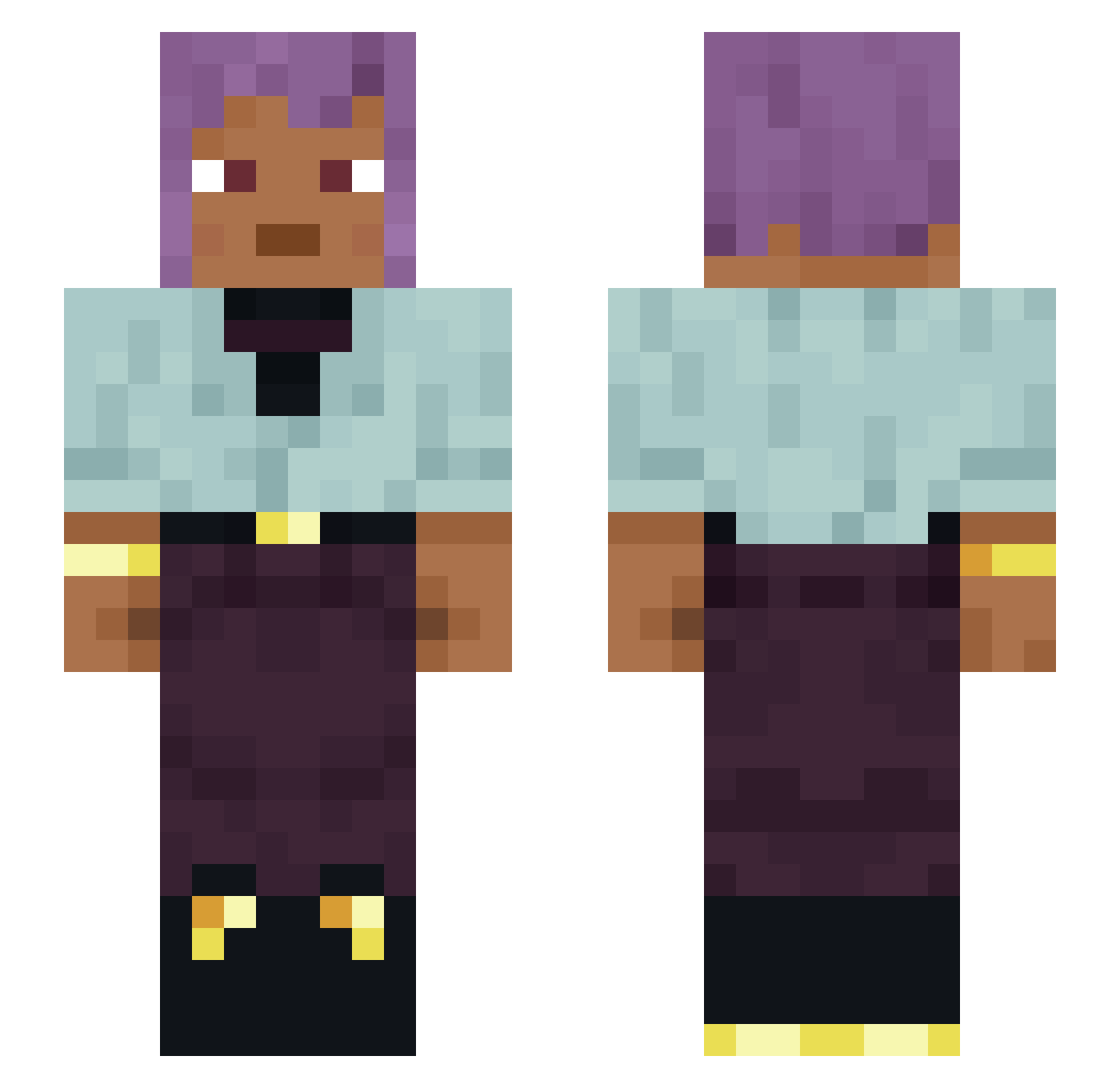
Current Minecraft skin of the player doyousniffglue, loaded from the official Mojang API. Rotate the 3D model with your mouse or finger, then download the skin as a PNG file and use it in Minecraft: Bedrock Edition or Java Edition for free. When doyousniffglue changes their skin, this page updates automatically and the old skin stays in the history below.
Other players with this skin (1484)
doyousniffglue was the 1347th player we have seen with this skin, first spotted on 03.11.2026. The same skin was seen on these players. Open a nickname to see their current skin and skin history.
 A1ban Arguendo Luiiis25 Aloo Hankwiliamsjr Atheistical MaleniaDop MAYAxMYAU fourteensouls geekinu EliteW_Andrea AlMuCe kubixon_43 Anesthetics Kiomilie Tom09990 Matbonbon Hogarthian Nullus aylxy Marlito974 coinages Heir oqwn ___Voodoo Brassier Morganica _ImOnCrack_ Cecity TheGodOfSquids Meshem Funny_Colours Jsunhiine mittotto Poularde PsartekMonOeuf alan0806 Curious_Capybara STONKULARShehe saladgimp Flipped engler Koksdion240hz Not_scrillex Taxidermic wegsij Rohadnis Vecais_ tubercule HVNLYG21 vvaster mingaijiyue qut74 Iqueeeee Hemins SaoTheBest marcuszki Moiseswar Juan_Luis_Delmar HBotes
How to install the doyousniffglue skin
- Press the Download button above to save the skin as a PNG file.
- Minecraft: Bedrock Edition (PE): open the Dressing Room from the main menu (or tap your character → Edit Character), go to Classic Skins → Owned, press the + (new skin) button, choose the downloaded PNG and pick the Slim (Alex) model. Works on PC and mobile; consoles cannot import custom skins.
- Minecraft: Java Edition: open the Minecraft Launcher, go to the Skins tab, click New Skin, load the PNG, pick the Slim (Alex) model and press Save & Use. You can also upload it at minecraft.net → Profile → Change Skin.
The skin does not show up after import - what should I do?
Restart Minecraft and open the Dressing Room again - imported skins sometimes appear only after a restart. Also make sure you selected the imported skin and picked the Slim (Alex) model.
Which model should I choose, Classic or Slim?
This skin is designed for the Slim (Alex) model. If you pick the wrong model, the arms of the skin will look stretched or squeezed.
Is the skin of doyousniffglue free to download?
Yes. Press Download, save the PNG file and use it in Minecraft: Bedrock Edition or Java Edition - no payment or registration needed. The skin also works on multiplayer servers and Realms.
More skins
Looking for more? Go back to all Minecraft skins and check the top skins of the week, month and all time, or find any player's skin by nickname.