
crouton_lilian - Minecraft Skins & Skin History
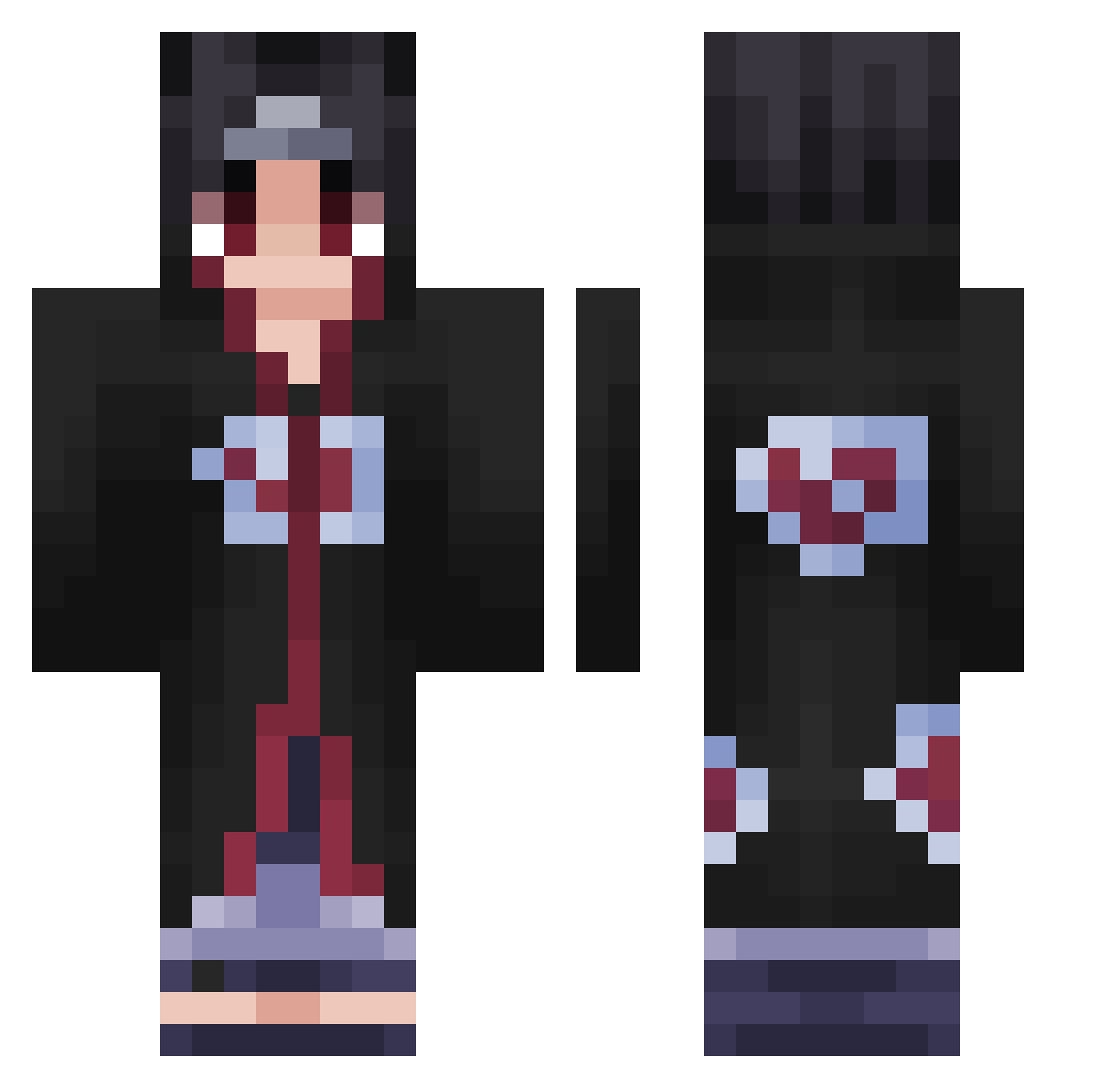
Current Minecraft skin of the player crouton_lilian, loaded from the official Mojang API. Rotate the 3D model with your mouse or finger, then download the skin as a PNG file and use it in Minecraft: Bedrock Edition or Java Edition for free. When crouton_lilian changes their skin, this page updates automatically and the old skin stays in the history below.
Other players with this skin (542)
crouton_lilian was the 520th player we have seen with this skin, first spotted on 06.11.2026. The same skin was seen on these players. Open a nickname to see their current skin and skin history.
 PaiNx88 squishyZz8 Skailox EvolutionForrest Minozzi Kirin_Lord lukas____d Spektator880 jdbell1794 dodomuncher KeyrozMc ashearcher79 IcyCake2000 Nerkos94 ElCordobes BistimGenjutsu retniw_ Muaythai10 grac3x00 Jxell_ Totoppete Justin1211 albuti131 rytox42 FlyingAlbatross N0N_Existent SourceOfEvil0 AkimboBlitz IQ200Shroud_JP HotBlackBlend doubleQ11 Biggiesmalls230 VoidX64 pepininhotv SOCIOPATH000 Dusees kaethlermagtomyy Big_D_Z Yeung1030 Marv_Plays102 Kaiyajin88 OchinpanO JamRobbo73 Chesspider gokruu Shoto78 Dxminnn Bladasse O_A_S_I_S Awuulius mauhdxx sarahmimi Dilo72 weslley653 C0ca_CoLa ZeusiGod Uthidir Fuze_HvH KuzgunCUK itachi8768
More Itachi Uchiha Minecraft skins
See all 371 Itachi Uchiha skins
How to install the crouton_lilian skin
- Press the Download button above to save the skin as a PNG file.
- Minecraft: Bedrock Edition (PE): open the Dressing Room from the main menu (or tap your character → Edit Character), go to Classic Skins → Owned, press the + (new skin) button, choose the downloaded PNG and pick the Classic (Steve) model. Works on PC and mobile; consoles cannot import custom skins.
- Minecraft: Java Edition: open the Minecraft Launcher, go to the Skins tab, click New Skin, load the PNG, pick the Classic (Steve) model and press Save & Use. You can also upload it at minecraft.net → Profile → Change Skin.
The skin does not show up after import - what should I do?
Restart Minecraft and open the Dressing Room again - imported skins sometimes appear only after a restart. Also make sure you selected the imported skin and picked the Classic (Steve) model.
Which model should I choose, Classic or Slim?
This skin is designed for the Classic (Steve) model. If you pick the wrong model, the arms of the skin will look stretched or squeezed.
Is the skin of crouton_lilian free to download?
Yes. Press Download, save the PNG file and use it in Minecraft: Bedrock Edition or Java Edition - no payment or registration needed. The skin also works on multiplayer servers and Realms.
More skins
Looking for more? Go back to all Minecraft skins and check the top skins of the week, month and all time, or find any player's skin by nickname.