
claurz - Minecraft Skins & Skin History
Current Minecraft skin of the player claurz, loaded from the official Mojang API. Rotate the 3D model with your mouse or finger, then download the skin as a PNG file and use it in Minecraft: Bedrock Edition or Java Edition for free. When claurz changes their skin, this page updates automatically and the old skin stays in the history below.
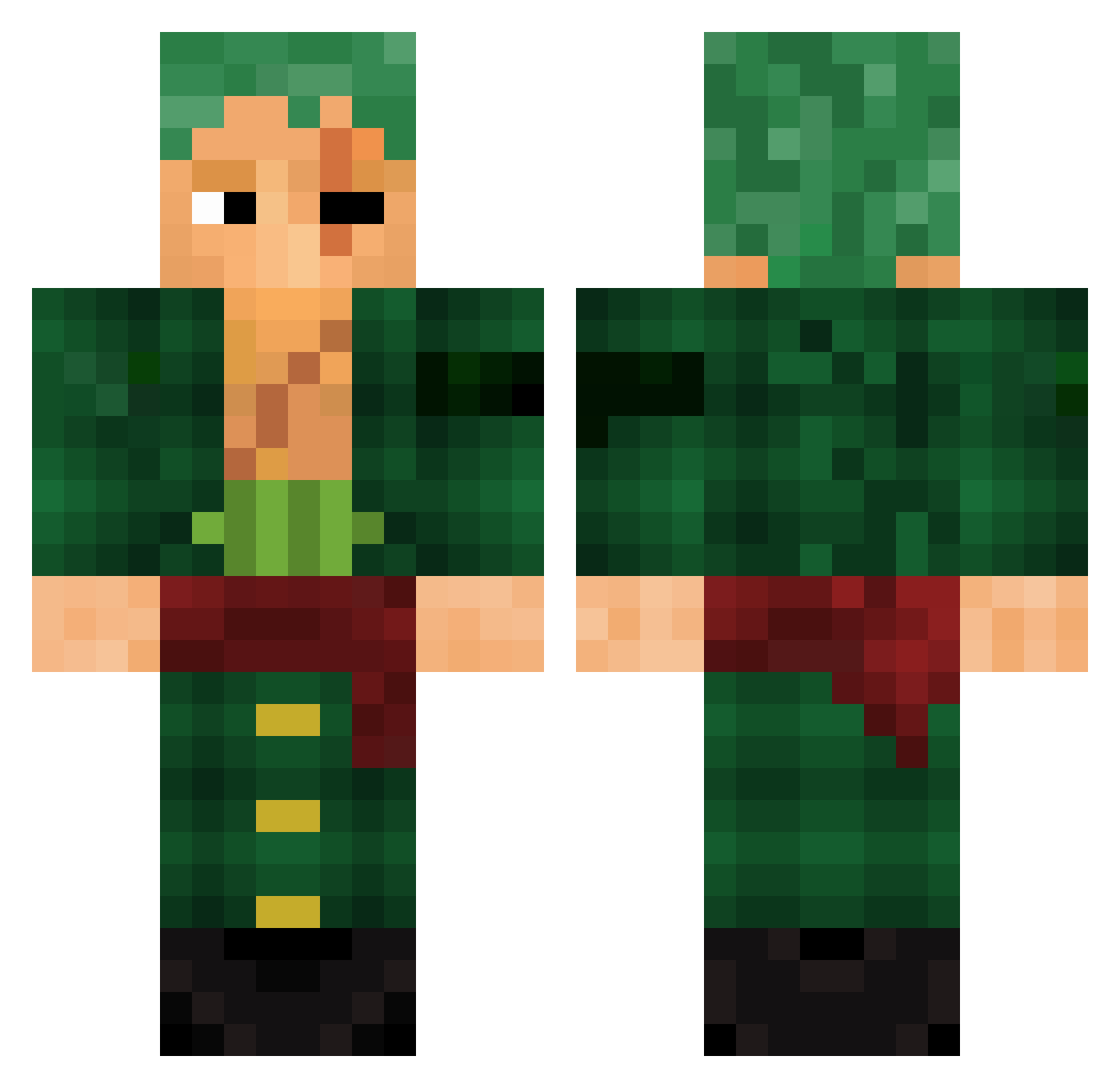
Other players with this skin (1001)
claurz was the 970th player we have seen with this skin, first spotted on 08.11.2026. The same skin was seen on these players. Open a nickname to see their current skin and skin history.
 TheWho101 Doondoo Geraltsz mbrixi Kasharo alvim_a_lenda Xscorpion1207 FlaccidFly ChorusBass Man_daid Casoysoy69 rawfrogmeat S4shhy xxpro8xx MaxDC_ CrYm_1 haqqoxxommok peachiejpg TututiGamer artsonthepro turkizoro01 RedlineRage SheyZzyHD Youss281 IGioo 181010_ shino_dark Jammm12 imtoojayded Tarnished_88 AraenAKAgod Josuminn ValToxe16 CHomedy prednaz 123four56seven TaRToN vitorwinks Anto_Dog Kys3nn Ki_TM Doflamingo111 BastiDont Racamarraul08 Petrach23 PickleRick2824 ststxrm JamalStoleMyWife Benuxus l611l moffals Tonefrance MelonenDepp SvenGGs ThighSSupremacy TGW_Loris MisterioJF Athirson Rescety Meilmo
More Roronoa Zoro Minecraft skins
See all 351 Roronoa Zoro skins
How to install the claurz skin
- Press the Download button above to save the skin as a PNG file.
- Minecraft: Bedrock Edition (PE): open the Dressing Room from the main menu (or tap your character → Edit Character), go to Classic Skins → Owned, press the + (new skin) button, choose the downloaded PNG and pick the Classic (Steve) model. Works on PC and mobile; consoles cannot import custom skins.
- Minecraft: Java Edition: open the Minecraft Launcher, go to the Skins tab, click New Skin, load the PNG, pick the Classic (Steve) model and press Save & Use. You can also upload it at minecraft.net → Profile → Change Skin.
The skin does not show up after import - what should I do?
Restart Minecraft and open the Dressing Room again - imported skins sometimes appear only after a restart. Also make sure you selected the imported skin and picked the Classic (Steve) model.
Which model should I choose, Classic or Slim?
This skin is designed for the Classic (Steve) model. If you pick the wrong model, the arms of the skin will look stretched or squeezed.
Is the skin of claurz free to download?
Yes. Press Download, save the PNG file and use it in Minecraft: Bedrock Edition or Java Edition - no payment or registration needed. The skin also works on multiplayer servers and Realms.
More skins
Looking for more? Go back to all Minecraft skins and check the top skins of the week, month and all time, or find any player's skin by nickname.