
chrisslamstizzl - Minecraft Skins & Skin History
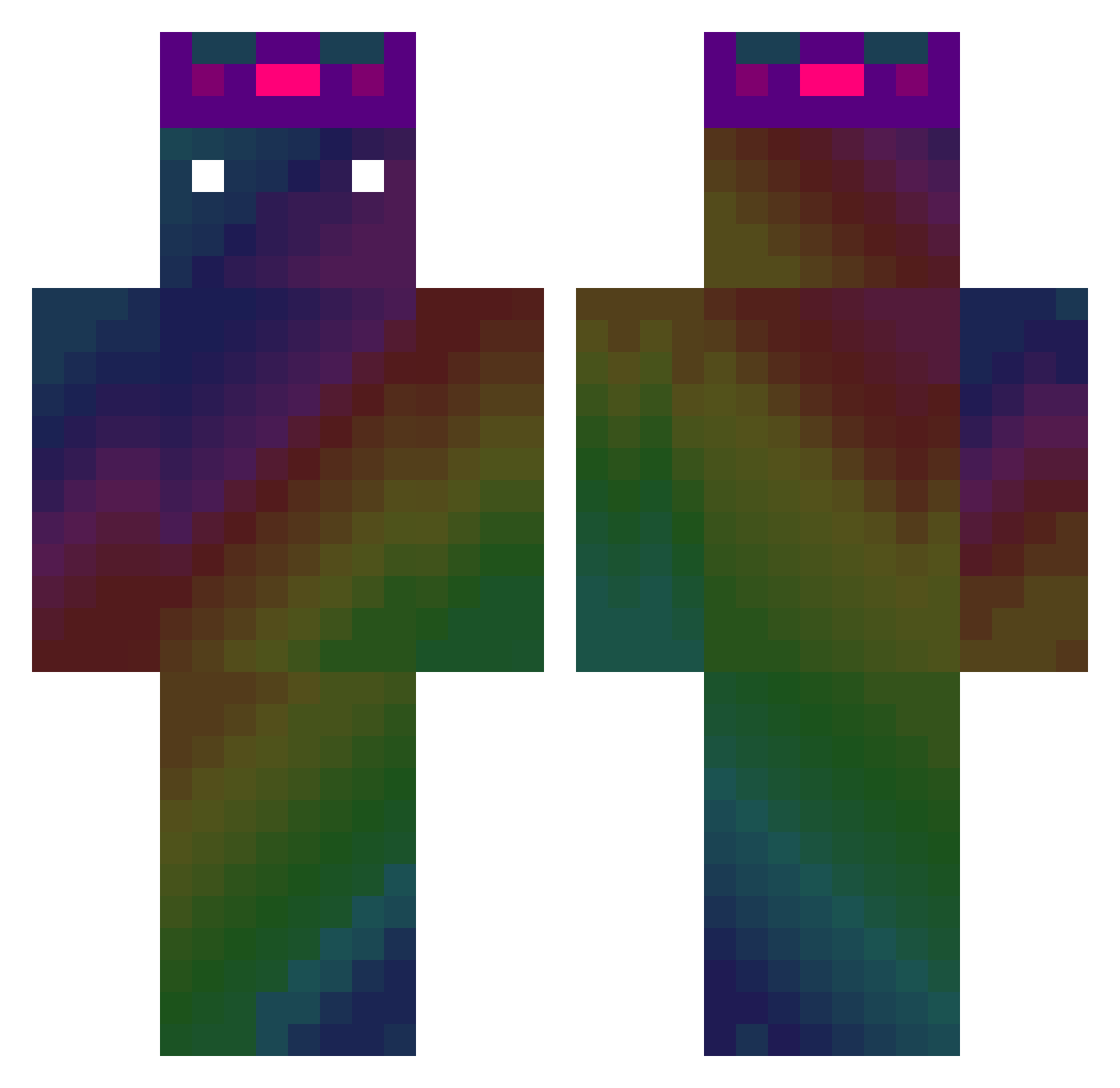
Current Minecraft skin of the player chrisslamstizzl, loaded from the official Mojang API. Rotate the 3D model with your mouse or finger, then download the skin as a PNG file and use it in Minecraft: Bedrock Edition or Java Edition for free. When chrisslamstizzl changes their skin, this page updates automatically and the old skin stays in the history below.
Other players with this skin (547)
chrisslamstizzl was the 510th player we have seen with this skin, first spotted on 04.11.2026. The same skin was seen on these players. Open a nickname to see their current skin and skin history.
 Brieuc58 JACKSON_DC15 ezequiel1231 NERO0508 DeinSklave01 Der_echte_K3v1n quilteyew onedil WhiteLion1312 ElWeaver ShallWall 2qick4U seth7717 SrMaluco Michal12w leohoni LITTLE_Edison Xaa1115 soul_killer0 bethylgroup Elsnyo Merilissel_ Dialode HxPlume Ashibkk pitrk889 rkd_Qkr PatrikRoss seoyejun0707 ansome22 OdioMicrosoft Grimm3r RafaelSion KaizerMartine patacero 5qd_NickyB Jeffery_Chen Drachusz DrDoom4754 qui12568 xVermiciousKnidx Sud0PL Julianowice AgelessString robloxgamer678 wbx0620 Sakuraj1ma xXAnrealXx Psh9910 yee114 Mrmonkey57 MaxTant Hardw4r3_TTV_ Faulted110 KingJjijji kopilo4ka ServerrBy Syrtos that__guy19 SpaceLAL
How to install the chrisslamstizzl skin
- Press the Download button above to save the skin as a PNG file.
- Minecraft: Bedrock Edition (PE): open the Dressing Room from the main menu (or tap your character → Edit Character), go to Classic Skins → Owned, press the + (new skin) button, choose the downloaded PNG and pick the Classic (Steve) model. Works on PC and mobile; consoles cannot import custom skins.
- Minecraft: Java Edition: open the Minecraft Launcher, go to the Skins tab, click New Skin, load the PNG, pick the Classic (Steve) model and press Save & Use. You can also upload it at minecraft.net → Profile → Change Skin.
The skin does not show up after import - what should I do?
Restart Minecraft and open the Dressing Room again - imported skins sometimes appear only after a restart. Also make sure you selected the imported skin and picked the Classic (Steve) model.
Which model should I choose, Classic or Slim?
This skin is designed for the Classic (Steve) model. If you pick the wrong model, the arms of the skin will look stretched or squeezed.
Is the skin of chrisslamstizzl free to download?
Yes. Press Download, save the PNG file and use it in Minecraft: Bedrock Edition or Java Edition - no payment or registration needed. The skin also works on multiplayer servers and Realms.
More skins
Looking for more? Go back to all Minecraft skins and check the top skins of the week, month and all time, or find any player's skin by nickname.