
chellybelly96 - Minecraft Skins & Skin History
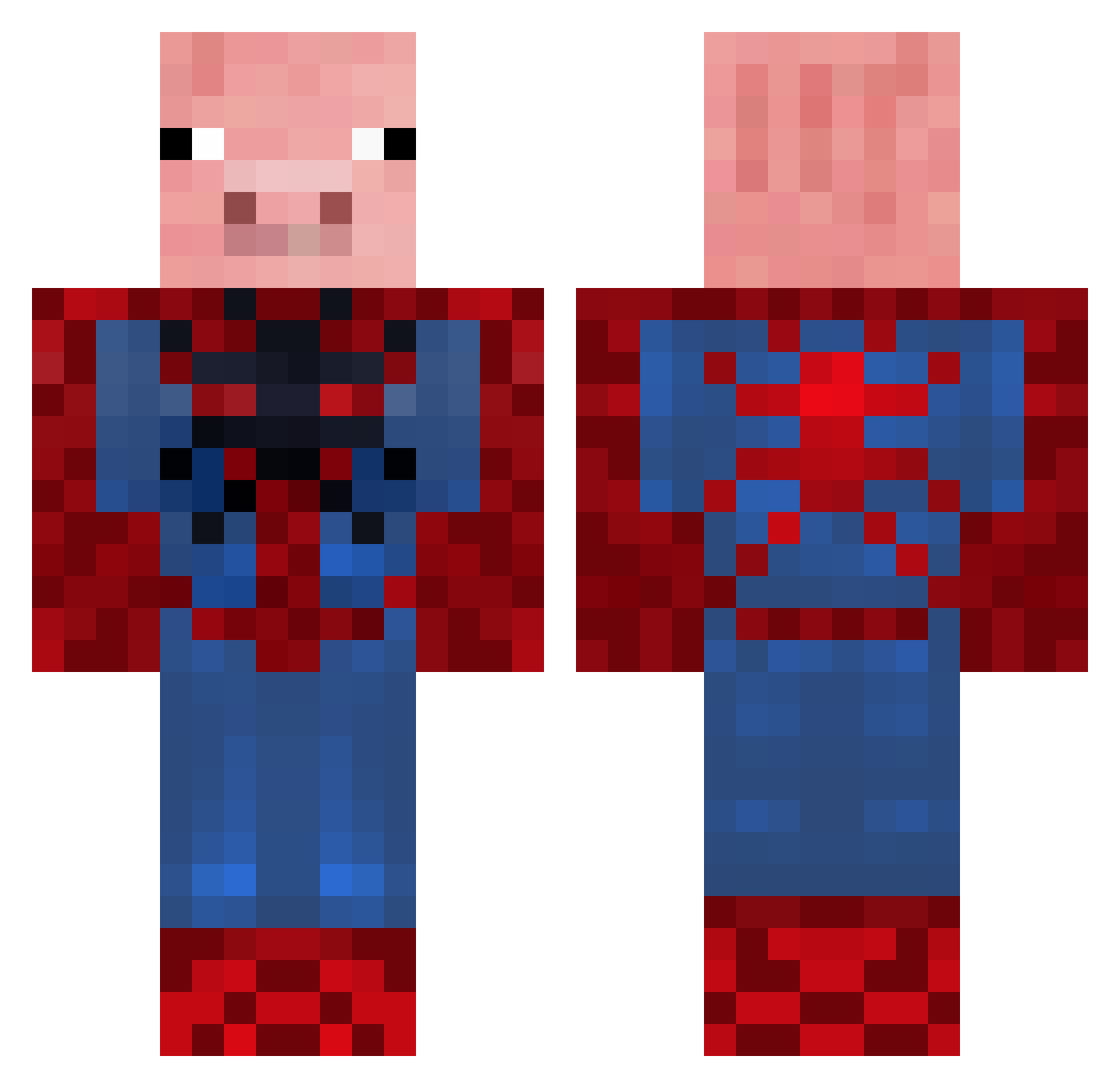
Current Minecraft skin of the player chellybelly96, loaded from the official Mojang API. Rotate the 3D model with your mouse or finger, then download the skin as a PNG file and use it in Minecraft: Bedrock Edition or Java Edition for free. When chellybelly96 changes their skin, this page updates automatically and the old skin stays in the history below.
Other players with this skin (655)
chellybelly96 was the 570th player we have seen with this skin, first spotted on 26.10.2026. The same skin was seen on these players. Open a nickname to see their current skin and skin history.
 Blam760 Spidepig12 chiarotto Difghan UxVink HeadHunterSJT kevo97 Andrea432003 maxmah senormcmatt jonathanito Daniel_the_gamer riley118 Geeno090 Jossepipis Shonmet Akuzzz Ultrapig999 SLAMMERSLAYER csvibkat rana45 Hanleyd Natedog180 JabDawGg mochibunnie SeanSalvaSwag Watzabee DoctorD_ KingCrab373 SuperPig689 EL_Chacalos DuckUp SpiderAlex2407 Waller123456789 CinnamonToastLax zozo7w BoByK cian12344 duncman17 andr405g defferfe aaronchops1 killer_bacon22 MonkeyX99 galaso111 DeGroteSmurff hawkeye118 rebeccabananas bulkwild jackpot1122 JiDxDNinja wicce_13 minebuilder1040 Mackenjems StealthyPig01 litchy66 Superguyman101 Sorus7 Murloco gdawg_325
More Pig Minecraft skins
How to install the chellybelly96 skin
- Press the Download button above to save the skin as a PNG file.
- Minecraft: Bedrock Edition (PE): open the Dressing Room from the main menu (or tap your character → Edit Character), go to Classic Skins → Owned, press the + (new skin) button, choose the downloaded PNG and pick the Classic (Steve) model. Works on PC and mobile; consoles cannot import custom skins.
- Minecraft: Java Edition: open the Minecraft Launcher, go to the Skins tab, click New Skin, load the PNG, pick the Classic (Steve) model and press Save & Use. You can also upload it at minecraft.net → Profile → Change Skin.
The skin does not show up after import - what should I do?
Restart Minecraft and open the Dressing Room again - imported skins sometimes appear only after a restart. Also make sure you selected the imported skin and picked the Classic (Steve) model.
Which model should I choose, Classic or Slim?
This skin is designed for the Classic (Steve) model. If you pick the wrong model, the arms of the skin will look stretched or squeezed.
Is the skin of chellybelly96 free to download?
Yes. Press Download, save the PNG file and use it in Minecraft: Bedrock Edition or Java Edition - no payment or registration needed. The skin also works on multiplayer servers and Realms.
More skins
Looking for more? Go back to all Minecraft skins and check the top skins of the week, month and all time, or find any player's skin by nickname.