
cheesyGHG - Minecraft Skins & Skin History
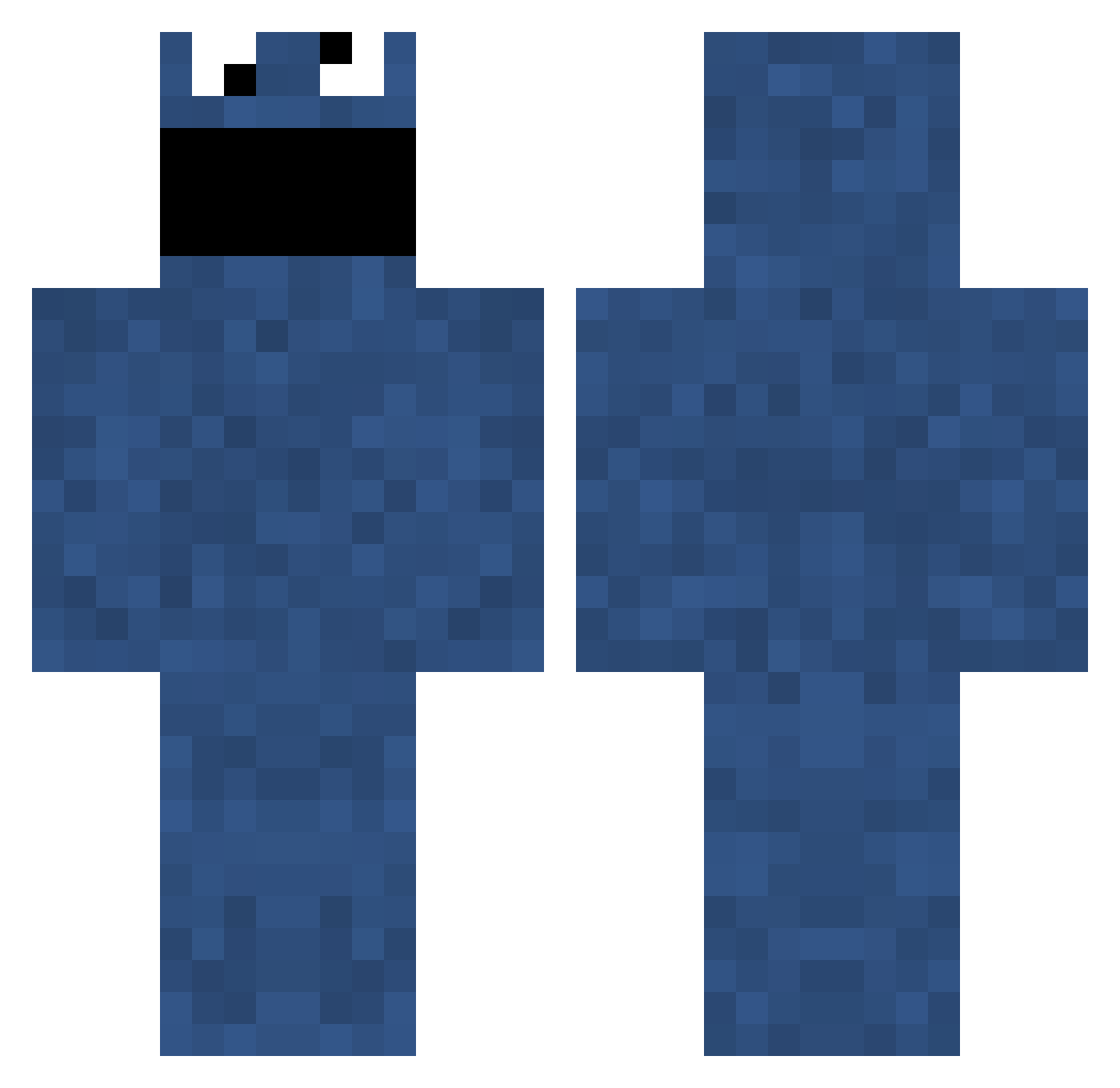
Current Minecraft skin of the player cheesyGHG, loaded from the official Mojang API. Rotate the 3D model with your mouse or finger, then download the skin as a PNG file and use it in Minecraft: Bedrock Edition or Java Edition for free. When cheesyGHG changes their skin, this page updates automatically and the old skin stays in the history below.
Other players with this skin (84)
cheesyGHG was the 53rd player we have seen with this skin, first spotted on 12.10.2026. The same skin was seen on these players. Open a nickname to see their current skin and skin history.
 goosemopod woodenbooklook DagueWarlord Silva922 nanyanl NousagiDD RIPTHESTITCH BLASBARRERA Lyzcrat PoletoMP jrr Ktime QQmao shampsoon IsraelHolywriter Fabiich hayating8 KOJatND NotVeeito Ignore131 hajdurobi alekashana NOXIOUX21 coolpig19 wuczektokoks Syrbu_11 Pershon1 MagicznaParowka Turtle_droid wookeee Gembershotje EnzohCactus Ganpiesen NatsuMe27 _Cuh_ LionsEyeDiamond AndrewG243 kairiao Gin_ko Applefudge Hypo bitorito psyduck_13 dorumuk_sang japalalo CherROM Crazycacti22 MinecraftMuseum R1ckySp4n1sh shawawawawa Gotinano SgchimpanZZ paquitosss34 HakunaSeinVater Just_Tuokuzi PeanutGuyy QsRevelation _seanyboy OllyWasHere BigEatersClub
More Cookie Monster Minecraft skins
See all 302 Cookie Monster skins
How to install the cheesyGHG skin
- Press the Download button above to save the skin as a PNG file.
- Minecraft: Bedrock Edition (PE): open the Dressing Room from the main menu (or tap your character → Edit Character), go to Classic Skins → Owned, press the + (new skin) button, choose the downloaded PNG and pick the Classic (Steve) model. Works on PC and mobile; consoles cannot import custom skins.
- Minecraft: Java Edition: open the Minecraft Launcher, go to the Skins tab, click New Skin, load the PNG, pick the Classic (Steve) model and press Save & Use. You can also upload it at minecraft.net → Profile → Change Skin.
The skin does not show up after import - what should I do?
Restart Minecraft and open the Dressing Room again - imported skins sometimes appear only after a restart. Also make sure you selected the imported skin and picked the Classic (Steve) model.
Which model should I choose, Classic or Slim?
This skin is designed for the Classic (Steve) model. If you pick the wrong model, the arms of the skin will look stretched or squeezed.
Is the skin of cheesyGHG free to download?
Yes. Press Download, save the PNG file and use it in Minecraft: Bedrock Edition or Java Edition - no payment or registration needed. The skin also works on multiplayer servers and Realms.
More skins
Looking for more? Go back to all Minecraft skins and check the top skins of the week, month and all time, or find any player's skin by nickname.