
cfR236 - Minecraft Skins & Skin History
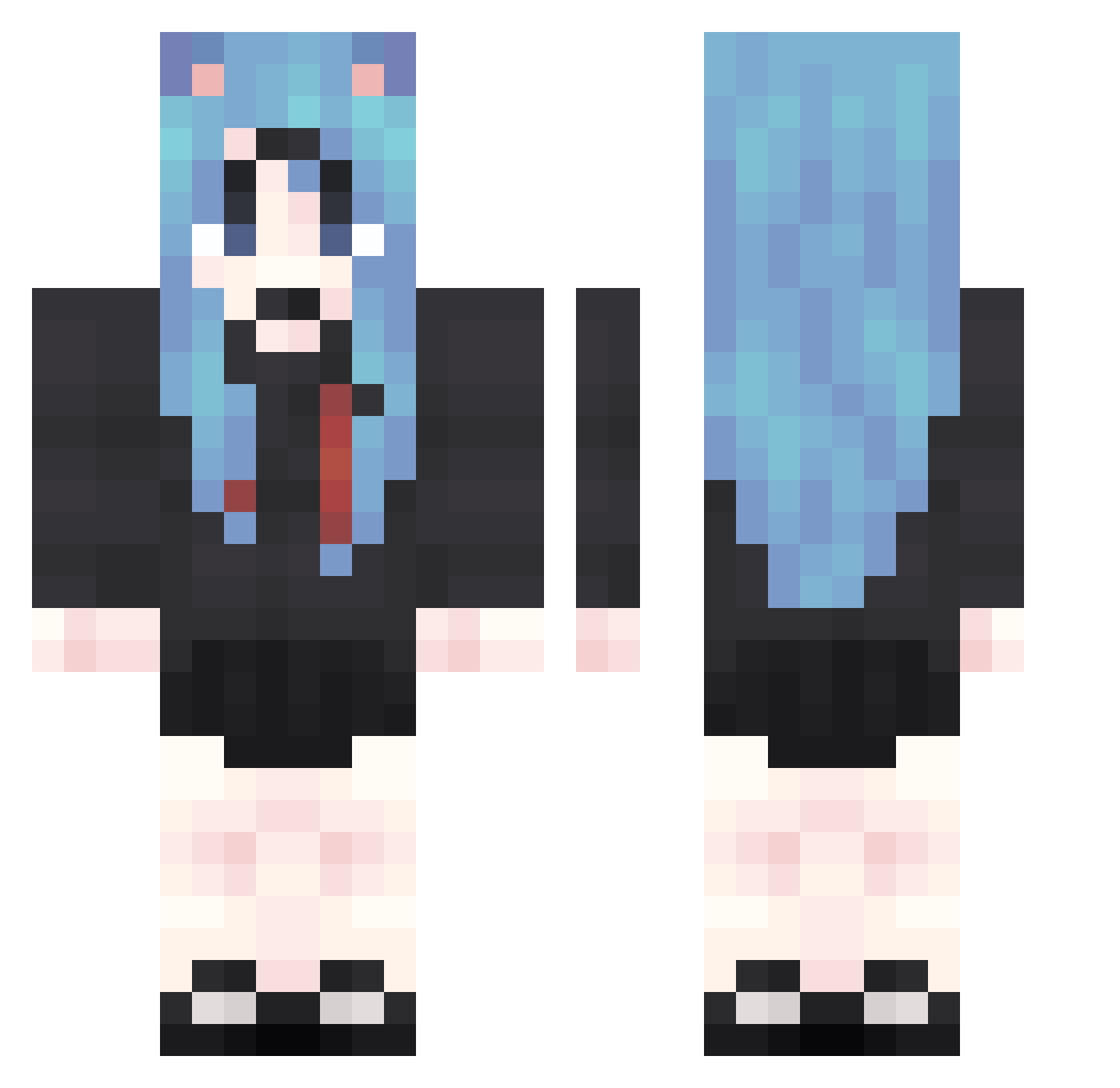
Current Minecraft skin of the player cfR236, loaded from the official Mojang API. Rotate the 3D model with your mouse or finger, then download the skin as a PNG file and use it in Minecraft: Bedrock Edition or Java Edition for free. When cfR236 changes their skin, this page updates automatically and the old skin stays in the history below.
Other players with this skin (1874)
cfR236 was the 1561st player we have seen with this skin, first spotted on 25.10.2026. The same skin was seen on these players. Open a nickname to see their current skin and skin history.
 dIN642 kLn396 fXl587 vII232 qFz893 tRK701 ZWq749 ajK924 Fxg222 kkv967 rhf505 EbK55 lnl81 qTs223 JuR279 iWY207 AVW199 rOb173 dUa122 MVs441 hZL792 agm580 riQ965 ztH147 Nht910 EGp607 nfu572 IIg589 QCI313 vhF430 MQk648 zNT229 AUQ808 tbQ996 GyF646 Ber377 MSV607 tCR954 eoZ828 bdt523 QTQ148 GRf802 UkZ516 aCA444 ZFH6 mmK177 SyQ346 tem505 LLs303 rWU315 Adg633 uqc399 Wkj472 NPj134 oGy535 oYH907 aVR478 mgM693 WeT214 JUz345
More School Uniform Minecraft skins
See all 7162 School Uniform skins
How to install the cfR236 skin
- Press the Download button above to save the skin as a PNG file.
- Minecraft: Bedrock Edition (PE): open the Dressing Room from the main menu (or tap your character → Edit Character), go to Classic Skins → Owned, press the + (new skin) button, choose the downloaded PNG and pick the Classic (Steve) model. Works on PC and mobile; consoles cannot import custom skins.
- Minecraft: Java Edition: open the Minecraft Launcher, go to the Skins tab, click New Skin, load the PNG, pick the Classic (Steve) model and press Save & Use. You can also upload it at minecraft.net → Profile → Change Skin.
The skin does not show up after import - what should I do?
Restart Minecraft and open the Dressing Room again - imported skins sometimes appear only after a restart. Also make sure you selected the imported skin and picked the Classic (Steve) model.
Which model should I choose, Classic or Slim?
This skin is designed for the Classic (Steve) model. If you pick the wrong model, the arms of the skin will look stretched or squeezed.
Is the skin of cfR236 free to download?
Yes. Press Download, save the PNG file and use it in Minecraft: Bedrock Edition or Java Edition - no payment or registration needed. The skin also works on multiplayer servers and Realms.
More skins
Looking for more? Go back to all Minecraft skins and check the top skins of the week, month and all time, or find any player's skin by nickname.