
bxgelman - Minecraft Skins & Skin History
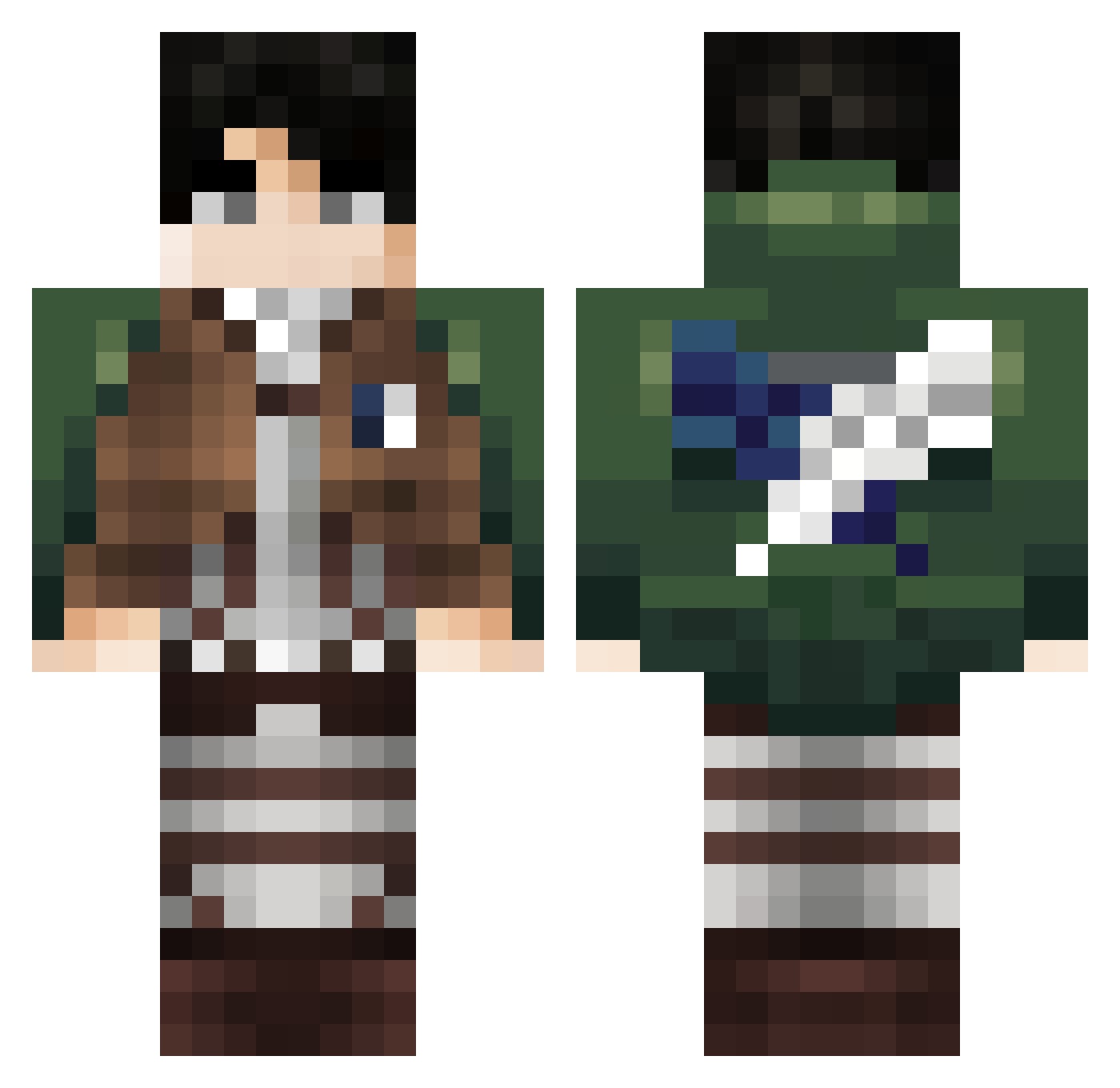
Current Minecraft skin of the player bxgelman, loaded from the official Mojang API. Rotate the 3D model with your mouse or finger, then download the skin as a PNG file and use it in Minecraft: Bedrock Edition or Java Edition for free. When bxgelman changes their skin, this page updates automatically and the old skin stays in the history below.
Other players with this skin (393)
bxgelman was the 317th player we have seen with this skin, first spotted on 22.10.2026. The same skin was seen on these players. Open a nickname to see their current skin and skin history.
 Nitos23 J0NAS05 TwiXD LeooMonster MaxiColombo Aboodhommidi nicksickpick Potato10_12 Vidarr_10 BeetleCookie138 ahawow jb0426 Diego07070707 McRasowy Kely1o fluffyflufferss DeamDeom UrtleTurtles Frankthe7th Javier_king1 Jackk789 play_meunbutton ChrisTheSSG23 darkconstant talmo0612 Blangden3 CDN_Retro SVG_Griffin I3incent Andy_v LeviAckermxn spinningchair12 Gegelis YisusTeRaja caringhearts SaNcHeZ1199 Quamsi_ avab123 Normalization_ luckyk081 Quisbyyy KiwikQLF Digifinder2 danielmaomeno DerBube71 SKYoo Seojin5484 lebu1225 seasaltcaracat kubapl02 ShureShot11 WAPO777 ST0518 ChruchHockey uonn_ah hyj5381 Odysmos NiuBie87 Pablomr_ LilKev97
More Levi Ackerman Minecraft skins
See all 202 Levi Ackerman skins
How to install the bxgelman skin
- Press the Download button above to save the skin as a PNG file.
- Minecraft: Bedrock Edition (PE): open the Dressing Room from the main menu (or tap your character → Edit Character), go to Classic Skins → Owned, press the + (new skin) button, choose the downloaded PNG and pick the Classic (Steve) model. Works on PC and mobile; consoles cannot import custom skins.
- Minecraft: Java Edition: open the Minecraft Launcher, go to the Skins tab, click New Skin, load the PNG, pick the Classic (Steve) model and press Save & Use. You can also upload it at minecraft.net → Profile → Change Skin.
The skin does not show up after import - what should I do?
Restart Minecraft and open the Dressing Room again - imported skins sometimes appear only after a restart. Also make sure you selected the imported skin and picked the Classic (Steve) model.
Which model should I choose, Classic or Slim?
This skin is designed for the Classic (Steve) model. If you pick the wrong model, the arms of the skin will look stretched or squeezed.
Is the skin of bxgelman free to download?
Yes. Press Download, save the PNG file and use it in Minecraft: Bedrock Edition or Java Edition - no payment or registration needed. The skin also works on multiplayer servers and Realms.
More skins
Looking for more? Go back to all Minecraft skins and check the top skins of the week, month and all time, or find any player's skin by nickname.