
bvbbenni - Minecraft Skins & Skin History
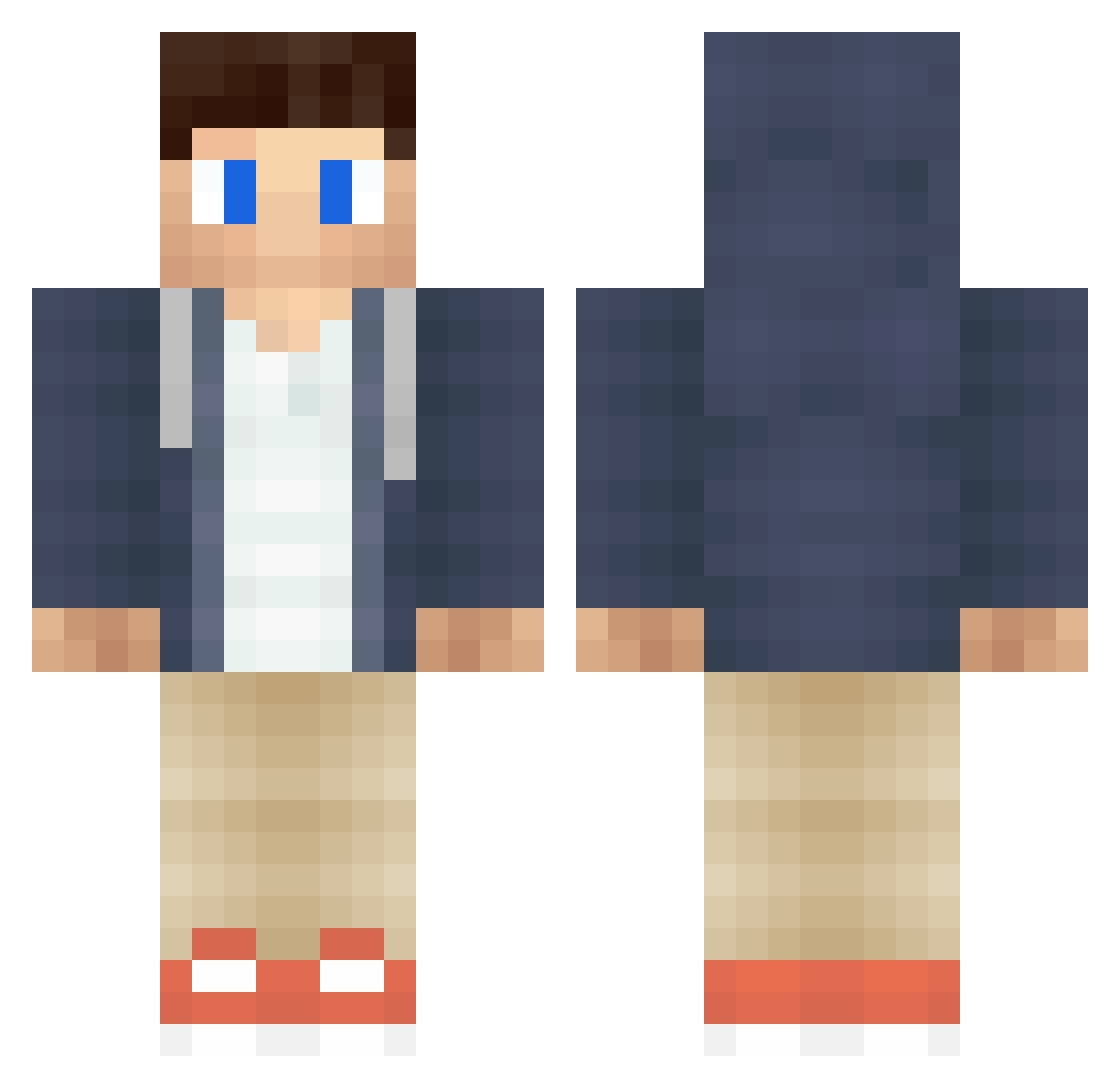
Current Minecraft skin of the player bvbbenni, loaded from the official Mojang API. Rotate the 3D model with your mouse or finger, then download the skin as a PNG file and use it in Minecraft: Bedrock Edition or Java Edition for free. When bvbbenni changes their skin, this page updates automatically and the old skin stays in the history below.
Other players with this skin (460)
bvbbenni was the 368th player we have seen with this skin, first spotted on 18.10.2026. The same skin was seen on these players. Open a nickname to see their current skin and skin history.
 xcQAQ TheMisgett ketil92 Anton2987 Tantom Spudmonkey_ joshkeley SnapDrive Bubee11x xXRKXx IncredibleLuca PoepZakjeS BikerMike1 CadeWofford Tazech jufferall jackmak11 _Tom_playsgay_ 921 Crafter34 Herminator8000 j69 Jordoxy JTFrags L3wii justjelga Rider_X robe1234 Elnurabd ANULROD Semih_57 Kirby1926 vincentdpgo Elias_ViSiT BossPandaz Senson69 BloodBloober DutchSkillzz romannico RIFFBARON2000 Daanskii BatuPvP07 thejoeboythe5267 Solar___ PlunEGraphics tyvi81 jakobbaath02 xXLeo_The_Lion GreekPvPer Fatal__Exception FixNixPartyStixs Matt190303 RensRevolver kkylorren pcsquidkiller PrivateTheory X_ibrahim_X ebParis98 seiian BangladeshBorn
More Casual Minecraft skins
How to install the bvbbenni skin
- Press the Download button above to save the skin as a PNG file.
- Minecraft: Bedrock Edition (PE): open the Dressing Room from the main menu (or tap your character → Edit Character), go to Classic Skins → Owned, press the + (new skin) button, choose the downloaded PNG and pick the Classic (Steve) model. Works on PC and mobile; consoles cannot import custom skins.
- Minecraft: Java Edition: open the Minecraft Launcher, go to the Skins tab, click New Skin, load the PNG, pick the Classic (Steve) model and press Save & Use. You can also upload it at minecraft.net → Profile → Change Skin.
The skin does not show up after import - what should I do?
Restart Minecraft and open the Dressing Room again - imported skins sometimes appear only after a restart. Also make sure you selected the imported skin and picked the Classic (Steve) model.
Which model should I choose, Classic or Slim?
This skin is designed for the Classic (Steve) model. If you pick the wrong model, the arms of the skin will look stretched or squeezed.
Is the skin of bvbbenni free to download?
Yes. Press Download, save the PNG file and use it in Minecraft: Bedrock Edition or Java Edition - no payment or registration needed. The skin also works on multiplayer servers and Realms.
More skins
Looking for more? Go back to all Minecraft skins and check the top skins of the week, month and all time, or find any player's skin by nickname.