
bolson56 - Minecraft Skins & Skin History
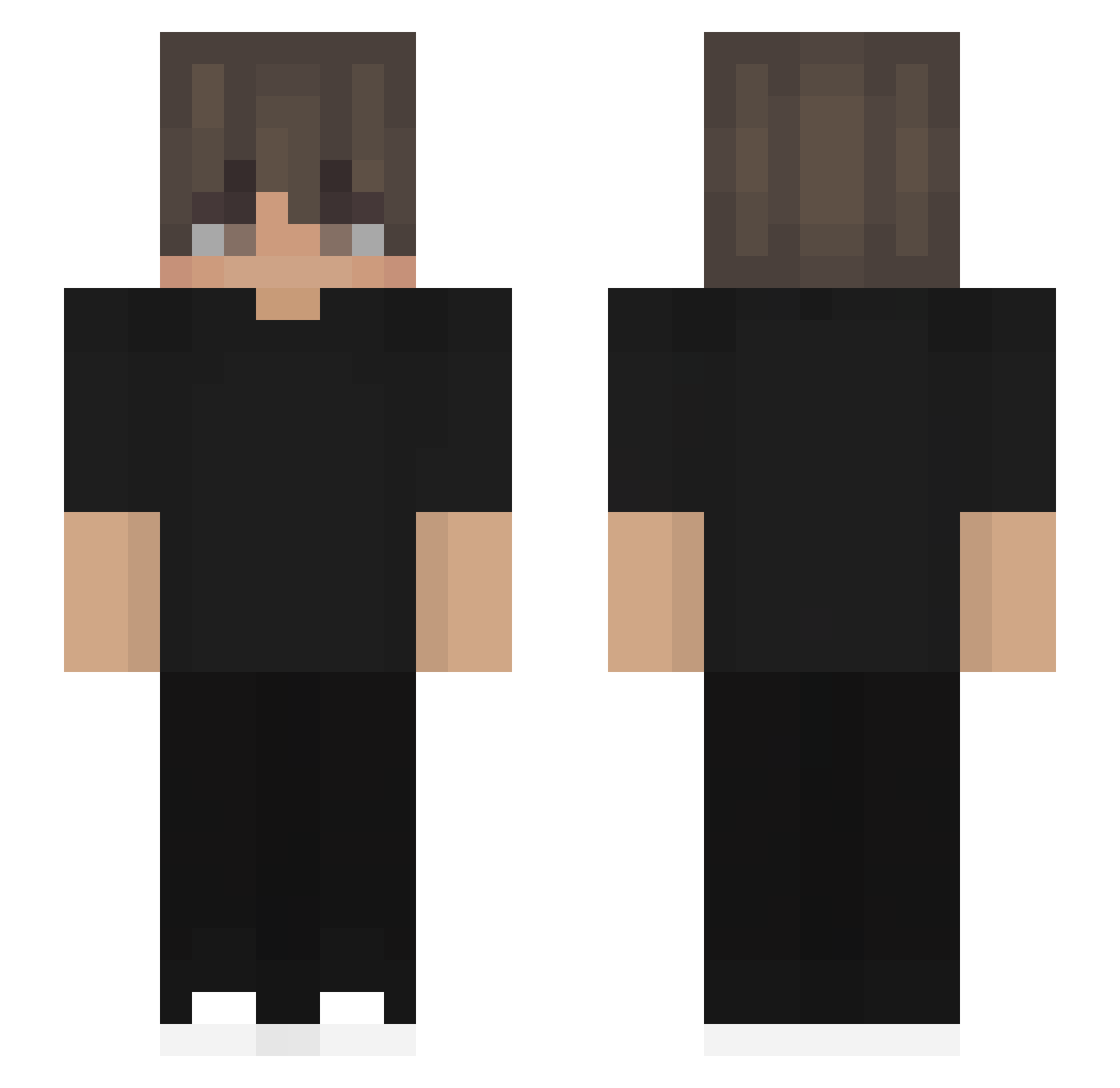
Current Minecraft skin of the player bolson56, loaded from the official Mojang API. Rotate the 3D model with your mouse or finger, then download the skin as a PNG file and use it in Minecraft: Bedrock Edition or Java Edition for free. When bolson56 changes their skin, this page updates automatically and the old skin stays in the history below.
Other players with this skin (532)
bolson56 was the 334th player we have seen with this skin, first spotted on 02.10.2026. The same skin was seen on these players. Open a nickname to see their current skin and skin history.
 KARIM__V9 mateo6655 Blvde88 knifex01 YouMirov RHMS2011 JuzzDom davilitooreyess Juls233 OvoSK ElPikaboo ImAykor VictorAlonso122 cyperkowy BreevixYT Nthiendzz C4R1GUL4 Cz3rny Luxxlive p7hy Kor0z oscar0921 DPThroat Jainaaradhya Elay_221 Xn1ghTD weicheng233 Itz_RayanYT ElLeonjejeje OliOli5 yes1234no Hraetquakes_ cheri7082 lizhuofan ETOxxx Raqquellee saidhi zhangruicheng mendiguinhox ZER0notime Miguelitop11 EONIXdkl XRaresX ItzCom Shrimp_Bin royington YukossN HiVallone Confused_Rv Shoukatsumi whiskyS2 Rxmsey Innocentio ItsTanila Godwen666 Algwo Ak24444 Kyrylo0806 illuminus_metam Burlock8080
How to install the bolson56 skin
- Press the Download button above to save the skin as a PNG file.
- Minecraft: Bedrock Edition (PE): open the Dressing Room from the main menu (or tap your character → Edit Character), go to Classic Skins → Owned, press the + (new skin) button, choose the downloaded PNG and pick the Slim (Alex) model. Works on PC and mobile; consoles cannot import custom skins.
- Minecraft: Java Edition: open the Minecraft Launcher, go to the Skins tab, click New Skin, load the PNG, pick the Slim (Alex) model and press Save & Use. You can also upload it at minecraft.net → Profile → Change Skin.
The skin does not show up after import - what should I do?
Restart Minecraft and open the Dressing Room again - imported skins sometimes appear only after a restart. Also make sure you selected the imported skin and picked the Slim (Alex) model.
Which model should I choose, Classic or Slim?
This skin is designed for the Slim (Alex) model. If you pick the wrong model, the arms of the skin will look stretched or squeezed.
Is the skin of bolson56 free to download?
Yes. Press Download, save the PNG file and use it in Minecraft: Bedrock Edition or Java Edition - no payment or registration needed. The skin also works on multiplayer servers and Realms.
More skins
Looking for more? Go back to all Minecraft skins and check the top skins of the week, month and all time, or find any player's skin by nickname.