
binmayes - Minecraft Skins & Skin History
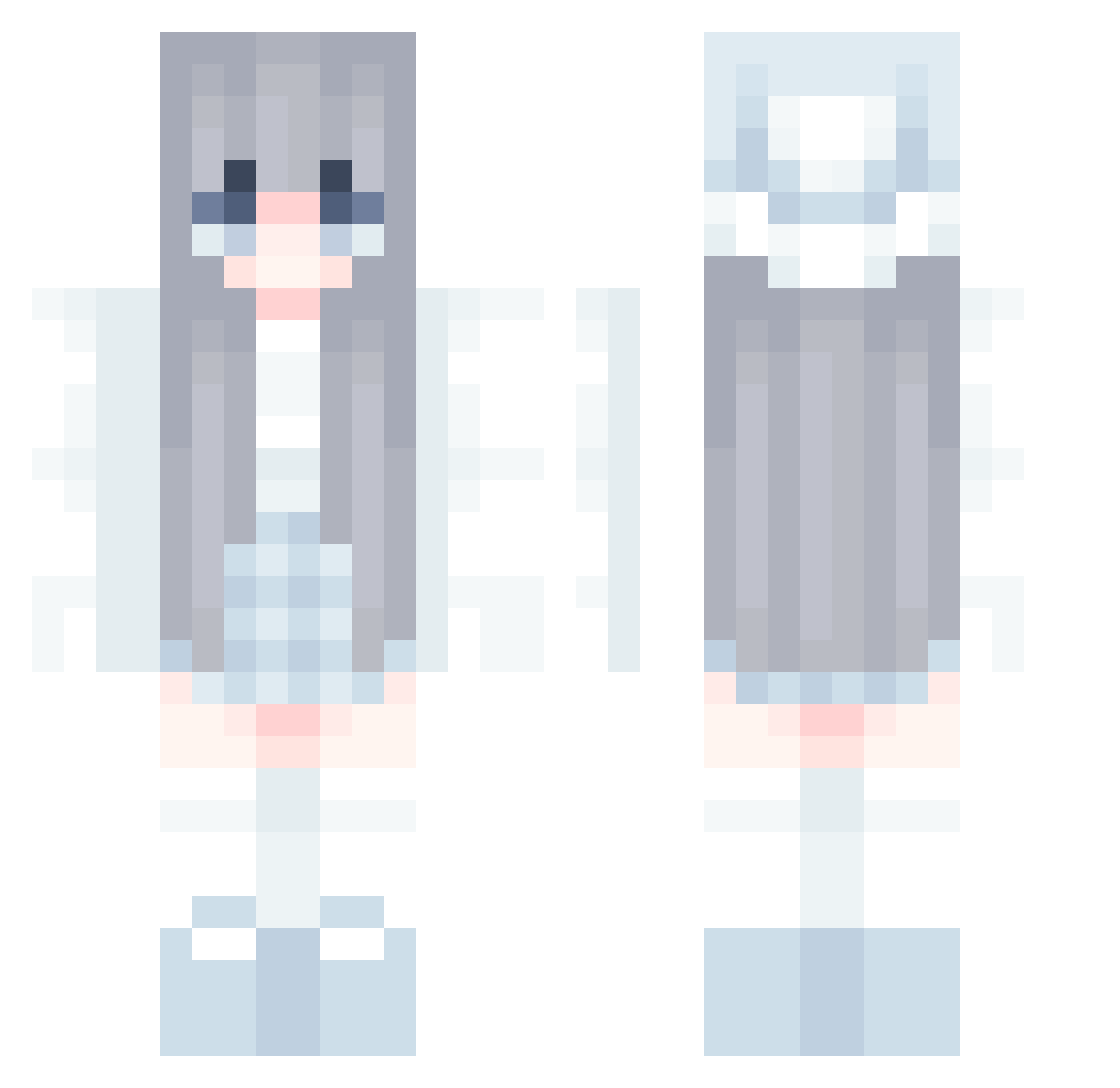
Current Minecraft skin of the player binmayes, loaded from the official Mojang API. Rotate the 3D model with your mouse or finger, then download the skin as a PNG file and use it in Minecraft: Bedrock Edition or Java Edition for free. When binmayes changes their skin, this page updates automatically and the old skin stays in the history below.
Other players with this skin (833)
binmayes was the 631st player we have seen with this skin, first spotted on 12.10.2026. The same skin was seen on these players. Open a nickname to see their current skin and skin history.
 Riuki_ Purplenow262 DABI_kawaii Losecolor KryoMeansCold zzdy123 mlidp LoveLee__ hyennie_ noname4260 hina102 imhyoin MIRACLE0103 Nak3dZucchini SJH614 rubyna Yoshizawa_Kasumi Apmmo linyan0712 Wuwuwu999 m1yu1203 ErcLight lxortt Fog_Zhi_Light _Aitree_ HINATA506 Lilly4832 Krop aquamilmil _Natsuu _OmIr keilove SkilletX FUMENG01 hollyspencerxx Tact1calGen1us Bridestyle giyomi03 morrislee726 OtakuTofuCat Wangxiao345 dunjia spicymatze TxiT HaJin_ing B69MBIES kofeika_ YuzurihaKS Joancandy xtya KaoPuD ZicaiQAQ Weiwei73 Miss_Nieves ReAlice FragrantDD_Fudao peaper_ world_defeat clakz1 SYU__
More Aesthetic Minecraft skins
How to install the binmayes skin
- Press the Download button above to save the skin as a PNG file.
- Minecraft: Bedrock Edition (PE): open the Dressing Room from the main menu (or tap your character → Edit Character), go to Classic Skins → Owned, press the + (new skin) button, choose the downloaded PNG and pick the Classic (Steve) model. Works on PC and mobile; consoles cannot import custom skins.
- Minecraft: Java Edition: open the Minecraft Launcher, go to the Skins tab, click New Skin, load the PNG, pick the Classic (Steve) model and press Save & Use. You can also upload it at minecraft.net → Profile → Change Skin.
The skin does not show up after import - what should I do?
Restart Minecraft and open the Dressing Room again - imported skins sometimes appear only after a restart. Also make sure you selected the imported skin and picked the Classic (Steve) model.
Which model should I choose, Classic or Slim?
This skin is designed for the Classic (Steve) model. If you pick the wrong model, the arms of the skin will look stretched or squeezed.
Is the skin of binmayes free to download?
Yes. Press Download, save the PNG file and use it in Minecraft: Bedrock Edition or Java Edition - no payment or registration needed. The skin also works on multiplayer servers and Realms.
More skins
Looking for more? Go back to all Minecraft skins and check the top skins of the week, month and all time, or find any player's skin by nickname.