
bearheat - Minecraft Skins & Skin History
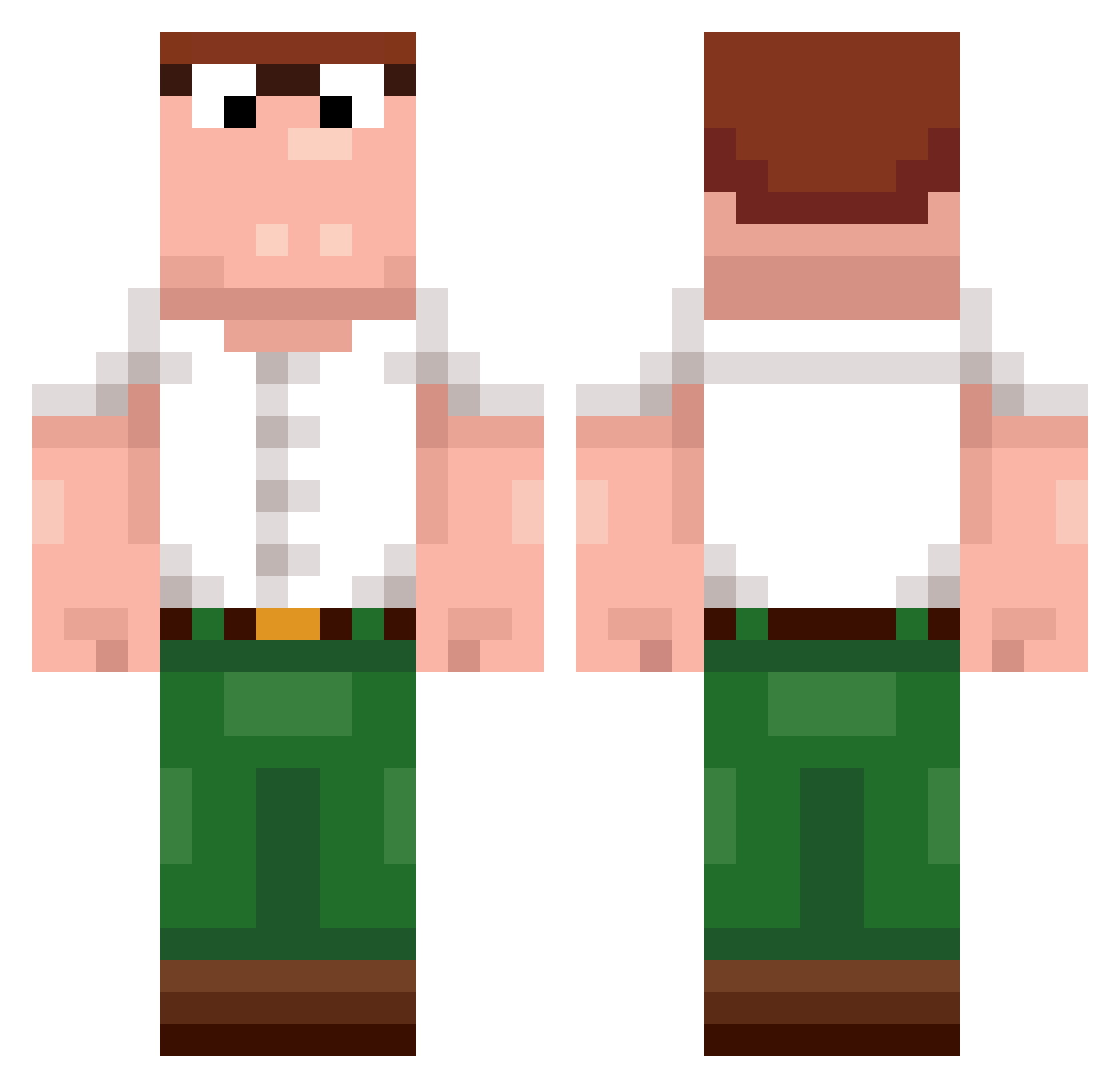
Current Minecraft skin of the player bearheat, loaded from the official Mojang API. Rotate the 3D model with your mouse or finger, then download the skin as a PNG file and use it in Minecraft: Bedrock Edition or Java Edition for free. When bearheat changes their skin, this page updates automatically and the old skin stays in the history below.
Other players with this skin (519)
bearheat was the 494th player we have seen with this skin, first spotted on 06.11.2026. The same skin was seen on these players. Open a nickname to see their current skin and skin history.
 ieatpoops __obama_0 Framram TheMatosFam unspokeable092 freakybob9 jasonix999 Cockyshoe 007RIZE cheeeser Firefrost0301 XavierKnight7845 BIingBIing03 SubtoInc ExtremeMuckMoud weloveceo Stillet00 Brix_ton89 MutterDipper69 ophigeus Zacheychan oDewering_ __BBC__ DewiersCousin akelez26 LxkeMoore Mcdogg77 dih4urMom XElPANCHEROX270 Huevaffet Lino75398 xHuzail HackerNoHacking SimplyTrash_ SpicyBean4904 nitahacaracal341 xianyu_yyds Tony_not_Toni kunyang_2 Dew123 LoneRangir cosmeted _kacknoob_ Xx_KingDewier_xX AtlasYonna ShyManBY Firstone2006 CuteGT _Feti_ julonoob Wpffl_ Torben15 fqao jani_sinz cr1nj Dweier Loxyxv kP9xF2m7V4wQ8tNb zerlinder cd_qm0kW_0816
More Peter Griffin Minecraft skins
See all 235 Peter Griffin skins
How to install the bearheat skin
- Press the Download button above to save the skin as a PNG file.
- Minecraft: Bedrock Edition (PE): open the Dressing Room from the main menu (or tap your character → Edit Character), go to Classic Skins → Owned, press the + (new skin) button, choose the downloaded PNG and pick the Classic (Steve) model. Works on PC and mobile; consoles cannot import custom skins.
- Minecraft: Java Edition: open the Minecraft Launcher, go to the Skins tab, click New Skin, load the PNG, pick the Classic (Steve) model and press Save & Use. You can also upload it at minecraft.net → Profile → Change Skin.
The skin does not show up after import - what should I do?
Restart Minecraft and open the Dressing Room again - imported skins sometimes appear only after a restart. Also make sure you selected the imported skin and picked the Classic (Steve) model.
Which model should I choose, Classic or Slim?
This skin is designed for the Classic (Steve) model. If you pick the wrong model, the arms of the skin will look stretched or squeezed.
Is the skin of bearheat free to download?
Yes. Press Download, save the PNG file and use it in Minecraft: Bedrock Edition or Java Edition - no payment or registration needed. The skin also works on multiplayer servers and Realms.
More skins
Looking for more? Go back to all Minecraft skins and check the top skins of the week, month and all time, or find any player's skin by nickname.