
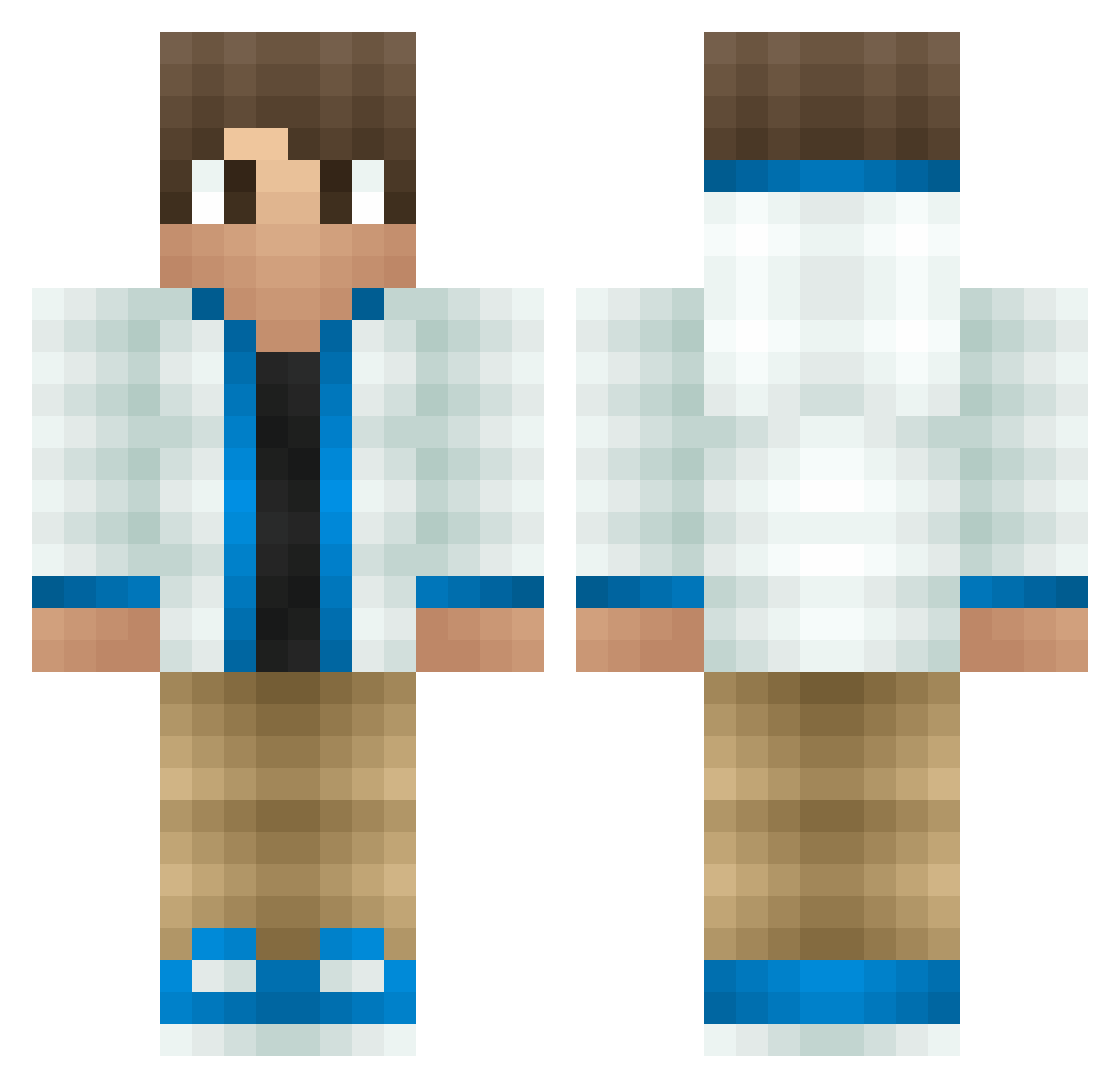
Current Minecraft skin of the player awesomedude5463, loaded from the official Mojang API. Rotate the 3D model with your mouse or finger, then download the skin as a PNG file and use it in Minecraft: Bedrock Edition or Java Edition for free. When awesomedude5463 changes their skin, this page updates automatically and the old skin stays in the history below.
Other players with this skin (157)
The same skin was seen on these players. Open a nickname to see their current skin and skin history.
 TGamesUK Stefan5 Thehorseguy Qualityplays spiritedCub TAA063 Will_Diego minebuster2004 The0wl_ louxiao WettergrenLLOJJ StefRR TT7 UnghettoBrad Roel_gamer2005 GamingRyan Nadeshot_ ludo09 WASDgamers Pukesi BrandonBrookes LOLSNIP Filipthebeast ljslewis yungpbcarti MarcHD3 SirFrontsalot DaaasViktor Im_Here davidzach thegodfather10 SandroPlayzGames redfieldchris NickoSicko kaifly Niels_1501 Hecc Fritske2002 rcan XxCraftingFlohxX candycane11 Dhruvish21 CalexGaming Rockula01 DJMaster1 luisduartethebos CanadaRules20 oldturtle19 proopr11 Cedcrafter2704 Smitjes SheCallsMeNyQuil SimcartHD Samejens Noahpennlov Maxibooi TriNitroToluenee Haris_Ali JTLoby bigben1231
How to install the awesomedude5463 skin
- Press the Download button above to save the skin as a PNG file.
- Minecraft: Bedrock Edition (PE): open the Dressing Room from the main menu (or tap your character → Edit Character), go to Classic Skins → Owned, press the + (new skin) button, choose the downloaded PNG and pick the Classic (Steve) model. Works on PC and mobile; consoles cannot import custom skins.
- Minecraft: Java Edition: open the Minecraft Launcher, go to the Skins tab, click New Skin, load the PNG, pick the Classic (Steve) model and press Save & Use. You can also upload it at minecraft.net → Profile → Change Skin.
The skin does not show up after import - what should I do?
Restart Minecraft and open the Dressing Room again - imported skins sometimes appear only after a restart. Also make sure you selected the imported skin and picked the Classic (Steve) model.
Which model should I choose, Classic or Slim?
This skin is designed for the Classic (Steve) model. If you pick the wrong model, the arms of the skin will look stretched or squeezed.
Is the skin of awesomedude5463 free to download?
Yes. Press Download, save the PNG file and use it in Minecraft: Bedrock Edition or Java Edition - no payment or registration needed. The skin also works on multiplayer servers and Realms.
More skins
Looking for more? Go back to all Minecraft skins and check the top skins of the week, month and all time, or find any player's skin by nickname.