
_xilu_ - Minecraft Skins & Skin History
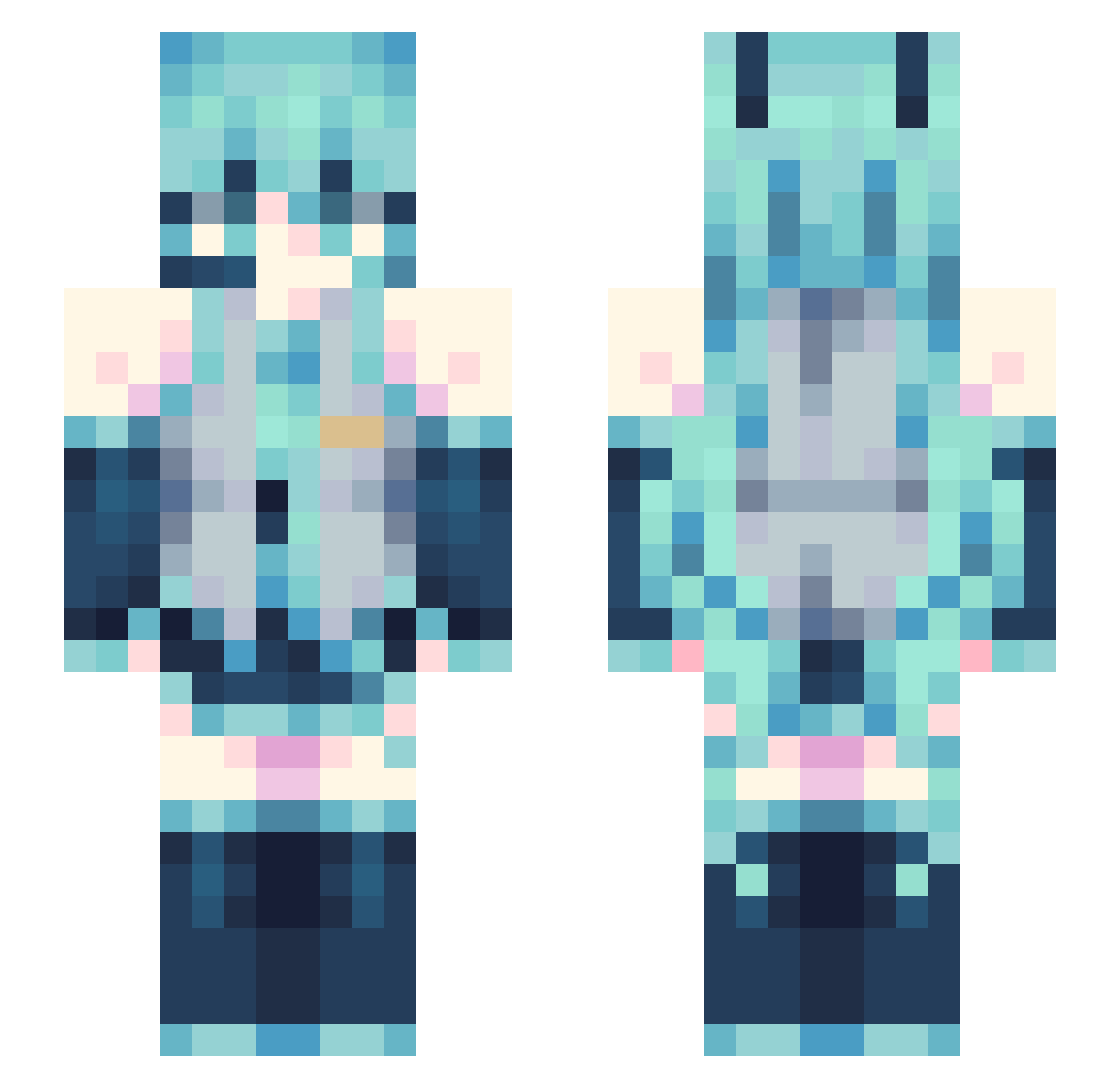
Current Minecraft skin of the player _xilu_, loaded from the official Mojang API. Rotate the 3D model with your mouse or finger, then download the skin as a PNG file and use it in Minecraft: Bedrock Edition or Java Edition for free. When _xilu_ changes their skin, this page updates automatically and the old skin stays in the history below.
Other players with this skin (140)
_xilu_ was the 100th player we have seen with this skin, first spotted on 14.10.2026. The same skin was seen on these players. Open a nickname to see their current skin and skin history.
 fwdarkfire hyunbingood XLaceXY hexspell LUVBlaise Blessed85 dipsy07 xXRaul89Xx Spikex77x_ Amari_Lee rufss Namhz17 fodeale FLZ_HackerTNT112 Delilabee Badphysio rightruna Cind3rPupp3t shaoo_o KOKORO_adm JDU0105 PotatoCrusader12 ZOMBAK_60 UberDad4444 ToastWithButter3 JoaoVtts Lukannah yooqer _OpL PlayerUnknownB VayyXoz CesarzowaGrasic AL_15 wintour9584 jepica222 Gam_chan xlodie wqwashii _Krino caguen Momentobruh56 HollowDAVID JeefyPrime Lunacy__________ rainny_not_sunny Star_Fire666 MisaMisa_ dysoncloud StockCart Bonzane1 SnugStarfish254 KihoruZorude V_M_Z blacklikeblack3 Mafiozo_PL liuXD1 Rei_Roze FlammDark YesArlo Lidearin
More Hatsune Miku Minecraft skins
See all 923 Hatsune Miku skins
How to install the _xilu_ skin
- Press the Download button above to save the skin as a PNG file.
- Minecraft: Bedrock Edition (PE): open the Dressing Room from the main menu (or tap your character → Edit Character), go to Classic Skins → Owned, press the + (new skin) button, choose the downloaded PNG and pick the Slim (Alex) model. Works on PC and mobile; consoles cannot import custom skins.
- Minecraft: Java Edition: open the Minecraft Launcher, go to the Skins tab, click New Skin, load the PNG, pick the Slim (Alex) model and press Save & Use. You can also upload it at minecraft.net → Profile → Change Skin.
The skin does not show up after import - what should I do?
Restart Minecraft and open the Dressing Room again - imported skins sometimes appear only after a restart. Also make sure you selected the imported skin and picked the Slim (Alex) model.
Which model should I choose, Classic or Slim?
This skin is designed for the Slim (Alex) model. If you pick the wrong model, the arms of the skin will look stretched or squeezed.
Is the skin of _xilu_ free to download?
Yes. Press Download, save the PNG file and use it in Minecraft: Bedrock Edition or Java Edition - no payment or registration needed. The skin also works on multiplayer servers and Realms.
More skins
Looking for more? Go back to all Minecraft skins and check the top skins of the week, month and all time, or find any player's skin by nickname.