
_juuu_h_ - Minecraft Skins & Skin History
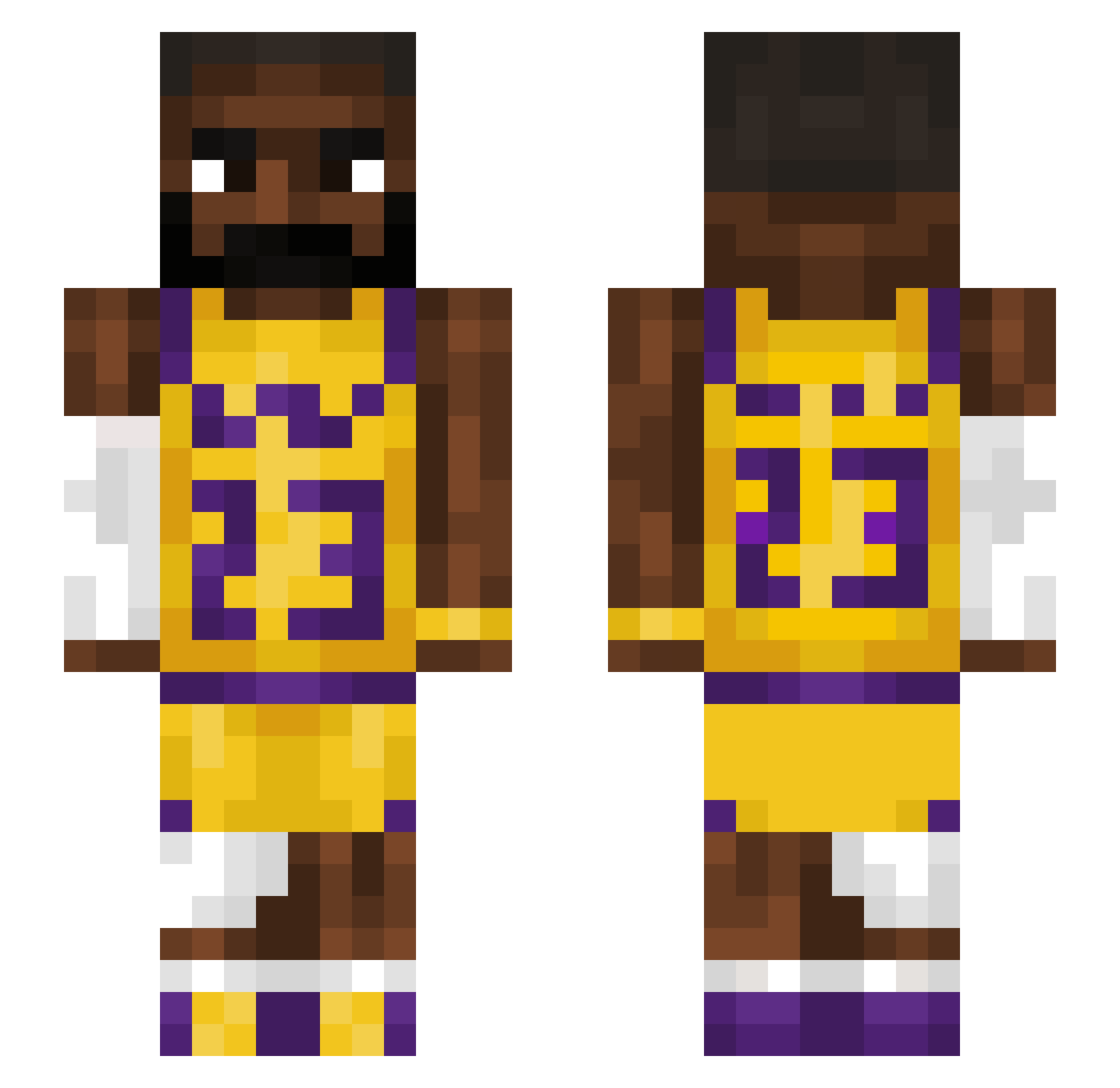
Current Minecraft skin of the player _juuu_h_, loaded from the official Mojang API. Rotate the 3D model with your mouse or finger, then download the skin as a PNG file and use it in Minecraft: Bedrock Edition or Java Edition for free. When _juuu_h_ changes their skin, this page updates automatically and the old skin stays in the history below.
Other players with this skin (1543)
_juuu_h_ was the 886th player we have seen with this skin, first spotted on 01.10.2026. The same skin was seen on these players. Open a nickname to see their current skin and skin history.
 benni100809 Habukio usher1310 BigNoseBandit17 safa_21 Jordiigibtsschon WalmartBag8 Xenobladez floppyy_ Kaiyyu xxxyaboiajxxx Helmetman29 Babiska duke3267 edgarlina YummyRenchevsku GoldJade0 RealKing_Howard tariikqq NethSegro lane35454820 Ultimateluigi89 HongsterDaRex Mattilot Deckymo nattekipnugget HappyHerper5 Jooen RezanNoob Ishaqk GoodMan002 MalonePick Dragonzzz69 NedoTheKing ShrimpFried1 LebronsGreatNess XtraICyfizz Vitil1 Legoatgang23 baddude45 Cocochannell NoopDoop bibibig123 ZyTex7 ObtuseMommy funky1920 bronkitt MistPullsWomen Istanbul1444 Bogense Samjayyy Bobinsky676 Bakalein IamAnderz Vaclavka123 alon423 AlphaAp3 chupapisteph czeko1adek HelpSham
More Lakers Minecraft skins
How to install the _juuu_h_ skin
- Press the Download button above to save the skin as a PNG file.
- Minecraft: Bedrock Edition (PE): open the Dressing Room from the main menu (or tap your character → Edit Character), go to Classic Skins → Owned, press the + (new skin) button, choose the downloaded PNG and pick the Slim (Alex) model. Works on PC and mobile; consoles cannot import custom skins.
- Minecraft: Java Edition: open the Minecraft Launcher, go to the Skins tab, click New Skin, load the PNG, pick the Slim (Alex) model and press Save & Use. You can also upload it at minecraft.net → Profile → Change Skin.
The skin does not show up after import - what should I do?
Restart Minecraft and open the Dressing Room again - imported skins sometimes appear only after a restart. Also make sure you selected the imported skin and picked the Slim (Alex) model.
Which model should I choose, Classic or Slim?
This skin is designed for the Slim (Alex) model. If you pick the wrong model, the arms of the skin will look stretched or squeezed.
Is the skin of _juuu_h_ free to download?
Yes. Press Download, save the PNG file and use it in Minecraft: Bedrock Edition or Java Edition - no payment or registration needed. The skin also works on multiplayer servers and Realms.
More skins
Looking for more? Go back to all Minecraft skins and check the top skins of the week, month and all time, or find any player's skin by nickname.