
_Willem_ - Minecraft Skins & Skin History
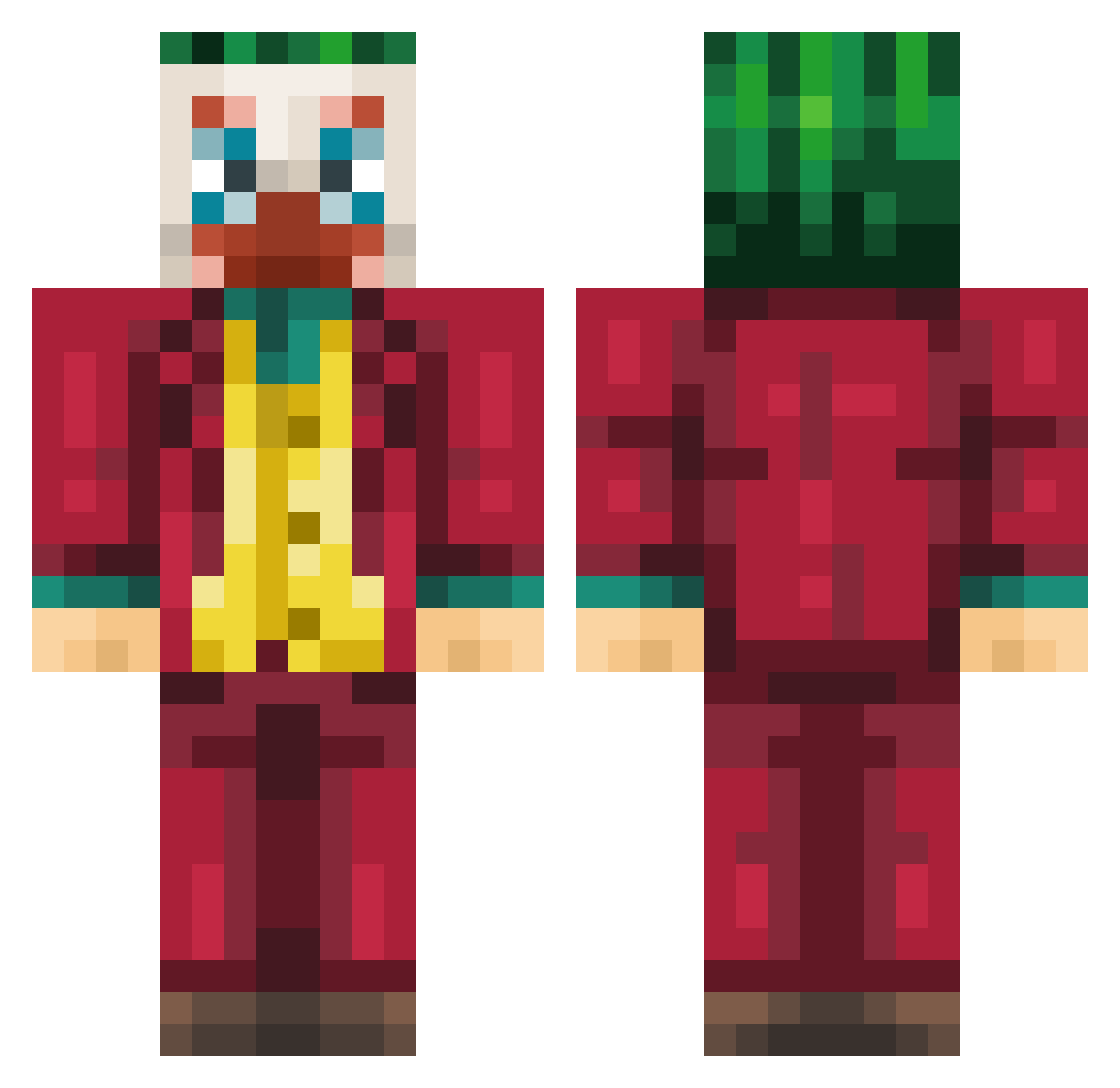
Current Minecraft skin of the player _Willem_, loaded from the official Mojang API. Rotate the 3D model with your mouse or finger, then download the skin as a PNG file and use it in Minecraft: Bedrock Edition or Java Edition for free. When _Willem_ changes their skin, this page updates automatically and the old skin stays in the history below.
Other players with this skin (235)
_Willem_ was the 183rd player we have seen with this skin, first spotted on 18.10.2026. The same skin was seen on these players. Open a nickname to see their current skin and skin history.
 DJBEZOOO trouped Liamoxd LavadoraSamsung Jamayy Aditya069 Cezpacito Rainbowfury23 jaewon_park Noxio_TM Clownito jeanaubrey Timingchicken74 Sorai1020 Dyi12 nkkfs DgknGn xKnoix 2DI5 Takahashi7 kasame Purgerzin wkdb_Anais veco_26 Garbidge KCMFDEW Theo_HULK Maxboyz4 LunaTheGod GuizT QZH_qzh ItzKaiza alpaka1337 Pickello CarterBoiii _K1PA_ ShrubsOnDubs PowerBimo Lotsooooo _Sp_Ace_ gnstlr47 teknoyun Adipro0008 Bassola Jottabich mat3usz123 oLSS11 Nonstop_ CarlinDoKet LnttBB DektorDG FA4IST trueinlate alcaleffi simminseok Penetrex_ shisokanoyorikku TH_011 deuzydeuz Roseydosey09
More The Joker Minecraft skins
How to install the _Willem_ skin
- Press the Download button above to save the skin as a PNG file.
- Minecraft: Bedrock Edition (PE): open the Dressing Room from the main menu (or tap your character → Edit Character), go to Classic Skins → Owned, press the + (new skin) button, choose the downloaded PNG and pick the Classic (Steve) model. Works on PC and mobile; consoles cannot import custom skins.
- Minecraft: Java Edition: open the Minecraft Launcher, go to the Skins tab, click New Skin, load the PNG, pick the Classic (Steve) model and press Save & Use. You can also upload it at minecraft.net → Profile → Change Skin.
The skin does not show up after import - what should I do?
Restart Minecraft and open the Dressing Room again - imported skins sometimes appear only after a restart. Also make sure you selected the imported skin and picked the Classic (Steve) model.
Which model should I choose, Classic or Slim?
This skin is designed for the Classic (Steve) model. If you pick the wrong model, the arms of the skin will look stretched or squeezed.
Is the skin of _Willem_ free to download?
Yes. Press Download, save the PNG file and use it in Minecraft: Bedrock Edition or Java Edition - no payment or registration needed. The skin also works on multiplayer servers and Realms.
More skins
Looking for more? Go back to all Minecraft skins and check the top skins of the week, month and all time, or find any player's skin by nickname.