
Zthos_ - Minecraft Skins & Skin History
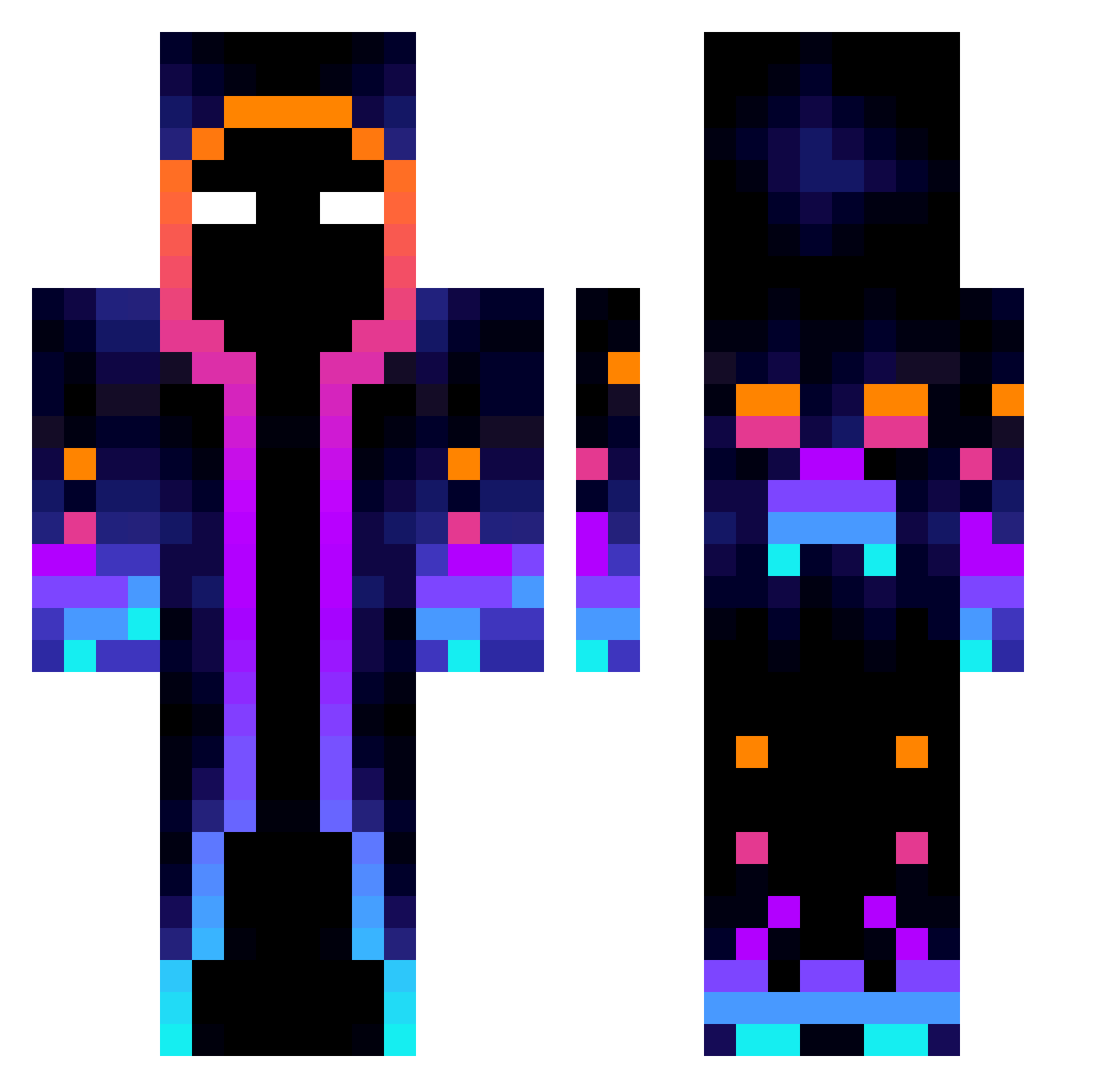
Current Minecraft skin of the player Zthos_, loaded from the official Mojang API. Rotate the 3D model with your mouse or finger, then download the skin as a PNG file and use it in Minecraft: Bedrock Edition or Java Edition for free. When Zthos_ changes their skin, this page updates automatically and the old skin stays in the history below.
Other players with this skin (818)
Zthos_ was the 665th player we have seen with this skin, first spotted on 17.10.2026. The same skin was seen on these players. Open a nickname to see their current skin and skin history.
 QbaK09 NCS121 TYJHT KrolikNayebunny ekioior MerryNightmare97 Kelizm Hunk_Hui L8The2nd educg_1 M3RG0 Laserpommes Saurko kaanayazugur JUREGODS Yashua19gt lytdjdj karapence Antekgames66 Mascarade_II gulang1030 nathario ilikethisgameXD Leoz590 Eltiotiti Niharvyn Felps_SR8 MauRex_ ComboGoat KalScrt Luiz4Red sultan_2000 MOwizard AlwaysCalatar Dams6606 _Lord_767 BigFatBoy68 PanzerBoss DowenCS teslax3000 Jaychenpro K1rbius zibining TalonFlame00 UndyingNarwhal mateuszszbki CDS_BLACK 12_HaYzEr_12 XMolodoy mingziqin Farm_bud SunTeek ImperManence183 joongoo BladeLegacy Scarlet_Noice D_D_1412 Norriver Fermnio Collin241
More Galaxy Minecraft skins
How to install the Zthos_ skin
- Press the Download button above to save the skin as a PNG file.
- Minecraft: Bedrock Edition (PE): open the Dressing Room from the main menu (or tap your character → Edit Character), go to Classic Skins → Owned, press the + (new skin) button, choose the downloaded PNG and pick the Classic (Steve) model. Works on PC and mobile; consoles cannot import custom skins.
- Minecraft: Java Edition: open the Minecraft Launcher, go to the Skins tab, click New Skin, load the PNG, pick the Classic (Steve) model and press Save & Use. You can also upload it at minecraft.net → Profile → Change Skin.
The skin does not show up after import - what should I do?
Restart Minecraft and open the Dressing Room again - imported skins sometimes appear only after a restart. Also make sure you selected the imported skin and picked the Classic (Steve) model.
Which model should I choose, Classic or Slim?
This skin is designed for the Classic (Steve) model. If you pick the wrong model, the arms of the skin will look stretched or squeezed.
Is the skin of Zthos_ free to download?
Yes. Press Download, save the PNG file and use it in Minecraft: Bedrock Edition or Java Edition - no payment or registration needed. The skin also works on multiplayer servers and Realms.
More skins
Looking for more? Go back to all Minecraft skins and check the top skins of the week, month and all time, or find any player's skin by nickname.