
ZonraLIn - Minecraft Skins & Skin History
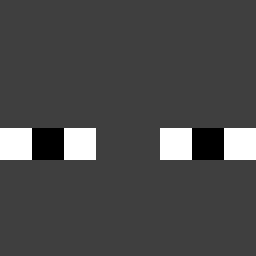
Current Minecraft skin of the player ZonraLIn, loaded from the official Mojang API. Rotate the 3D model with your mouse or finger, then download the skin as a PNG file and use it in Minecraft: Bedrock Edition or Java Edition for free. When ZonraLIn changes their skin, this page updates automatically and the old skin stays in the history below.

Other players with this skin (577)
ZonraLIn was the 482nd player we have seen with this skin, first spotted on 21.10.2026. The same skin was seen on these players. Open a nickname to see their current skin and skin history.
 MA4 TheStarBit So_Delirium Luke8122 markesus Destructstrike VINCYWINCY LostLxmb_77 BobbyJenson Bongle223 GotThatCake Maverisk simplebob Klickxs soulofeternity KingClone278 N3utr0nSt4r p6tr slJR7lz sss0726 Mycoll szekelyek Gablumaster Art47Vidal och0502 NaimPvP keikei52 heroemitico DAlex0005 Dbeurrr KricoFR Rayoowo ForgeUser KRM4666 VelVoid Vlxne_JB Peax16 Unp3rf3ct PowerShark5674 kaptr1x DIAMONDNUTS RiaTudo_Kun Prexutzuu videogames12000 BabovSin xPineSolx Nyron2 Null___________ Jerestienjonji ngen_ wirewood8 whencurrantcow NotKeshav39 P1nXD LermMax cxk12135 Rykerth Blarke IKhemo Bits_of_Fun
How to install the ZonraLIn skin
- Press the Download button above to save the skin as a PNG file.
- Minecraft: Bedrock Edition (PE): open the Dressing Room from the main menu (or tap your character → Edit Character), go to Classic Skins → Owned, press the + (new skin) button, choose the downloaded PNG and pick the Classic (Steve) model. Works on PC and mobile; consoles cannot import custom skins.
- Minecraft: Java Edition: open the Minecraft Launcher, go to the Skins tab, click New Skin, load the PNG, pick the Classic (Steve) model and press Save & Use. You can also upload it at minecraft.net → Profile → Change Skin.
The skin does not show up after import - what should I do?
Restart Minecraft and open the Dressing Room again - imported skins sometimes appear only after a restart. Also make sure you selected the imported skin and picked the Classic (Steve) model.
Which model should I choose, Classic or Slim?
This skin is designed for the Classic (Steve) model. If you pick the wrong model, the arms of the skin will look stretched or squeezed.
Is the skin of ZonraLIn free to download?
Yes. Press Download, save the PNG file and use it in Minecraft: Bedrock Edition or Java Edition - no payment or registration needed. The skin also works on multiplayer servers and Realms.
More skins
Looking for more? Go back to all Minecraft skins and check the top skins of the week, month and all time, or find any player's skin by nickname.