
Ykima - Minecraft Skins & Skin History
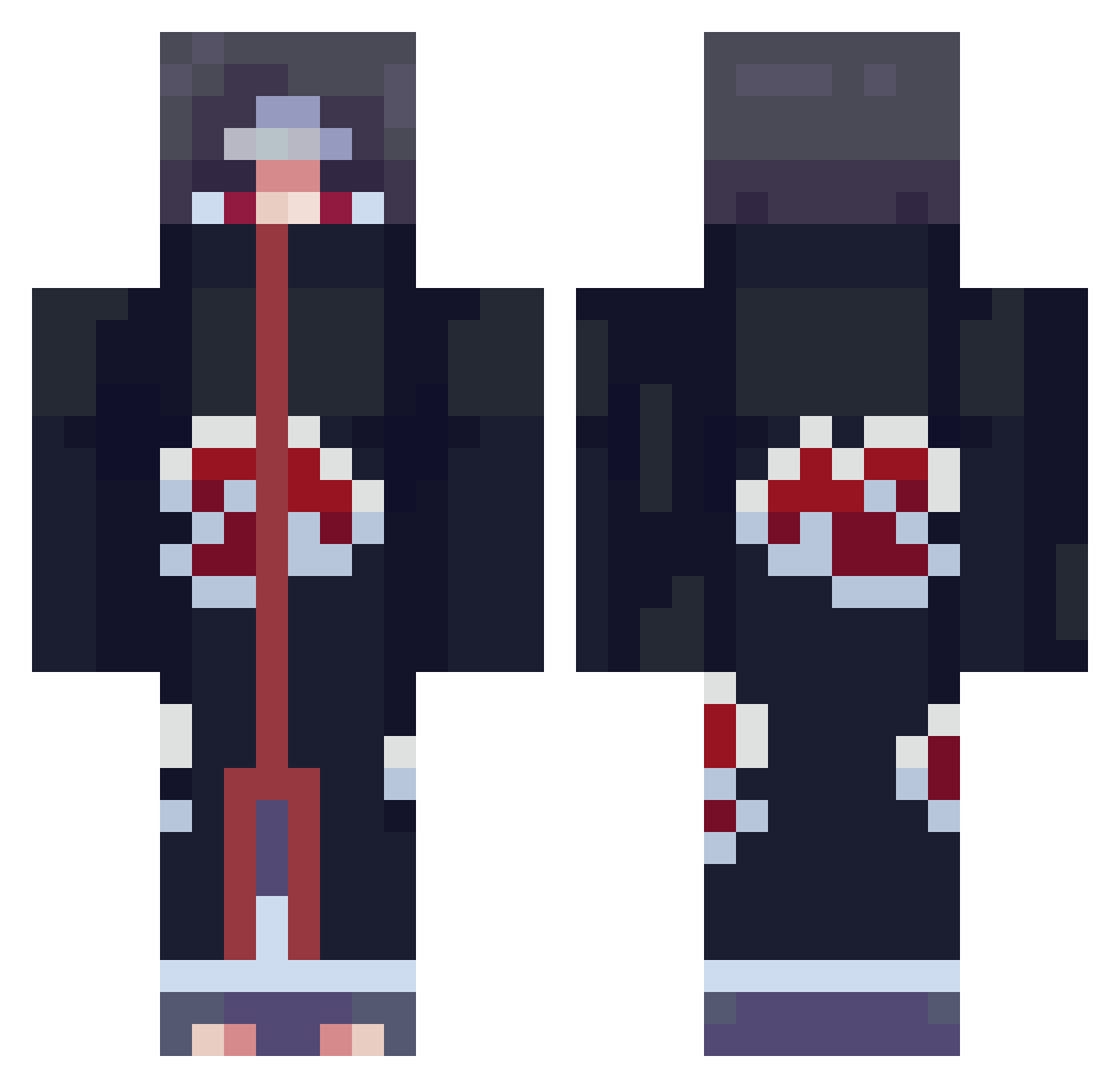
Current Minecraft skin of the player Ykima, loaded from the official Mojang API. Rotate the 3D model with your mouse or finger, then download the skin as a PNG file and use it in Minecraft: Bedrock Edition or Java Edition for free. When Ykima changes their skin, this page updates automatically and the old skin stays in the history below.
Other players with this skin (856)
Ykima was the 774th player we have seen with this skin, first spotted on 28.10.2026. The same skin was seen on these players. Open a nickname to see their current skin and skin history.
 DidUsayFamily MurodiTV BeMyItachi pewaa rEh26 tjdo CptnXeron jamareeee Sopthedope08 lexyiscool Trazunder xx_Supreme_xx SixthYonko DZJ4188 AvilaX Bladzou Dec115 Raven_Hunt Garokk Zeubiplumo olivia2621 Dragon_Hirsch Jerry622304 German_Dr3am Shekuras Therred MrScobbo ReverseMirage YourMom361 absenTm cythyr KeroChase E11io pablorayes JoGschmeidig JacksonTA14 peeckzo NilsFishy Uchiha_2tachi StabMe__ Guzman77_ Tom861124 TimTitman _The_Tembersh MareXXV EmpSavvy zMikasa_ _Croissant____ Simgwanpil Doorbreaker034 SkyYoh MartyG1954 monkeymenace_123 MigottoFB ESORSSIK ShaneCN Demonic_Wade DragonBoy150 Garick_AU HanNi113
More Itachi Uchiha Minecraft skins
See all 358 Itachi Uchiha skins
How to install the Ykima skin
- Press the Download button above to save the skin as a PNG file.
- Minecraft: Bedrock Edition (PE): open the Dressing Room from the main menu (or tap your character → Edit Character), go to Classic Skins → Owned, press the + (new skin) button, choose the downloaded PNG and pick the Classic (Steve) model. Works on PC and mobile; consoles cannot import custom skins.
- Minecraft: Java Edition: open the Minecraft Launcher, go to the Skins tab, click New Skin, load the PNG, pick the Classic (Steve) model and press Save & Use. You can also upload it at minecraft.net → Profile → Change Skin.
The skin does not show up after import - what should I do?
Restart Minecraft and open the Dressing Room again - imported skins sometimes appear only after a restart. Also make sure you selected the imported skin and picked the Classic (Steve) model.
Which model should I choose, Classic or Slim?
This skin is designed for the Classic (Steve) model. If you pick the wrong model, the arms of the skin will look stretched or squeezed.
Is the skin of Ykima free to download?
Yes. Press Download, save the PNG file and use it in Minecraft: Bedrock Edition or Java Edition - no payment or registration needed. The skin also works on multiplayer servers and Realms.
More skins
Looking for more? Go back to all Minecraft skins and check the top skins of the week, month and all time, or find any player's skin by nickname.