
YiU100 - Minecraft Skins & Skin History
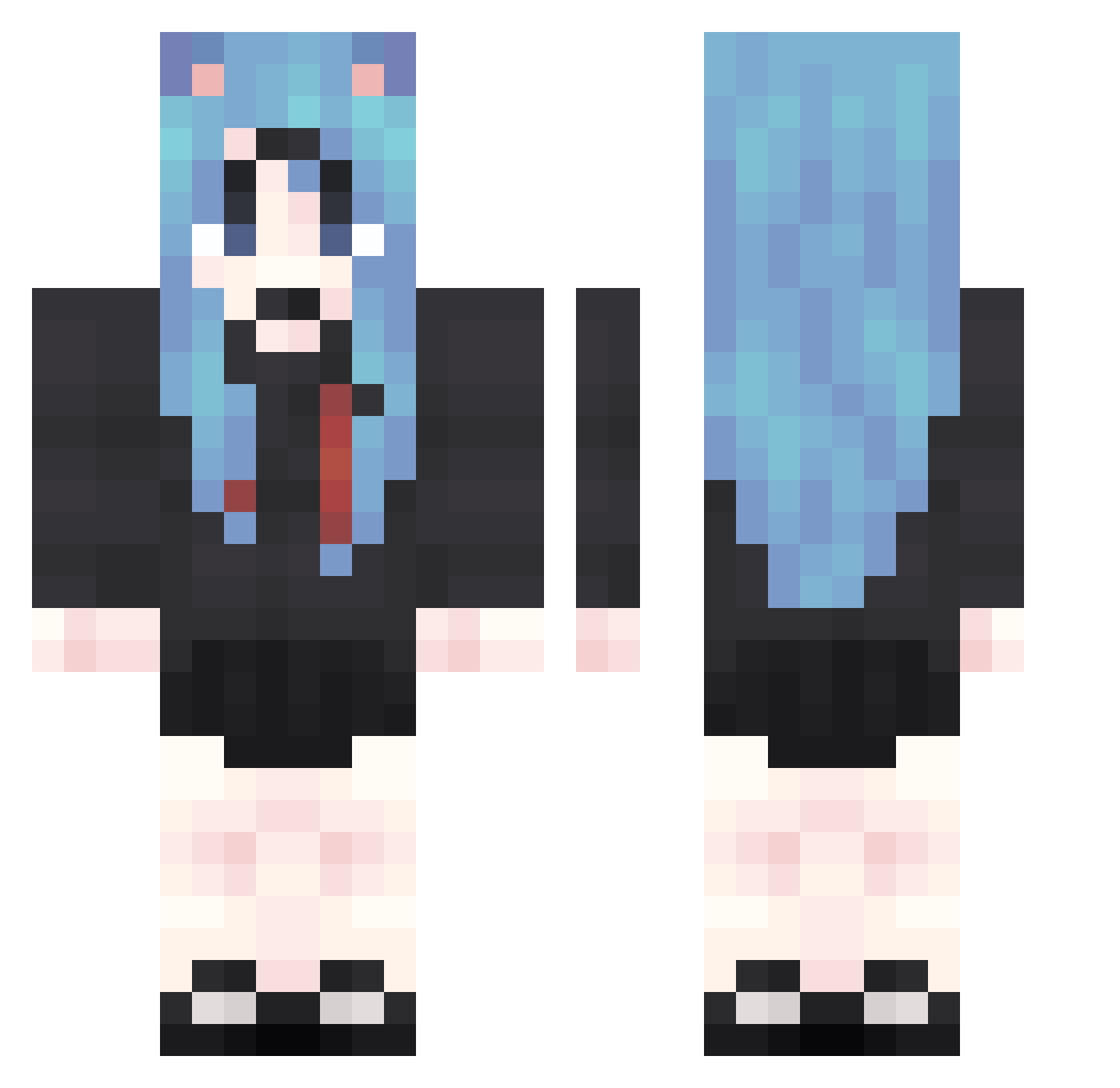
Current Minecraft skin of the player YiU100, loaded from the official Mojang API. Rotate the 3D model with your mouse or finger, then download the skin as a PNG file and use it in Minecraft: Bedrock Edition or Java Edition for free. When YiU100 changes their skin, this page updates automatically and the old skin stays in the history below.
Other players with this skin (1875)
YiU100 was the 1704th player we have seen with this skin, first spotted on 02.11.2026. The same skin was seen on these players. Open a nickname to see their current skin and skin history.
 PDJ96 QiT184 oOz450 bEw44 wbg82 jCj559 tLE465 nQY420 bGi355 Brz550 qOC653 wof917 gyw740 onY244 OYw3 PeE724 aHs909 iXS465 cZe713 UnZ865 MWG767 XnI547 AYb213 hcg35 IUn401 LRe802 IDV30 hgb101 Yea113 HRC441 cBx149 ooL246 MaZ461 QcX544 mPM827 GLm948 cDw278 ApL880 zjb472 Zyb44 Uam753 OuC128 Usy485 HPE303 dZI858 jwG827 raS730 IJk686 frq683 Qkn593 ekm414 eNX579 GWd119 HXm220 STP713 lFi26 USK845 vMz897 TqW867 IOj93
More School Uniform Minecraft skins
See all 7171 School Uniform skins
How to install the YiU100 skin
- Press the Download button above to save the skin as a PNG file.
- Minecraft: Bedrock Edition (PE): open the Dressing Room from the main menu (or tap your character → Edit Character), go to Classic Skins → Owned, press the + (new skin) button, choose the downloaded PNG and pick the Classic (Steve) model. Works on PC and mobile; consoles cannot import custom skins.
- Minecraft: Java Edition: open the Minecraft Launcher, go to the Skins tab, click New Skin, load the PNG, pick the Classic (Steve) model and press Save & Use. You can also upload it at minecraft.net → Profile → Change Skin.
The skin does not show up after import - what should I do?
Restart Minecraft and open the Dressing Room again - imported skins sometimes appear only after a restart. Also make sure you selected the imported skin and picked the Classic (Steve) model.
Which model should I choose, Classic or Slim?
This skin is designed for the Classic (Steve) model. If you pick the wrong model, the arms of the skin will look stretched or squeezed.
Is the skin of YiU100 free to download?
Yes. Press Download, save the PNG file and use it in Minecraft: Bedrock Edition or Java Edition - no payment or registration needed. The skin also works on multiplayer servers and Realms.
More skins
Looking for more? Go back to all Minecraft skins and check the top skins of the week, month and all time, or find any player's skin by nickname.