
Yan_Yans - Minecraft Skins & Skin History
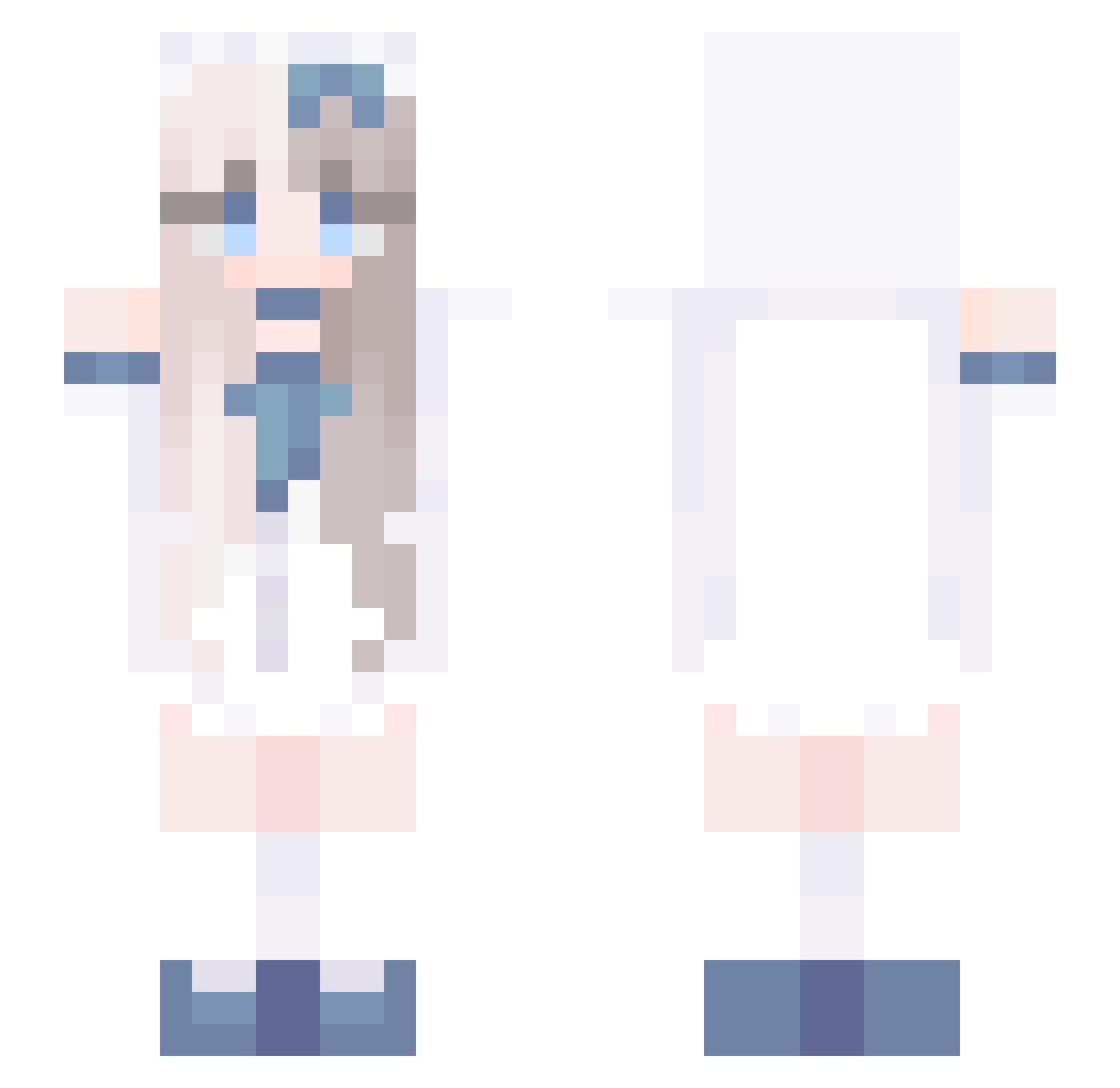
Current Minecraft skin of the player Yan_Yans, loaded from the official Mojang API. Rotate the 3D model with your mouse or finger, then download the skin as a PNG file and use it in Minecraft: Bedrock Edition or Java Edition for free. When Yan_Yans changes their skin, this page updates automatically and the old skin stays in the history below.
Other players with this skin (730)
Yan_Yans was the 610th player we have seen with this skin, first spotted on 19.10.2026. The same skin was seen on these players. Open a nickname to see their current skin and skin history.
 aveerssee mymmmi silentbutidyllic Wu_Yuan_ keera112 ninicoley aw_d chen_89 nxghtcxrse linw05 kiraraz CE9 hhhwwww charmistar eFUTUREe Ryrys_PookieBear Lynx696 HerCutiePatootie wcq0629 lx159951 yo_ke yinzun BrookieLucky QwQ_Kyllhc WPCG niganma66 sky_cappuccino NONG_FU_3_PUNCH Pang_yu_ twinkieboris67 Blezs Arthur_C14 Rompepuertas_14 Deluxo1337 boyioi_forever Marcicle MelodysMystic XIJINPING2012 Jiao24 hanbaram howard326 vandal2900 lunarmare1 i_am_killer cosset25 JaydonXOne xingruyu11 Tenhonour luoluo87 Realex21 NotBiddy eawre SQGZL ChadolJjamppong8 yigenn Geneises tiny0322 ChiSakiHuKa Lucia0406 Rgssa
More Anime Girl Minecraft skins
See all 13497 Anime Girl skins
How to install the Yan_Yans skin
- Press the Download button above to save the skin as a PNG file.
- Minecraft: Bedrock Edition (PE): open the Dressing Room from the main menu (or tap your character → Edit Character), go to Classic Skins → Owned, press the + (new skin) button, choose the downloaded PNG and pick the Slim (Alex) model. Works on PC and mobile; consoles cannot import custom skins.
- Minecraft: Java Edition: open the Minecraft Launcher, go to the Skins tab, click New Skin, load the PNG, pick the Slim (Alex) model and press Save & Use. You can also upload it at minecraft.net → Profile → Change Skin.
The skin does not show up after import - what should I do?
Restart Minecraft and open the Dressing Room again - imported skins sometimes appear only after a restart. Also make sure you selected the imported skin and picked the Slim (Alex) model.
Which model should I choose, Classic or Slim?
This skin is designed for the Slim (Alex) model. If you pick the wrong model, the arms of the skin will look stretched or squeezed.
Is the skin of Yan_Yans free to download?
Yes. Press Download, save the PNG file and use it in Minecraft: Bedrock Edition or Java Edition - no payment or registration needed. The skin also works on multiplayer servers and Realms.
More skins
Looking for more? Go back to all Minecraft skins and check the top skins of the week, month and all time, or find any player's skin by nickname.