
Xlop4ikHubTW - Minecraft Skins & Skin History
Current Minecraft skin of the player Xlop4ikHubTW, loaded from the official Mojang API. Rotate the 3D model with your mouse or finger, then download the skin as a PNG file and use it in Minecraft: Bedrock Edition or Java Edition for free. When Xlop4ikHubTW changes their skin, this page updates automatically and the old skin stays in the history below.
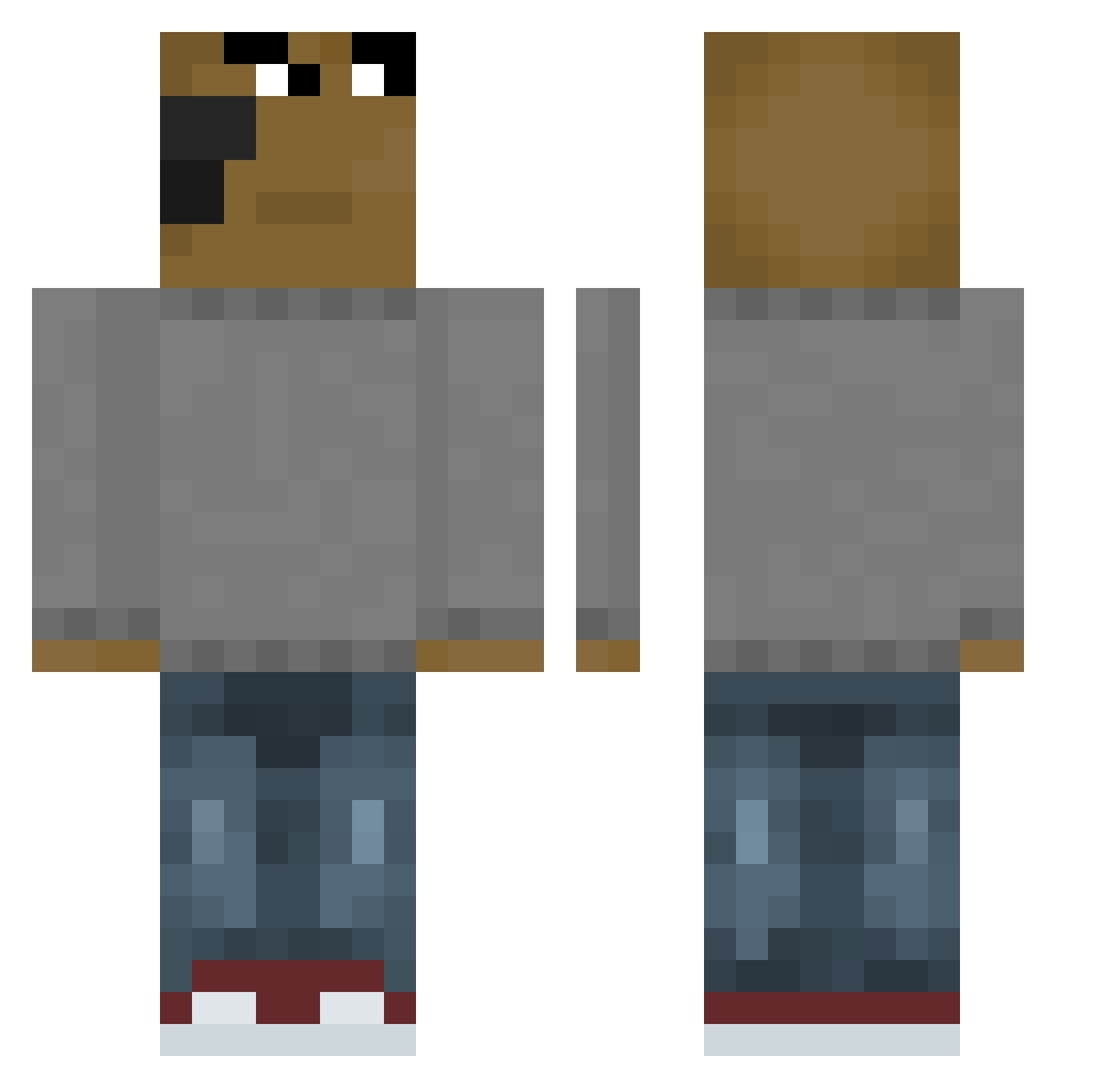
Other players with this skin (654)
Xlop4ikHubTW was the 542nd player we have seen with this skin, first spotted on 22.10.2026. The same skin was seen on these players. Open a nickname to see their current skin and skin history.
 Xamiss Grabado Manitucraft Jackson_TM LaTlez Gavm1ld Sackhaarrasierer CzCaye Zv_07 C1neplex Bland124 richMCC112 Rustymuc UniqueVitamin jakali187 LebronHairline SnubSleet662198 Lukz_mwd Cavalari_Sz LuisBalducci realismoooo ggF4 JacksonMichael21 ItzFade0 xin_zhi_zhu print_Kirex sxckk Nessi192 AlexAnimMp4 bakokang PedroGames643 Antana qwertyBingus AnjoCaid0 Voltarene0 Fietsje batu6912 Mem1o Remigius_Kink Kobori888 nikiuniverse 9zcapi Joeyment Mati4920 DEREK0117 TOBEANZZZZZZZ libskyy MchdaZN GoCrazyGoStoopid Nabuki_Yako yulmin0708 Smoky969 jusip21 PedroMP37 TheMysticX Casuallys_ melapelascb Sxx_xy alejandrolina Karo12321
How to install the Xlop4ikHubTW skin
- Press the Download button above to save the skin as a PNG file.
- Minecraft: Bedrock Edition (PE): open the Dressing Room from the main menu (or tap your character → Edit Character), go to Classic Skins → Owned, press the + (new skin) button, choose the downloaded PNG and pick the Classic (Steve) model. Works on PC and mobile; consoles cannot import custom skins.
- Minecraft: Java Edition: open the Minecraft Launcher, go to the Skins tab, click New Skin, load the PNG, pick the Classic (Steve) model and press Save & Use. You can also upload it at minecraft.net → Profile → Change Skin.
The skin does not show up after import - what should I do?
Restart Minecraft and open the Dressing Room again - imported skins sometimes appear only after a restart. Also make sure you selected the imported skin and picked the Classic (Steve) model.
Which model should I choose, Classic or Slim?
This skin is designed for the Classic (Steve) model. If you pick the wrong model, the arms of the skin will look stretched or squeezed.
Is the skin of Xlop4ikHubTW free to download?
Yes. Press Download, save the PNG file and use it in Minecraft: Bedrock Edition or Java Edition - no payment or registration needed. The skin also works on multiplayer servers and Realms.
More skins
Looking for more? Go back to all Minecraft skins and check the top skins of the week, month and all time, or find any player's skin by nickname.