
WiseEntity - Minecraft Skins & Skin History
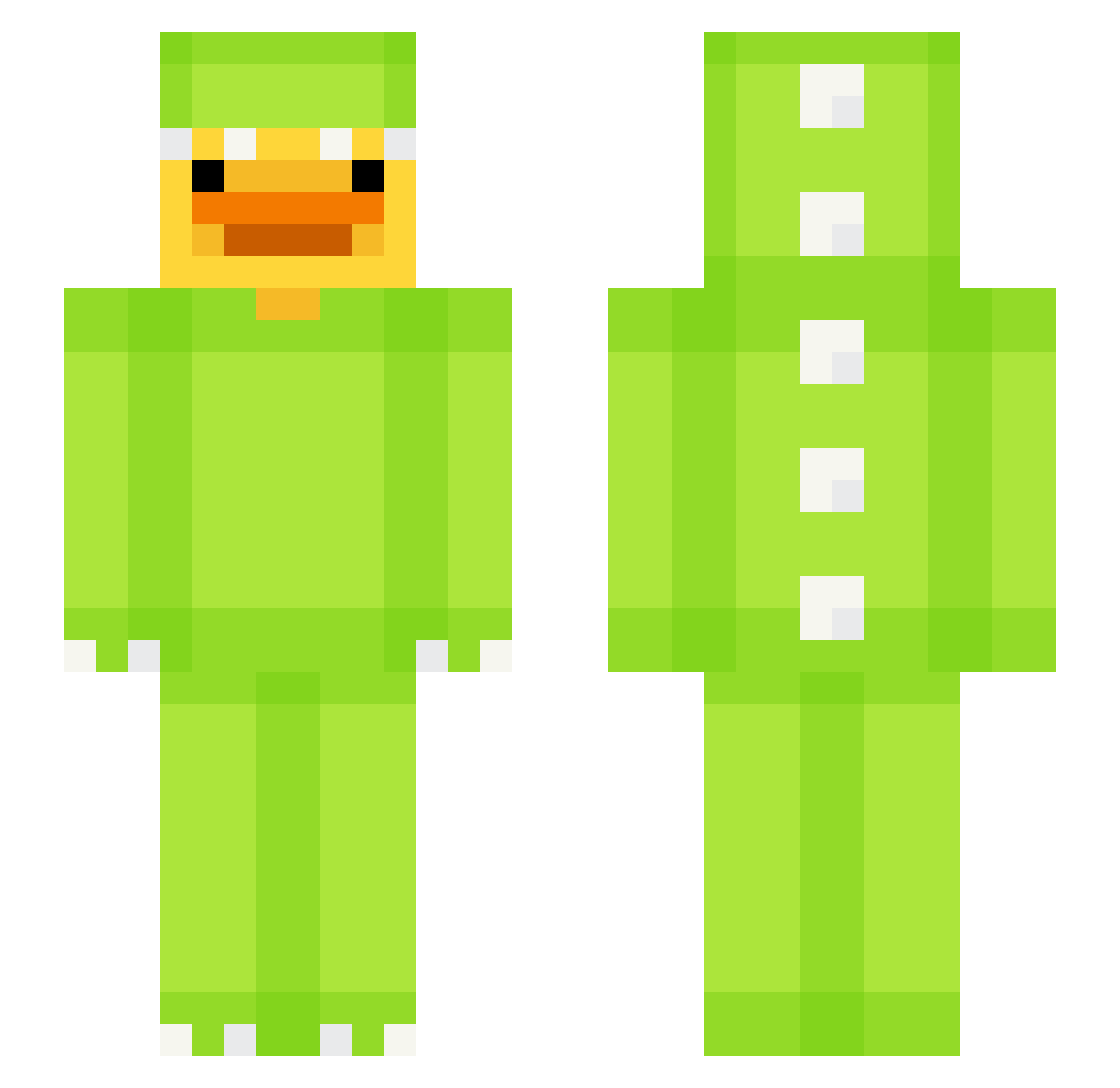
Current Minecraft skin of the player WiseEntity, loaded from the official Mojang API. Rotate the 3D model with your mouse or finger, then download the skin as a PNG file and use it in Minecraft: Bedrock Edition or Java Edition for free. When WiseEntity changes their skin, this page updates automatically and the old skin stays in the history below.
Other players with this skin (680)
WiseEntity was the 500th player we have seen with this skin, first spotted on 15.10.2026. The same skin was seen on these players. Open a nickname to see their current skin and skin history.
 mingminga T_Toth Ditogli lufei_jbapR_0304 Hy0_n GizmoeFA alvaromarinl12 Marcellina4 lIlRoselll Igimat tutavo PhoenixFlex c7at dav1dek_ RoyalJoe11 Brook6 HYOBIN727 ChickenGamer240 noommaae wollireal fjeee underhill720 Tiggy404 _FouFou Darknesik BBMJ13 Stormelomski NightStalker1041 Itz_Spr segregor shineblossom wlyzsd kiinnoo theovrl 0Emrullah Kimolaje2 Amritsar88 Darckrayon yuri_6666 AI_DUCK Flex_Captain_EZ elegantoooo Coventry05 limonssauro bigchef34 Lexyloulouu skibidilipton NewYork13 Reevsy_ sanliss zz_aCeFU_03_13 Artwood_ eistee0012 PhanTran_VN SkSlex keilunh Wormc8763 storminater_ r_k1 Jacoobster
More Dinosaur Kigurumi Minecraft skins
See all 418 Dinosaur Kigurumi skins
How to install the WiseEntity skin
- Press the Download button above to save the skin as a PNG file.
- Minecraft: Bedrock Edition (PE): open the Dressing Room from the main menu (or tap your character → Edit Character), go to Classic Skins → Owned, press the + (new skin) button, choose the downloaded PNG and pick the Slim (Alex) model. Works on PC and mobile; consoles cannot import custom skins.
- Minecraft: Java Edition: open the Minecraft Launcher, go to the Skins tab, click New Skin, load the PNG, pick the Slim (Alex) model and press Save & Use. You can also upload it at minecraft.net → Profile → Change Skin.
The skin does not show up after import - what should I do?
Restart Minecraft and open the Dressing Room again - imported skins sometimes appear only after a restart. Also make sure you selected the imported skin and picked the Slim (Alex) model.
Which model should I choose, Classic or Slim?
This skin is designed for the Slim (Alex) model. If you pick the wrong model, the arms of the skin will look stretched or squeezed.
Is the skin of WiseEntity free to download?
Yes. Press Download, save the PNG file and use it in Minecraft: Bedrock Edition or Java Edition - no payment or registration needed. The skin also works on multiplayer servers and Realms.
More skins
Looking for more? Go back to all Minecraft skins and check the top skins of the week, month and all time, or find any player's skin by nickname.