
WhiiteSnow - Minecraft Skins & Skin History
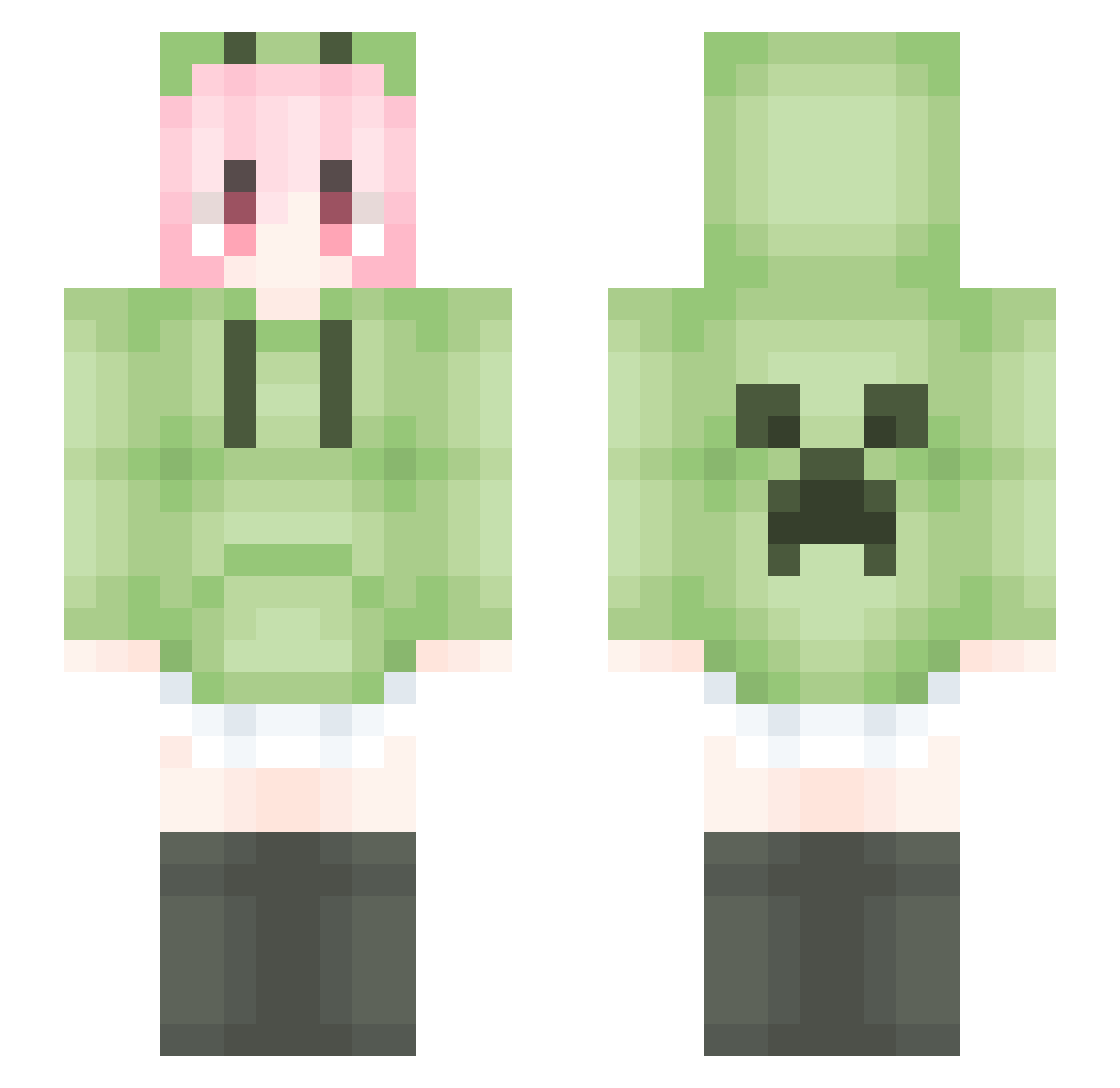
Current Minecraft skin of the player WhiiteSnow, loaded from the official Mojang API. Rotate the 3D model with your mouse or finger, then download the skin as a PNG file and use it in Minecraft: Bedrock Edition or Java Edition for free. When WhiiteSnow changes their skin, this page updates automatically and the old skin stays in the history below.
Other players with this skin (1797)
WhiiteSnow was the 1493rd player we have seen with this skin, first spotted on 23.10.2026. The same skin was seen on these players. Open a nickname to see their current skin and skin history.
 MYH872006 HANPRO_ kosaito Liquid994 lijiasa MMkzkcx G7CC_ nasdjlwk Mmmhhhhh EpicShaun cheat_fcx luckpeach YDawm Ghasza bana_na_na Weiko9 Shirin0403 XinxinlOVO yan_ark _PRICY_ Fen_Shou jiaxixuewu Butter114514 LatentKingdomlaq woundwort_inle spekes Sunflower_020928 Kokzxxx BradZhou violetQWQ_ jiosse n56nyt shwieo CHENGSANG9 void0525 hehemoyin BFormo Chovyco WPH0v0 lodosscan TTXXP IC_X YTXY lyshrfdc Gloria_816 LostAYu 0Midnight Xiaohu802 Vestige__NO1 lilidaze The_liao YLquan CHUNLIN31 DeductedPuppy73 moon_reader daishizhe246 Fe3zzy Rteaor DracuRiot xushuaibo
More Anime Girl Minecraft skins
See all 13803 Anime Girl skins
How to install the WhiiteSnow skin
- Press the Download button above to save the skin as a PNG file.
- Minecraft: Bedrock Edition (PE): open the Dressing Room from the main menu (or tap your character → Edit Character), go to Classic Skins → Owned, press the + (new skin) button, choose the downloaded PNG and pick the Slim (Alex) model. Works on PC and mobile; consoles cannot import custom skins.
- Minecraft: Java Edition: open the Minecraft Launcher, go to the Skins tab, click New Skin, load the PNG, pick the Slim (Alex) model and press Save & Use. You can also upload it at minecraft.net → Profile → Change Skin.
The skin does not show up after import - what should I do?
Restart Minecraft and open the Dressing Room again - imported skins sometimes appear only after a restart. Also make sure you selected the imported skin and picked the Slim (Alex) model.
Which model should I choose, Classic or Slim?
This skin is designed for the Slim (Alex) model. If you pick the wrong model, the arms of the skin will look stretched or squeezed.
Is the skin of WhiiteSnow free to download?
Yes. Press Download, save the PNG file and use it in Minecraft: Bedrock Edition or Java Edition - no payment or registration needed. The skin also works on multiplayer servers and Realms.
More skins
Looking for more? Go back to all Minecraft skins and check the top skins of the week, month and all time, or find any player's skin by nickname.