
Whattheballsssss - Minecraft Skins & Skin History
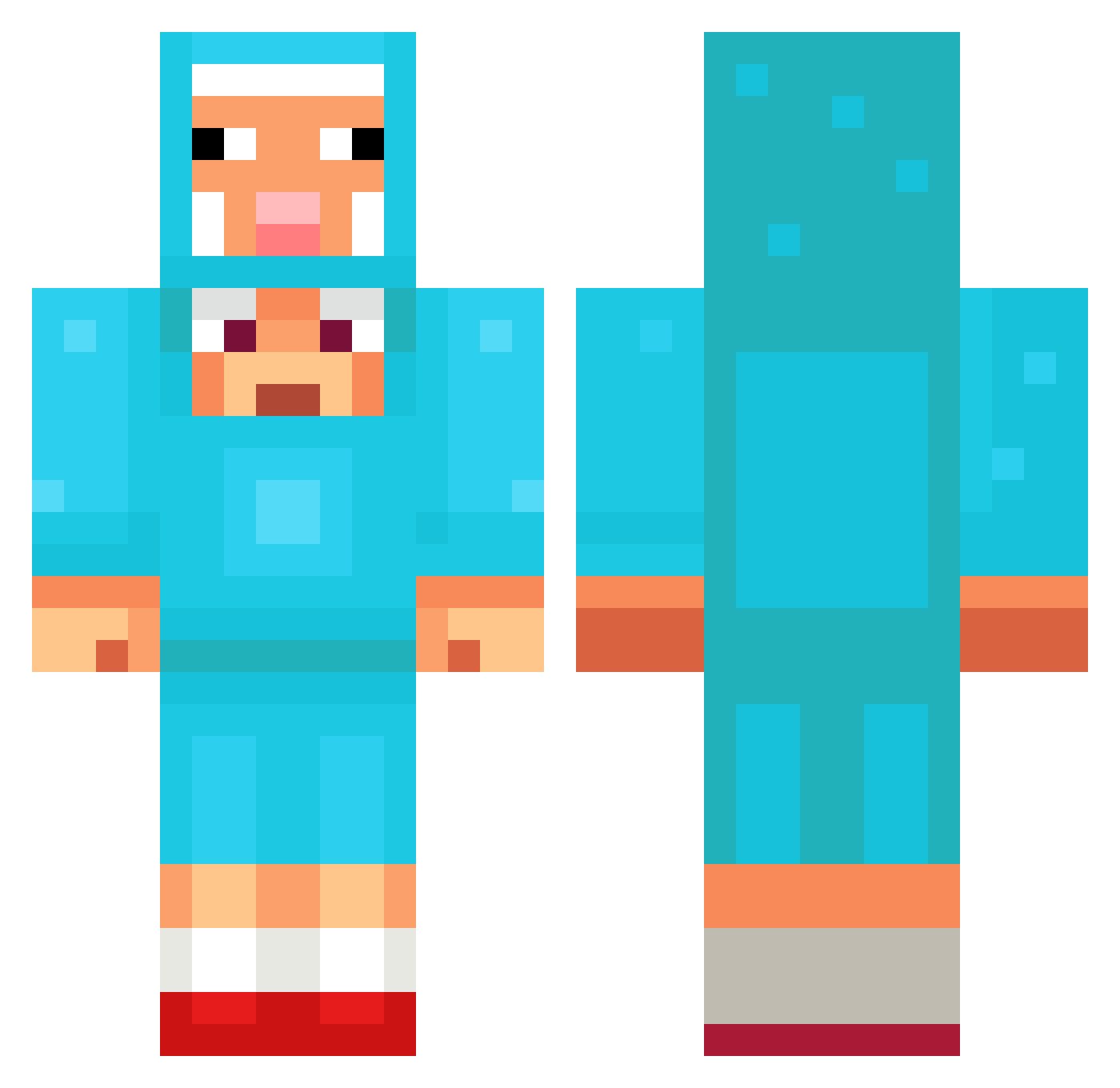
Current Minecraft skin of the player Whattheballsssss, loaded from the official Mojang API. Rotate the 3D model with your mouse or finger, then download the skin as a PNG file and use it in Minecraft: Bedrock Edition or Java Edition for free. When Whattheballsssss changes their skin, this page updates automatically and the old skin stays in the history below.
Other players with this skin (1354)
Whattheballsssss was the 1263rd player we have seen with this skin, first spotted on 03.11.2026. The same skin was seen on these players. Open a nickname to see their current skin and skin history.
 sigmagyattskibid MILK_BTW jadenyoon ConkZero Mandelias3628 kjishi kranesito GHISLO0 peanutdepress worth1 ghost_2x Art3m1s01 Sparky_V akwWKdr Katooshka GRANDVORR laylaymike iAstralh Syzzle_mc gotokiyo Sersta c0c0_o DonBenson Venm___ BrettX99 PerfectSapphire asd180 DankStickyicky Shiggeon yeonwoo0804 CoolCal042011 YTSUP Frostybadboy KamalE1 terrificga wata1212 Muselmann420 clemens053 GsusChrist00 JeSauteTaDaronne Snorland MagicMick96 shanegto KiloAlts_jHxsTYf MatteoBurgerking LaksReee CalvaComeDonas dyafh balthazar5050 mtVolcano8950 Dansemanse Bedkoober on1yn1g SKVIRTALL DeadShot007 intel69ha WOLFTUMBADO wPhx fsho1 niceworkbud
More Sheep Minecraft skins
How to install the Whattheballsssss skin
- Press the Download button above to save the skin as a PNG file.
- Minecraft: Bedrock Edition (PE): open the Dressing Room from the main menu (or tap your character → Edit Character), go to Classic Skins → Owned, press the + (new skin) button, choose the downloaded PNG and pick the Classic (Steve) model. Works on PC and mobile; consoles cannot import custom skins.
- Minecraft: Java Edition: open the Minecraft Launcher, go to the Skins tab, click New Skin, load the PNG, pick the Classic (Steve) model and press Save & Use. You can also upload it at minecraft.net → Profile → Change Skin.
The skin does not show up after import - what should I do?
Restart Minecraft and open the Dressing Room again - imported skins sometimes appear only after a restart. Also make sure you selected the imported skin and picked the Classic (Steve) model.
Which model should I choose, Classic or Slim?
This skin is designed for the Classic (Steve) model. If you pick the wrong model, the arms of the skin will look stretched or squeezed.
Is the skin of Whattheballsssss free to download?
Yes. Press Download, save the PNG file and use it in Minecraft: Bedrock Edition or Java Edition - no payment or registration needed. The skin also works on multiplayer servers and Realms.
More skins
Looking for more? Go back to all Minecraft skins and check the top skins of the week, month and all time, or find any player's skin by nickname.