
Wbodin20 - Minecraft Skins & Skin History
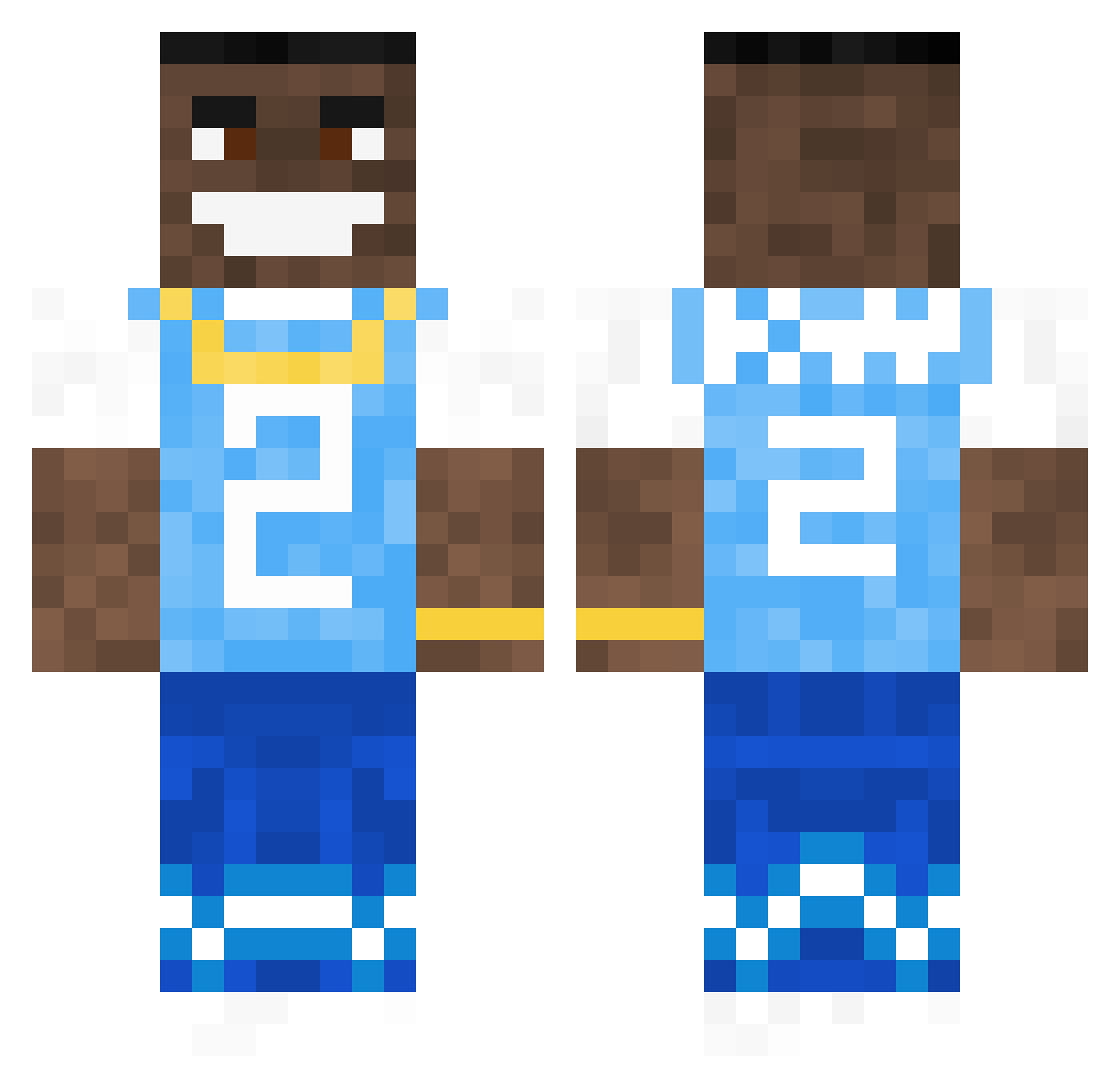
Current Minecraft skin of the player Wbodin20, loaded from the official Mojang API. Rotate the 3D model with your mouse or finger, then download the skin as a PNG file and use it in Minecraft: Bedrock Edition or Java Edition for free. When Wbodin20 changes their skin, this page updates automatically and the old skin stays in the history below.
Other players with this skin (792)
Wbodin20 was the 757th player we have seen with this skin, first spotted on 06.11.2026. The same skin was seen on these players. Open a nickname to see their current skin and skin history.
 tpjojo Sc1th3 BradenJM13 yUnG_bRaatZ 1M_A_S1MP DaBabyLover23 youngrebel2 squigypancake10 RaresAlaBun69 spetterflame 3DSSwords ZEBRAAAS Mekko2004 CosmicForce240 Z0714 smiggieb MMEEKK HugLife96 NickIsSensei pillerpalle CKYx Lovtona xxbabydragneel wesselver tonyman1447 Bunnyboy617 Dlugostopy Bud2007 Macool_Jr Patishorni pigeonlover420 Void_Magic KetchupWater69 kebab_pie toekkneee SuspectSteve BlockBusters6969 Its_Fran Ariku_ liuanit JARAofficial j6mie slamsam9 LilDriippyyy Bergzz Anglox9 BowlofNoodles Forge324 NerZone127 3rm1s Equitys Saltyoldguy TinyMeatSean JadZiaListWan ArtemisVNCT grisetteOG NosamLovesMilk nichexclamation CoolEagle79 Aladine8
More Dababy Minecraft skins
How to install the Wbodin20 skin
- Press the Download button above to save the skin as a PNG file.
- Minecraft: Bedrock Edition (PE): open the Dressing Room from the main menu (or tap your character → Edit Character), go to Classic Skins → Owned, press the + (new skin) button, choose the downloaded PNG and pick the Classic (Steve) model. Works on PC and mobile; consoles cannot import custom skins.
- Minecraft: Java Edition: open the Minecraft Launcher, go to the Skins tab, click New Skin, load the PNG, pick the Classic (Steve) model and press Save & Use. You can also upload it at minecraft.net → Profile → Change Skin.
The skin does not show up after import - what should I do?
Restart Minecraft and open the Dressing Room again - imported skins sometimes appear only after a restart. Also make sure you selected the imported skin and picked the Classic (Steve) model.
Which model should I choose, Classic or Slim?
This skin is designed for the Classic (Steve) model. If you pick the wrong model, the arms of the skin will look stretched or squeezed.
Is the skin of Wbodin20 free to download?
Yes. Press Download, save the PNG file and use it in Minecraft: Bedrock Edition or Java Edition - no payment or registration needed. The skin also works on multiplayer servers and Realms.
More skins
Looking for more? Go back to all Minecraft skins and check the top skins of the week, month and all time, or find any player's skin by nickname.