
Wak4l0 - Minecraft Skins & Skin History
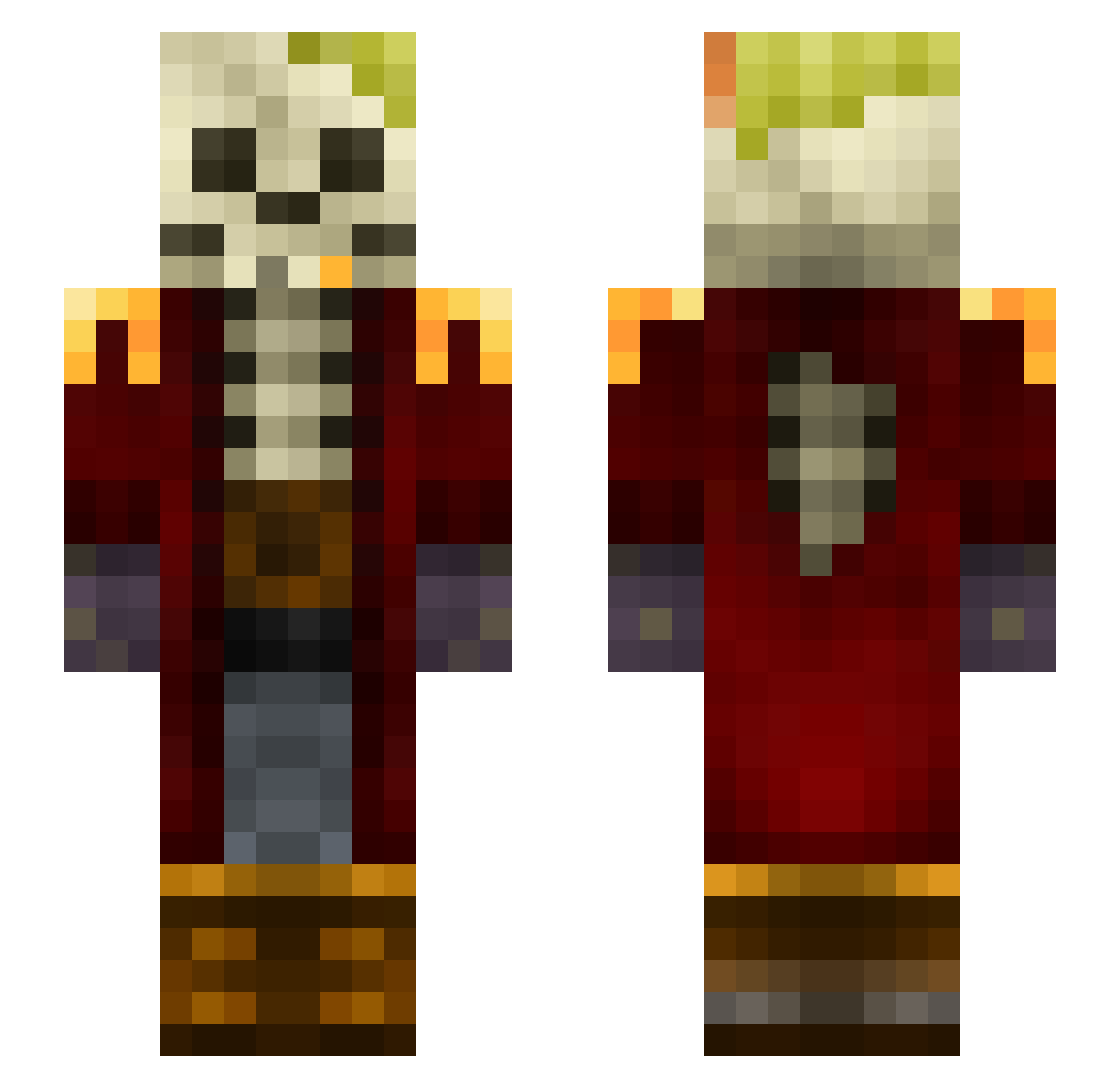
Current Minecraft skin of the player Wak4l0, loaded from the official Mojang API. Rotate the 3D model with your mouse or finger, then download the skin as a PNG file and use it in Minecraft: Bedrock Edition or Java Edition for free. When Wak4l0 changes their skin, this page updates automatically and the old skin stays in the history below.
Other players with this skin (109)
Wak4l0 was the 87th player we have seen with this skin, first spotted on 15.10.2026. The same skin was seen on these players. Open a nickname to see their current skin and skin history.
 Captain_Skelly rensd RosSOff Lome_09 VICTORPEKE5 Haanuman zbdlsdm CarriEPP Lavfibra Fr4R1 NosferatyCoil Contigin Yayau KAMI6EYES _Noiramo_ KarmaGod malde _Eric HumbertoPoller Narsayy elRapa sohaib_ gustavo_gt10 Porkchop1414 Simoo10 WORLDWIDEOPP jLucca3 xRhyss Cyou4fight Shawn_Nyston Zalex9 Vanilla_Yoshii PinheirinhoDelas MrGoo_ thickgod bbayraktar GrizzlySpace _kriso3000_ gourmetfood Scuriattolo ShankedInChest Luke170000 FumacaM1 Micka9 cOsmium_2601 Skaercro NeggutsMS13 yordit shadow_crede MLabdalah77 Bezdalius Hurt_you Rathian_05 _Cyber_Mage_ FlipFl4p eQz nomadichermit LucasCarv maxigrom UUmonkey
Previous skins of Wak4l0
Skins that Wak4l0 wore before, newest first. Click a skin to open its page and download it.
More Captain Minecraft skins
How to install the Wak4l0 skin
- Press the Download button above to save the skin as a PNG file.
- Minecraft: Bedrock Edition (PE): open the Dressing Room from the main menu (or tap your character → Edit Character), go to Classic Skins → Owned, press the + (new skin) button, choose the downloaded PNG and pick the Slim (Alex) model. Works on PC and mobile; consoles cannot import custom skins.
- Minecraft: Java Edition: open the Minecraft Launcher, go to the Skins tab, click New Skin, load the PNG, pick the Slim (Alex) model and press Save & Use. You can also upload it at minecraft.net → Profile → Change Skin.
The skin does not show up after import - what should I do?
Restart Minecraft and open the Dressing Room again - imported skins sometimes appear only after a restart. Also make sure you selected the imported skin and picked the Slim (Alex) model.
Which model should I choose, Classic or Slim?
This skin is designed for the Slim (Alex) model. If you pick the wrong model, the arms of the skin will look stretched or squeezed.
Is the skin of Wak4l0 free to download?
Yes. Press Download, save the PNG file and use it in Minecraft: Bedrock Edition or Java Edition - no payment or registration needed. The skin also works on multiplayer servers and Realms.
More skins
Looking for more? Go back to all Minecraft skins and check the top skins of the week, month and all time, or find any player's skin by nickname.