
VrotMneNogi - Minecraft Skins & Skin History
Current Minecraft skin of the player VrotMneNogi, loaded from the official Mojang API. Rotate the 3D model with your mouse or finger, then download the skin as a PNG file and use it in Minecraft: Bedrock Edition or Java Edition for free. When VrotMneNogi changes their skin, this page updates automatically and the old skin stays in the history below.
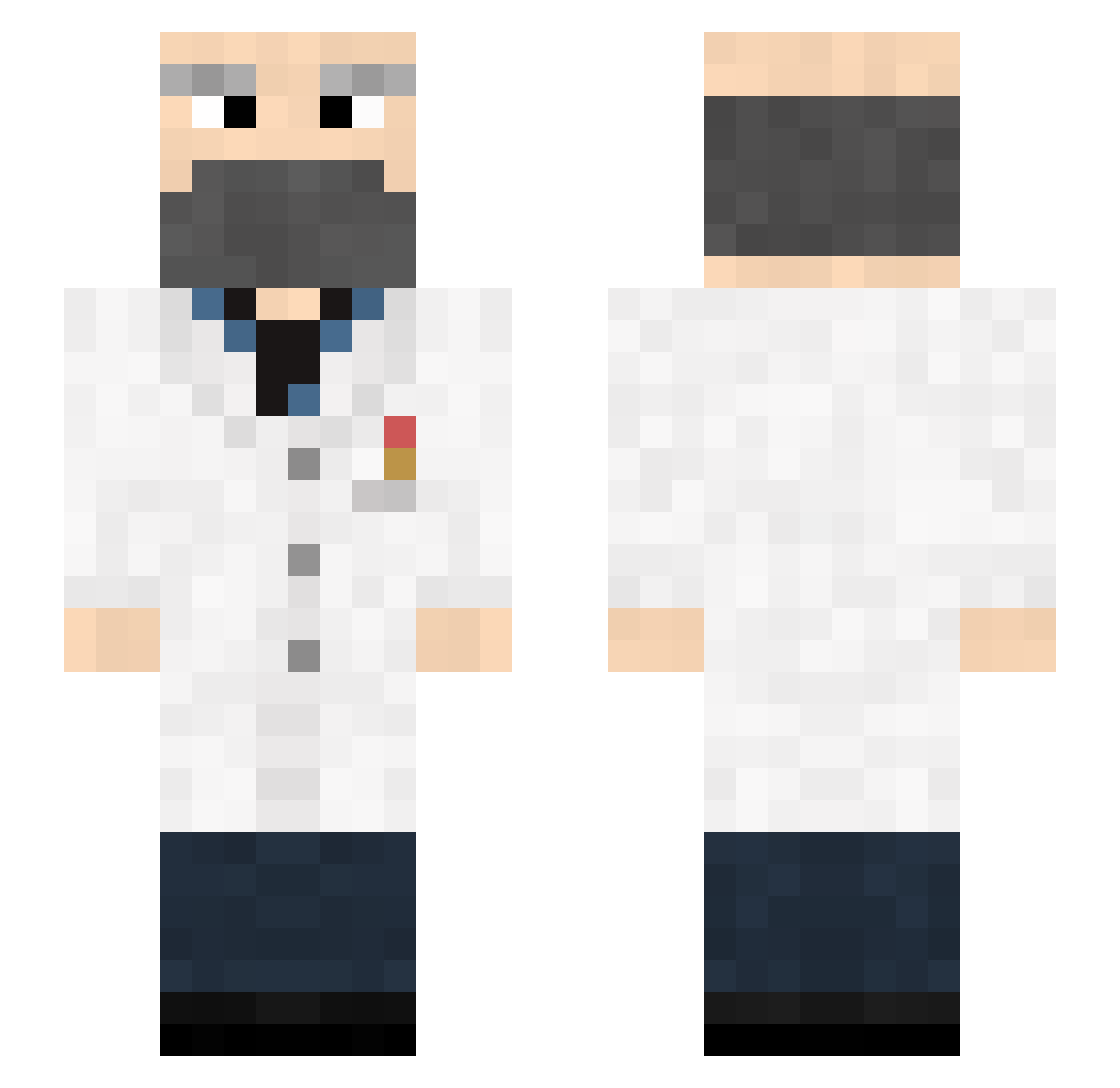
Other players with this skin (202)
VrotMneNogi was the 146th player we have seen with this skin, first spotted on 21.10.2026. The same skin was seen on these players. Open a nickname to see their current skin and skin history.
 Bobobut5 BobDeDokter Not_Freddy Toooooooothpaste x0th3r Uber2013 Dr_Sane JaagupJo QAQWQvQ_Q Fekart Meih HonoraryMars605 crazy_wolf125 Dyles123 Flollollol DayanLai JBOSS20123 m0oh DangoPrime UhOhImHard Midocalm drfrankincraft DoctorSeinen Teoro Cavalino EchoViso maydaycrafting Skel21 itsgalaxye iSoulReaper flygplanett fice PhantomRotter MathieuLibb bigballs408 Jorelson Kosheich CreamTheDad Murkxd Snurker Worblood Doctor_Cnnt Haroeris_ Beaker Frederic__Chopin GarGarMan Wehen JakeOlantern777 Spawn9881 Sean1759 Motorheeaad _Scheurneus_ ForeignSoul CuriousBird Girthy_Goblin JadeVain DHKhk Predomalpha QcOdin Monlelp
More Doctor Minecraft skins
How to install the VrotMneNogi skin
- Press the Download button above to save the skin as a PNG file.
- Minecraft: Bedrock Edition (PE): open the Dressing Room from the main menu (or tap your character → Edit Character), go to Classic Skins → Owned, press the + (new skin) button, choose the downloaded PNG and pick the Slim (Alex) model. Works on PC and mobile; consoles cannot import custom skins.
- Minecraft: Java Edition: open the Minecraft Launcher, go to the Skins tab, click New Skin, load the PNG, pick the Slim (Alex) model and press Save & Use. You can also upload it at minecraft.net → Profile → Change Skin.
The skin does not show up after import - what should I do?
Restart Minecraft and open the Dressing Room again - imported skins sometimes appear only after a restart. Also make sure you selected the imported skin and picked the Slim (Alex) model.
Which model should I choose, Classic or Slim?
This skin is designed for the Slim (Alex) model. If you pick the wrong model, the arms of the skin will look stretched or squeezed.
Is the skin of VrotMneNogi free to download?
Yes. Press Download, save the PNG file and use it in Minecraft: Bedrock Edition or Java Edition - no payment or registration needed. The skin also works on multiplayer servers and Realms.
More skins
Looking for more? Go back to all Minecraft skins and check the top skins of the week, month and all time, or find any player's skin by nickname.