
VeeZ1423 - Minecraft Skins & Skin History
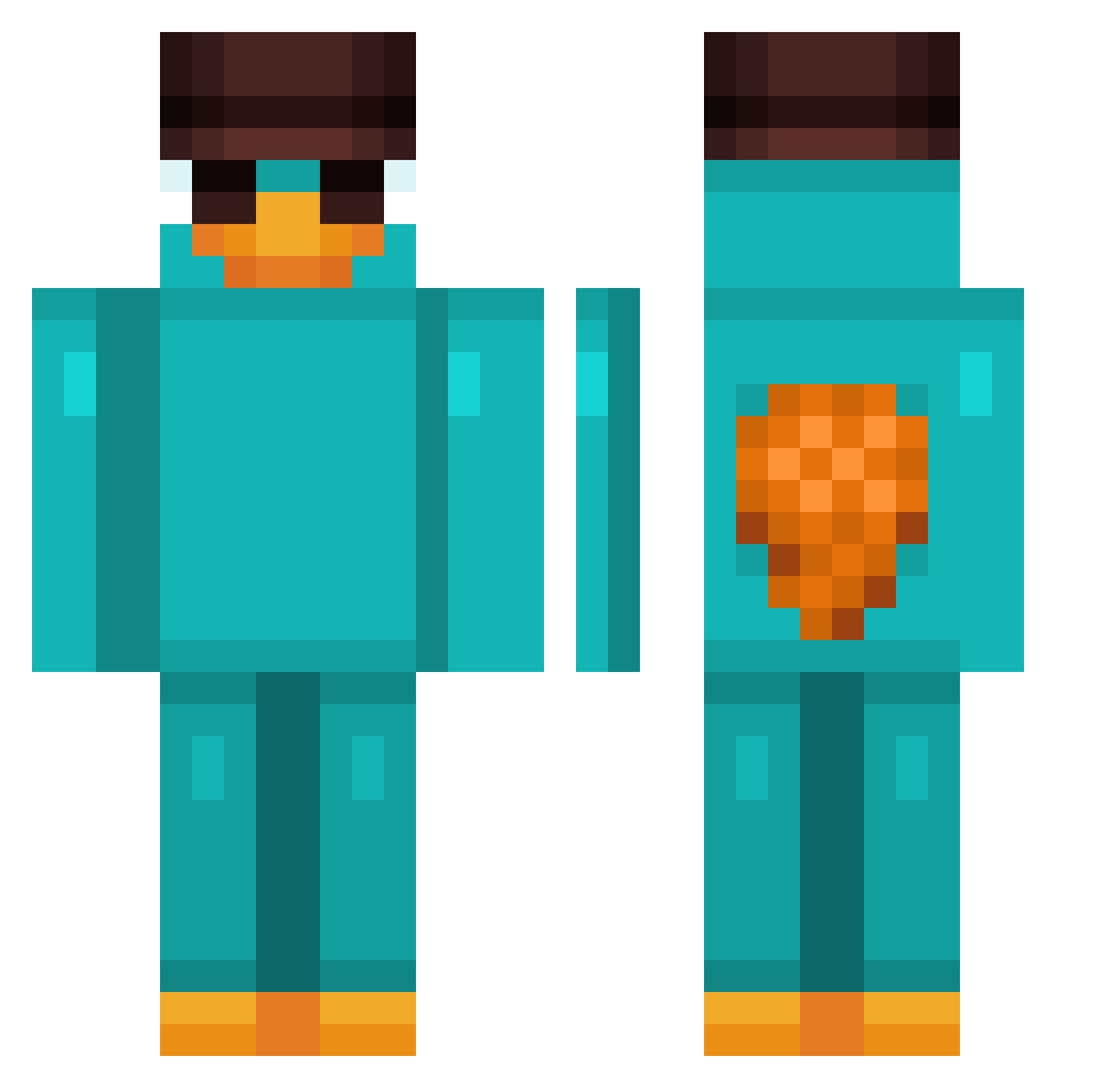
Current Minecraft skin of the player VeeZ1423, loaded from the official Mojang API. Rotate the 3D model with your mouse or finger, then download the skin as a PNG file and use it in Minecraft: Bedrock Edition or Java Edition for free. When VeeZ1423 changes their skin, this page updates automatically and the old skin stays in the history below.
Other players with this skin (959)
VeeZ1423 was the 623rd player we have seen with this skin, first spotted on 04.10.2026. The same skin was seen on these players. Open a nickname to see their current skin and skin history.
 laddyday Adrianmatas MomoSports2000 OmarK030 tanketa23 clowndrew16 Joshwhowah Pedrohamaro D3v1l_HXS alanpaes11 eoajfl Nefarim BIGzzz1232 HazardousCowboy BroBroCraft vuongquochieu Tricoz Voidex2 sundaegukbab ronnocd03 Flaames CheeseLegend123 SSyphonS ludy11 IBaumrindeI LEZIN12 YTVXRAIL xwking KheB_ bushhhik Kawasaki8888 ALPARSLAN1 Lukomotive thegreenroom202 jounes069 abu_mosmar rogjuw Illyasaviel jrojetsky wilczek1234 radison_w Dejipooks osurukadam1234 Jasieqqqq Macchii17 KikyyMikyy CeoChamo Rudi_Rammler_ Ivangael360 Prlevente junapaparate stiveemily Mantheo Aitorninjas11 jiri33 ALeSTeER FenyxCz chunku Sniperlyfe013 DemonOcult
More Platypus Minecraft skins
How to install the VeeZ1423 skin
- Press the Download button above to save the skin as a PNG file.
- Minecraft: Bedrock Edition (PE): open the Dressing Room from the main menu (or tap your character → Edit Character), go to Classic Skins → Owned, press the + (new skin) button, choose the downloaded PNG and pick the Classic (Steve) model. Works on PC and mobile; consoles cannot import custom skins.
- Minecraft: Java Edition: open the Minecraft Launcher, go to the Skins tab, click New Skin, load the PNG, pick the Classic (Steve) model and press Save & Use. You can also upload it at minecraft.net → Profile → Change Skin.
The skin does not show up after import - what should I do?
Restart Minecraft and open the Dressing Room again - imported skins sometimes appear only after a restart. Also make sure you selected the imported skin and picked the Classic (Steve) model.
Which model should I choose, Classic or Slim?
This skin is designed for the Classic (Steve) model. If you pick the wrong model, the arms of the skin will look stretched or squeezed.
Is the skin of VeeZ1423 free to download?
Yes. Press Download, save the PNG file and use it in Minecraft: Bedrock Edition or Java Edition - no payment or registration needed. The skin also works on multiplayer servers and Realms.
More skins
Looking for more? Go back to all Minecraft skins and check the top skins of the week, month and all time, or find any player's skin by nickname.