
Trinitrotoluene6 - Minecraft Skins & Skin History
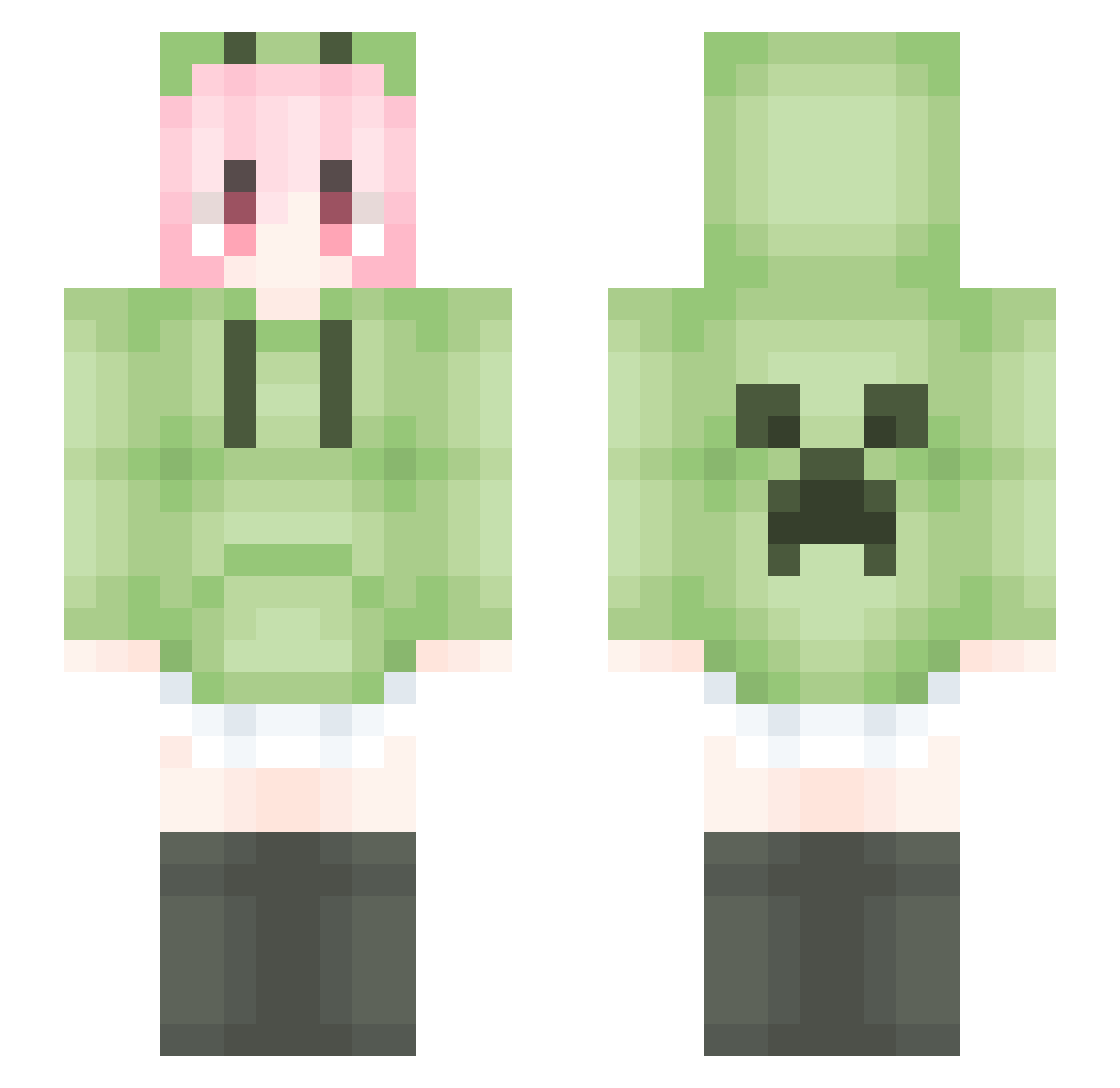
Current Minecraft skin of the player Trinitrotoluene6, loaded from the official Mojang API. Rotate the 3D model with your mouse or finger, then download the skin as a PNG file and use it in Minecraft: Bedrock Edition or Java Edition for free. When Trinitrotoluene6 changes their skin, this page updates automatically and the old skin stays in the history below.
Other players with this skin (1793)
Trinitrotoluene6 was the 1746th player we have seen with this skin, first spotted on 04.11.2026. The same skin was seen on these players. Open a nickname to see their current skin and skin history.
 Rex_Forever666 xiaolu0 NiuN_jun Niclo_Mu Re_Ch XAIVER_ lOlILINE sumys 3xthree XiaoTongHua Mpips hhkkb liangshua qwq_2013 haiyang266 isdfuf Madexian chenyou66 kilito__ FXTLF zguang LiquidBounceB89 morningsundo Hazy_531 nuyoah_914 zyc20056 K0NAK0NA_ QiuDao__ gtlm1 biao_6 WuDi_Ideal CreeperCEs Tomlancy Wyoming1101 milemi2 asdqwer123 Meteor_AWA JerryZ07 TommyBellic pokoni JacksonKAK akina823 Gotsmokenow Kobe7878 FaETong Mrkgame L_Tritiko_m_iBOe aiaaaa lu_dao yanxiangyx chenqiyu666 BLUEBOX2024 RLHFY 76mrfi woshishuaige66 hailong00 _Alakaslam_ DDIEie qwlqy wzctdxb
More Anime Girl Minecraft skins
See all 13778 Anime Girl skins
How to install the Trinitrotoluene6 skin
- Press the Download button above to save the skin as a PNG file.
- Minecraft: Bedrock Edition (PE): open the Dressing Room from the main menu (or tap your character → Edit Character), go to Classic Skins → Owned, press the + (new skin) button, choose the downloaded PNG and pick the Slim (Alex) model. Works on PC and mobile; consoles cannot import custom skins.
- Minecraft: Java Edition: open the Minecraft Launcher, go to the Skins tab, click New Skin, load the PNG, pick the Slim (Alex) model and press Save & Use. You can also upload it at minecraft.net → Profile → Change Skin.
The skin does not show up after import - what should I do?
Restart Minecraft and open the Dressing Room again - imported skins sometimes appear only after a restart. Also make sure you selected the imported skin and picked the Slim (Alex) model.
Which model should I choose, Classic or Slim?
This skin is designed for the Slim (Alex) model. If you pick the wrong model, the arms of the skin will look stretched or squeezed.
Is the skin of Trinitrotoluene6 free to download?
Yes. Press Download, save the PNG file and use it in Minecraft: Bedrock Edition or Java Edition - no payment or registration needed. The skin also works on multiplayer servers and Realms.
More skins
Looking for more? Go back to all Minecraft skins and check the top skins of the week, month and all time, or find any player's skin by nickname.