
Toniblubb - Minecraft Skins & Skin History
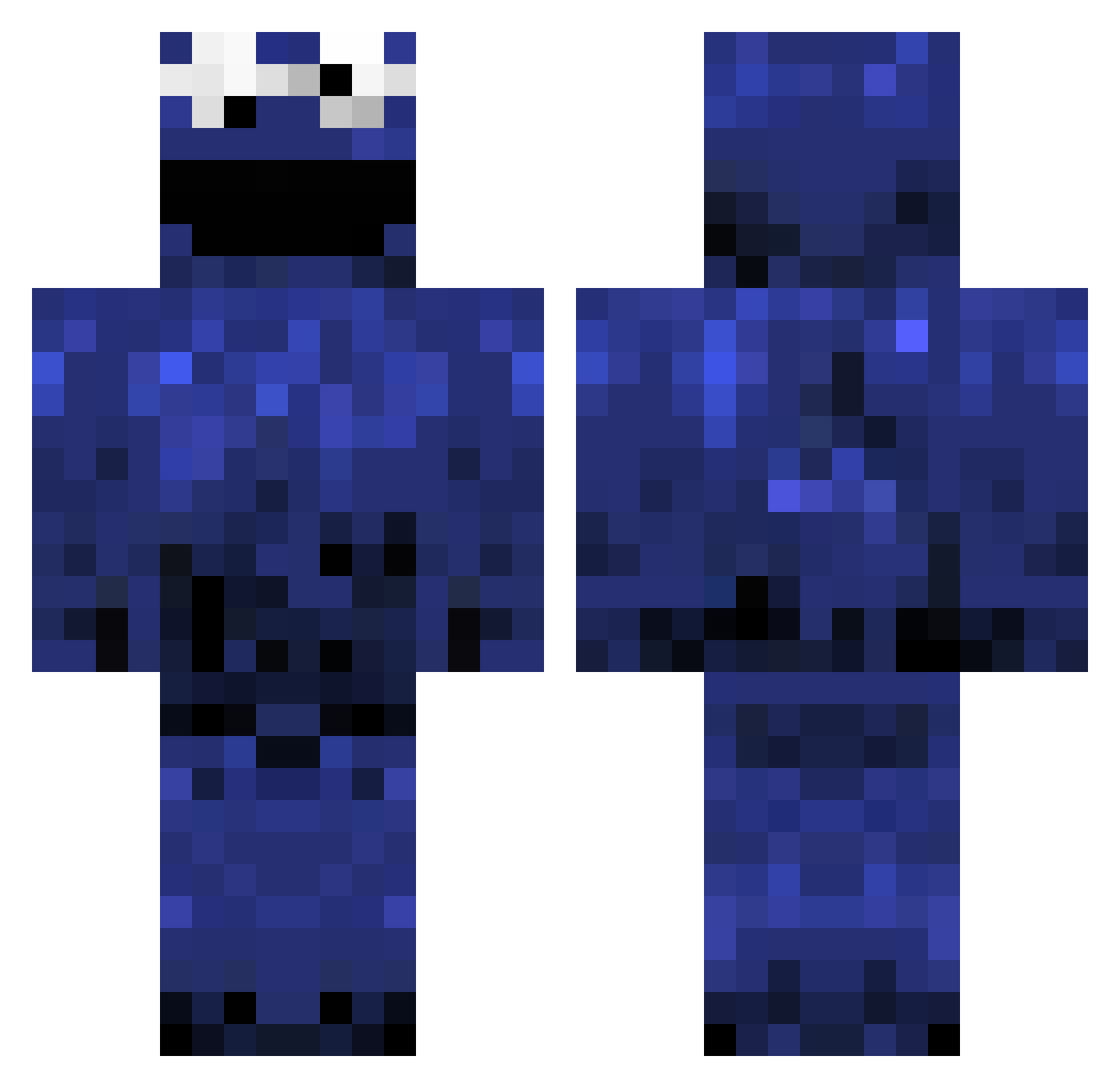
Current Minecraft skin of the player Toniblubb, loaded from the official Mojang API. Rotate the 3D model with your mouse or finger, then download the skin as a PNG file and use it in Minecraft: Bedrock Edition or Java Edition for free. When Toniblubb changes their skin, this page updates automatically and the old skin stays in the history below.
Other players with this skin (525)
Toniblubb was the 478th player we have seen with this skin, first spotted on 04.11.2026. The same skin was seen on these players. Open a nickname to see their current skin and skin history.
 TheGucciMonster D3IVID04 ChevyDude Jbuott braainrott UberPunter9999 Y4mamen Kittredge5 ItsAshirei dammyoureyes Trixveroe Jok3er_ EveryoneLovesJon Zetsus unlucky42 SharksInHD srro_ REXAR555 MangoO__ shadowluik GH0LT Senor_Spearmint CK0_0 Jawbreaker2009 Wippebecker BifocalZebra7 Dream_smp146 LMX123 pdlBoog Kaiser_89 tbroom7 lecraggs Jerry902 Boby_Embobineur khartzerma Kamky MelMack21 milkybarkid69420 CBJacks20 nolimitshlime puraneko 6tunasandwiches aebidiah MarcuzBern tobii0408 SesameStreet GreenGorillaGmer SlayceTmm TheDullBull Kalmara Wendyyx JDplsGiveMeBeta DaHorizon Cookiecipher mcda4 _Clxps poall NinjaJon SmackySnacky800 meronpan0121
More Cookie Monster Minecraft skins
See all 302 Cookie Monster skins
How to install the Toniblubb skin
- Press the Download button above to save the skin as a PNG file.
- Minecraft: Bedrock Edition (PE): open the Dressing Room from the main menu (or tap your character → Edit Character), go to Classic Skins → Owned, press the + (new skin) button, choose the downloaded PNG and pick the Classic (Steve) model. Works on PC and mobile; consoles cannot import custom skins.
- Minecraft: Java Edition: open the Minecraft Launcher, go to the Skins tab, click New Skin, load the PNG, pick the Classic (Steve) model and press Save & Use. You can also upload it at minecraft.net → Profile → Change Skin.
The skin does not show up after import - what should I do?
Restart Minecraft and open the Dressing Room again - imported skins sometimes appear only after a restart. Also make sure you selected the imported skin and picked the Classic (Steve) model.
Which model should I choose, Classic or Slim?
This skin is designed for the Classic (Steve) model. If you pick the wrong model, the arms of the skin will look stretched or squeezed.
Is the skin of Toniblubb free to download?
Yes. Press Download, save the PNG file and use it in Minecraft: Bedrock Edition or Java Edition - no payment or registration needed. The skin also works on multiplayer servers and Realms.
More skins
Looking for more? Go back to all Minecraft skins and check the top skins of the week, month and all time, or find any player's skin by nickname.