
ThePGtipsy - Minecraft Skins & Skin History
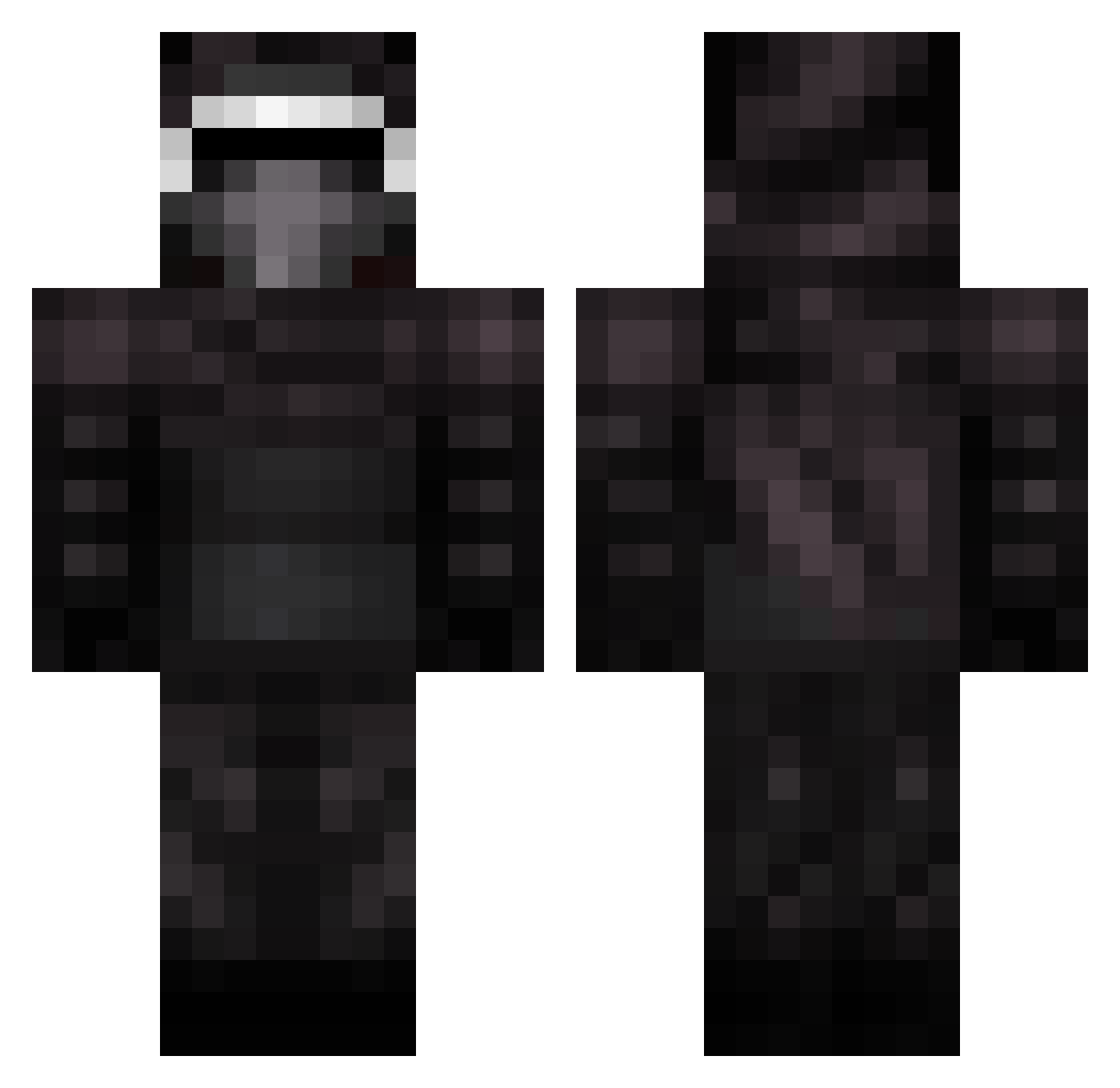
Current Minecraft skin of the player ThePGtipsy, loaded from the official Mojang API. Rotate the 3D model with your mouse or finger, then download the skin as a PNG file and use it in Minecraft: Bedrock Edition or Java Edition for free. When ThePGtipsy changes their skin, this page updates automatically and the old skin stays in the history below.
Other players with this skin (399)
ThePGtipsy was the 310th player we have seen with this skin, first spotted on 18.10.2026. The same skin was seen on these players. Open a nickname to see their current skin and skin history.
 Dayseek niblas97 Digital50 bloody123101 krakenking16 XenoidHD TheMrToggle FireSpoty Samuryan huhyee Ravenoxidal Venomothy Tevoll PihviMaisteri Jazzachain TyPhZak_AD mrzbkman McMarty2 jbw6 Kyledozer stephenh7 Kiilo_ A_Wash McAdams platzpatrone4 exqonic PowrPlayr iNicoh PopCornXD Janfighter tomacross loulounou HashQyu zKrauserS2 Vega2017 nairod2002 deathmenace ObsidianTorso AlexLC96 mrtommybish nasalaunchcode kLean_dON __ro__ tubbin99 desiboi77 kingofazgard iEggSavior Kylo_Ren Qadder K4WK AwesomeHits xXbladedrcXx Killer_of_blocks Spelf Paddlmon Badoshi Melloda Ch33zers nyengaard123 sagranade
More Kylo Ren Minecraft skins
How to install the ThePGtipsy skin
- Press the Download button above to save the skin as a PNG file.
- Minecraft: Bedrock Edition (PE): open the Dressing Room from the main menu (or tap your character → Edit Character), go to Classic Skins → Owned, press the + (new skin) button, choose the downloaded PNG and pick the Classic (Steve) model. Works on PC and mobile; consoles cannot import custom skins.
- Minecraft: Java Edition: open the Minecraft Launcher, go to the Skins tab, click New Skin, load the PNG, pick the Classic (Steve) model and press Save & Use. You can also upload it at minecraft.net → Profile → Change Skin.
The skin does not show up after import - what should I do?
Restart Minecraft and open the Dressing Room again - imported skins sometimes appear only after a restart. Also make sure you selected the imported skin and picked the Classic (Steve) model.
Which model should I choose, Classic or Slim?
This skin is designed for the Classic (Steve) model. If you pick the wrong model, the arms of the skin will look stretched or squeezed.
Is the skin of ThePGtipsy free to download?
Yes. Press Download, save the PNG file and use it in Minecraft: Bedrock Edition or Java Edition - no payment or registration needed. The skin also works on multiplayer servers and Realms.
More skins
Looking for more? Go back to all Minecraft skins and check the top skins of the week, month and all time, or find any player's skin by nickname.