
TheFool002 - Minecraft Skins & Skin History
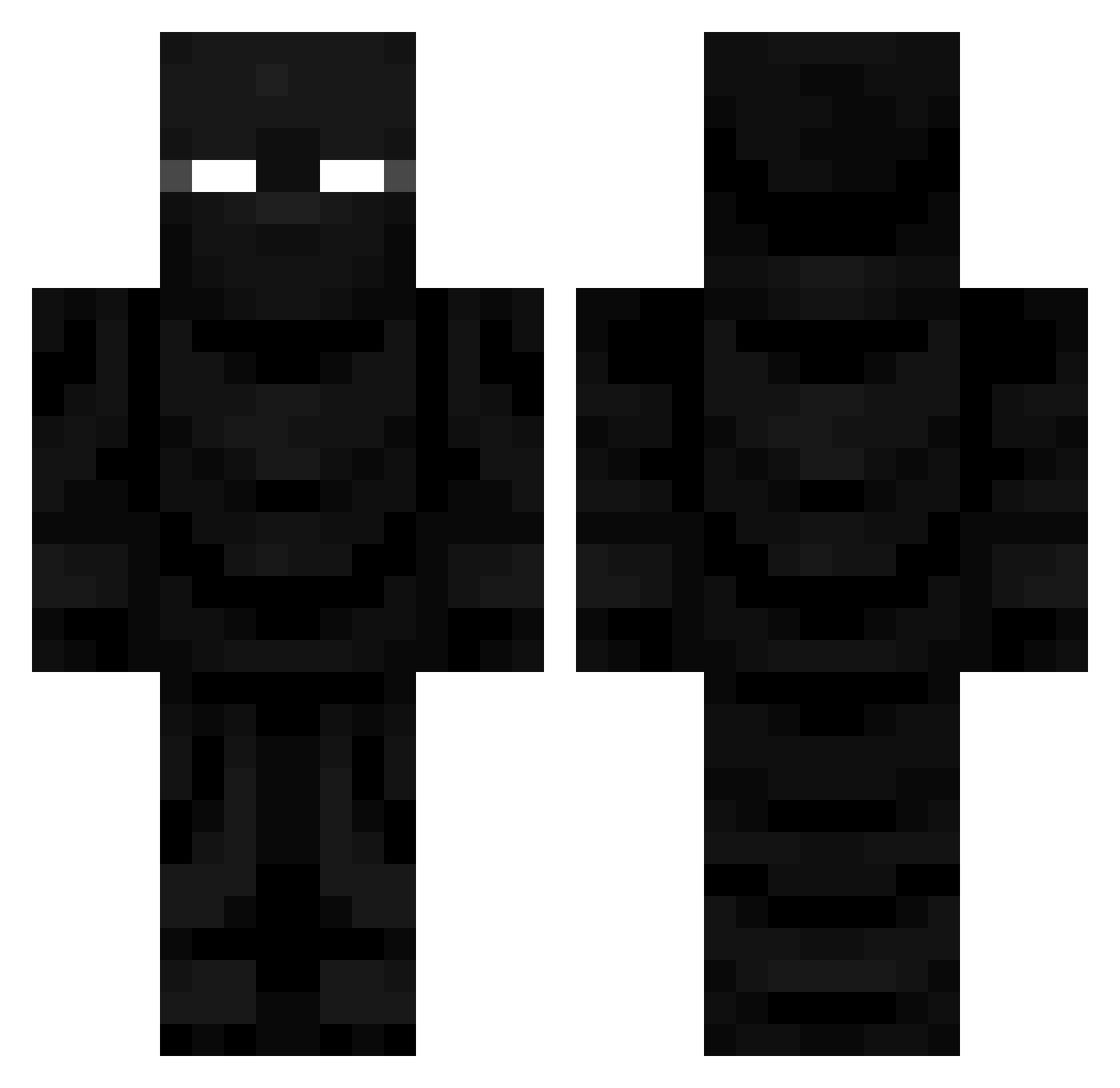
Current Minecraft skin of the player TheFool002, loaded from the official Mojang API. Rotate the 3D model with your mouse or finger, then download the skin as a PNG file and use it in Minecraft: Bedrock Edition or Java Edition for free. When TheFool002 changes their skin, this page updates automatically and the old skin stays in the history below.
Other players with this skin (715)
TheFool002 was the 645th player we have seen with this skin, first spotted on 26.10.2026. The same skin was seen on these players. Open a nickname to see their current skin and skin history.
 Patiii192 TastyTaco33 KadenWace Luciansss AT_Super OmnuSS Not_Batman1 Garnix95 God_000 EOThigaskk DuskLun Baseball5910 xxxHimithyxx 2b2tcx DeadlyBearFart IFeelYourPulse Tuxxaa lolo3009 Wert42e G_Acreeper BoomieZoomie1024 Vaanttroeni BlitzK34 Quieckexxxx Amplifient HeisenBean101 Nightwolf4170 Endoxima Guizmavooo Tiaan57 JimZen0 ZT_XoSc0r Nightblox arjacr L2PSabe denny2006 cardman28 E36Drifts AquaticSphere53 washerman ChubbyDonuts OLHZ Modinzerker Astaroth_black NC_Ghouly Matiazzz_ BodyFemboy poopninja0605 Madchakay MRkroket XIII17 CHASE_IS_BEST uiiuiiii EmulsionNemesis1 SrMirq riqxel nuovaLMAO Miloyobro darkreaperss BeanCTM
More Ninja Minecraft skins
How to install the TheFool002 skin
- Press the Download button above to save the skin as a PNG file.
- Minecraft: Bedrock Edition (PE): open the Dressing Room from the main menu (or tap your character → Edit Character), go to Classic Skins → Owned, press the + (new skin) button, choose the downloaded PNG and pick the Classic (Steve) model. Works on PC and mobile; consoles cannot import custom skins.
- Minecraft: Java Edition: open the Minecraft Launcher, go to the Skins tab, click New Skin, load the PNG, pick the Classic (Steve) model and press Save & Use. You can also upload it at minecraft.net → Profile → Change Skin.
The skin does not show up after import - what should I do?
Restart Minecraft and open the Dressing Room again - imported skins sometimes appear only after a restart. Also make sure you selected the imported skin and picked the Classic (Steve) model.
Which model should I choose, Classic or Slim?
This skin is designed for the Classic (Steve) model. If you pick the wrong model, the arms of the skin will look stretched or squeezed.
Is the skin of TheFool002 free to download?
Yes. Press Download, save the PNG file and use it in Minecraft: Bedrock Edition or Java Edition - no payment or registration needed. The skin also works on multiplayer servers and Realms.
More skins
Looking for more? Go back to all Minecraft skins and check the top skins of the week, month and all time, or find any player's skin by nickname.