
TJagger - Minecraft Skins & Skin History
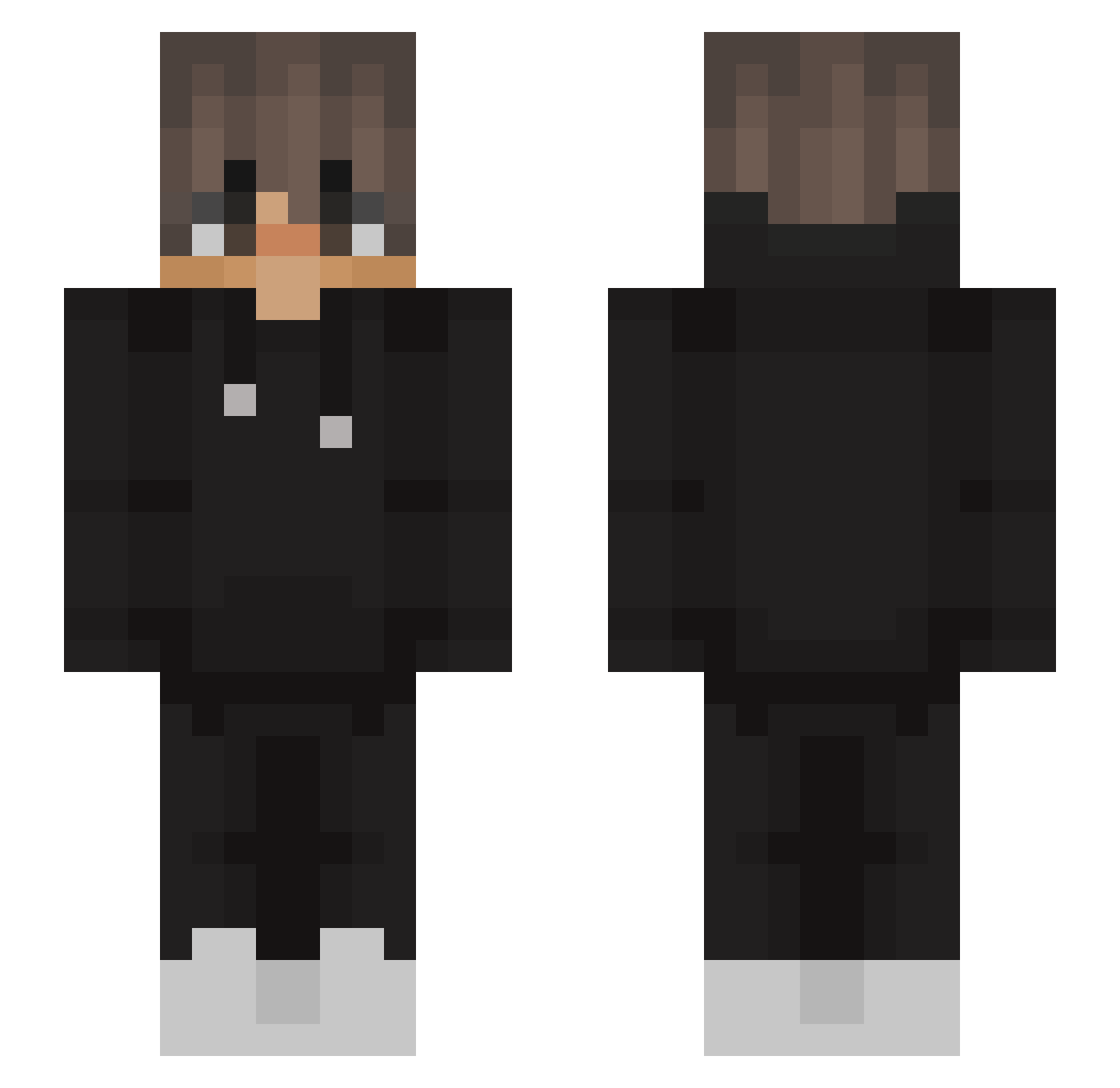
Current Minecraft skin of the player TJagger, loaded from the official Mojang API. Rotate the 3D model with your mouse or finger, then download the skin as a PNG file and use it in Minecraft: Bedrock Edition or Java Edition for free. When TJagger changes their skin, this page updates automatically and the old skin stays in the history below.
Other players with this skin (563)
TJagger was the 471st player we have seen with this skin, first spotted on 23.10.2026. The same skin was seen on these players. Open a nickname to see their current skin and skin history.
 ElJavis322 Quadrocrafter tbrown851 TheCloudPerson XxxNevisXxx Robert_MP28 Mr__Brian FizzyOdd its_maiko Ben23068 Marion508 Lukasien AK_The_Phoenix kotelek_69 brandofire Oliwier_v8 ASAPBROCKY_ Jacob_Gamer CedricOT15 AzetK_ Sn3Eze_ Weislou mY_rbz Azanyr ryuq4n PENTAXXXX __kyky BotiSenpai zPiquu risaaaaa255 Schnucksel_ ATigs11 SirRonaldK felipeBR3 GhmG007 SneeryPlayer03 Tarqu91n sibtayn Chelozzz Tvix imjustgaming23 Rusher90 IsoEpe smokey808 zKiedis Darqaan o1b2g3 SuperFra111 Windforgest jagSuper iRyven R1ckster9121 nzRhino cam13510 Ancerati xKreshu1337 Rincon69 scrlls KaydenBlackheart Leggendario09
More Streetwear Minecraft skins
How to install the TJagger skin
- Press the Download button above to save the skin as a PNG file.
- Minecraft: Bedrock Edition (PE): open the Dressing Room from the main menu (or tap your character → Edit Character), go to Classic Skins → Owned, press the + (new skin) button, choose the downloaded PNG and pick the Slim (Alex) model. Works on PC and mobile; consoles cannot import custom skins.
- Minecraft: Java Edition: open the Minecraft Launcher, go to the Skins tab, click New Skin, load the PNG, pick the Slim (Alex) model and press Save & Use. You can also upload it at minecraft.net → Profile → Change Skin.
The skin does not show up after import - what should I do?
Restart Minecraft and open the Dressing Room again - imported skins sometimes appear only after a restart. Also make sure you selected the imported skin and picked the Slim (Alex) model.
Which model should I choose, Classic or Slim?
This skin is designed for the Slim (Alex) model. If you pick the wrong model, the arms of the skin will look stretched or squeezed.
Is the skin of TJagger free to download?
Yes. Press Download, save the PNG file and use it in Minecraft: Bedrock Edition or Java Edition - no payment or registration needed. The skin also works on multiplayer servers and Realms.
More skins
Looking for more? Go back to all Minecraft skins and check the top skins of the week, month and all time, or find any player's skin by nickname.