
Stano - Minecraft Skins & Skin History
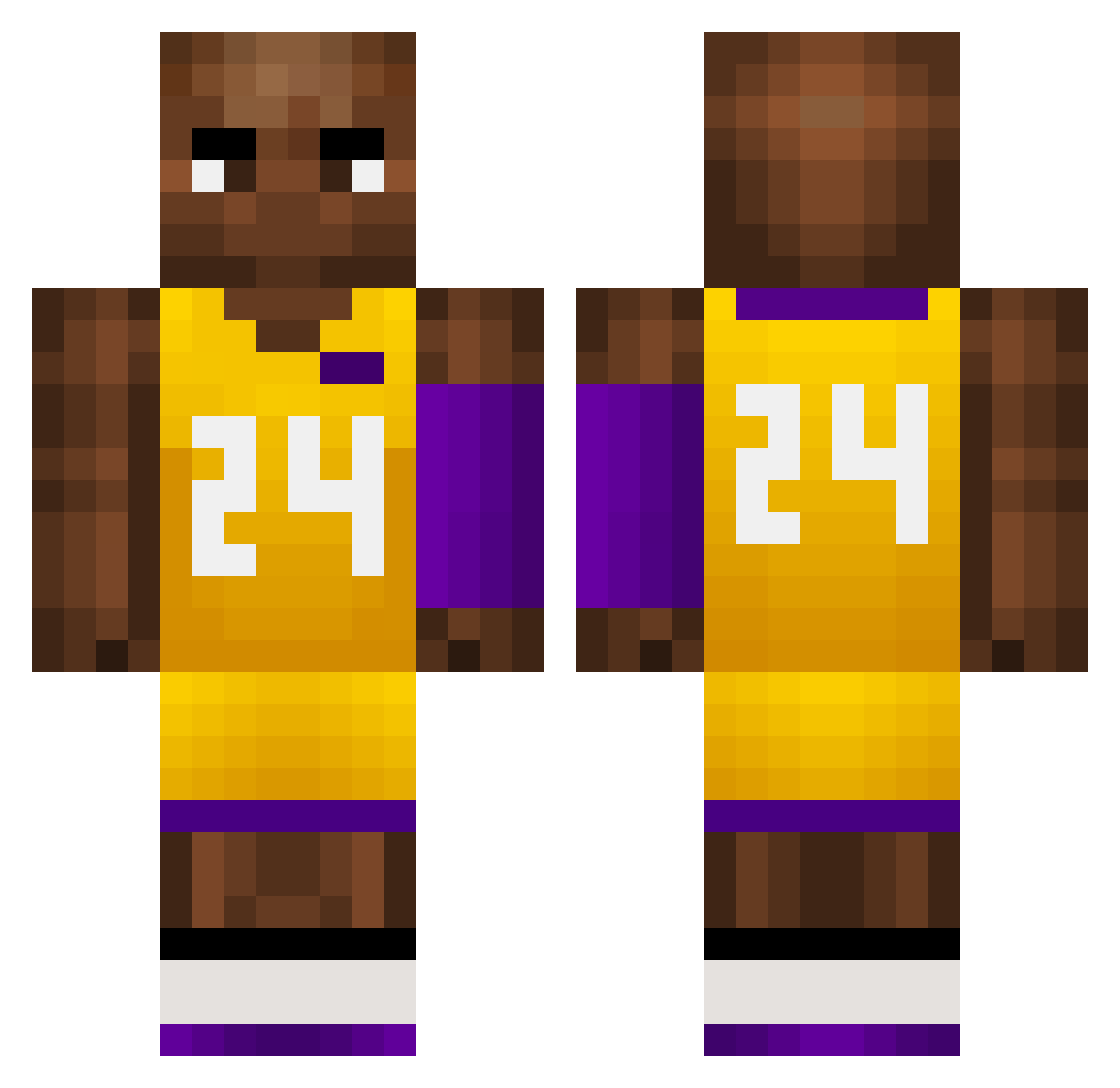
Current Minecraft skin of the player Stano, loaded from the official Mojang API. Rotate the 3D model with your mouse or finger, then download the skin as a PNG file and use it in Minecraft: Bedrock Edition or Java Edition for free. When Stano changes their skin, this page updates automatically and the old skin stays in the history below.
Other players with this skin (757)
Stano was the 636th player we have seen with this skin, first spotted on 23.10.2026. The same skin was seen on these players. Open a nickname to see their current skin and skin history.
 NISHIKI111 GBG60 Dani01k1 kfH699 WEN283 Andy66893 HomelessNerfgun kfc_is_healthy Nati_Zia Melo104 jmzhhh rninh0w pJX177 Kangurek2137 Erocult pinanchen00 Jayvis SpaceTurtle812 Kedavrr moheng1 M13_0703 luisnba HaiYe_ plot1 KINGnothanziball ensiz Busan_0 ewI906 FHRT Losi17 pipechulaaa ludi0000 boofy_mc IdesUDjavola Pau1am GODY2 yuvi13 MEh837 Dareg08 showmaker231 RubenPalma iPalhota_ Jeremy_Chen_0513 AS_MHR BoosH777 dybsy leobonheR Guiizall FHU264 MaybeULuvMe kuri_KOR WHR23 KobeBryant024 Awesome_1090 goldenpants69 XaddyCorvinus69 WYBM6 nokinoa DeAdLY_9292 devindwan
More Kobe Bryant Minecraft skins
How to install the Stano skin
- Press the Download button above to save the skin as a PNG file.
- Minecraft: Bedrock Edition (PE): open the Dressing Room from the main menu (or tap your character → Edit Character), go to Classic Skins → Owned, press the + (new skin) button, choose the downloaded PNG and pick the Classic (Steve) model. Works on PC and mobile; consoles cannot import custom skins.
- Minecraft: Java Edition: open the Minecraft Launcher, go to the Skins tab, click New Skin, load the PNG, pick the Classic (Steve) model and press Save & Use. You can also upload it at minecraft.net → Profile → Change Skin.
The skin does not show up after import - what should I do?
Restart Minecraft and open the Dressing Room again - imported skins sometimes appear only after a restart. Also make sure you selected the imported skin and picked the Classic (Steve) model.
Which model should I choose, Classic or Slim?
This skin is designed for the Classic (Steve) model. If you pick the wrong model, the arms of the skin will look stretched or squeezed.
Is the skin of Stano free to download?
Yes. Press Download, save the PNG file and use it in Minecraft: Bedrock Edition or Java Edition - no payment or registration needed. The skin also works on multiplayer servers and Realms.
More skins
Looking for more? Go back to all Minecraft skins and check the top skins of the week, month and all time, or find any player's skin by nickname.