
Sqndi - Minecraft Skins & Skin History
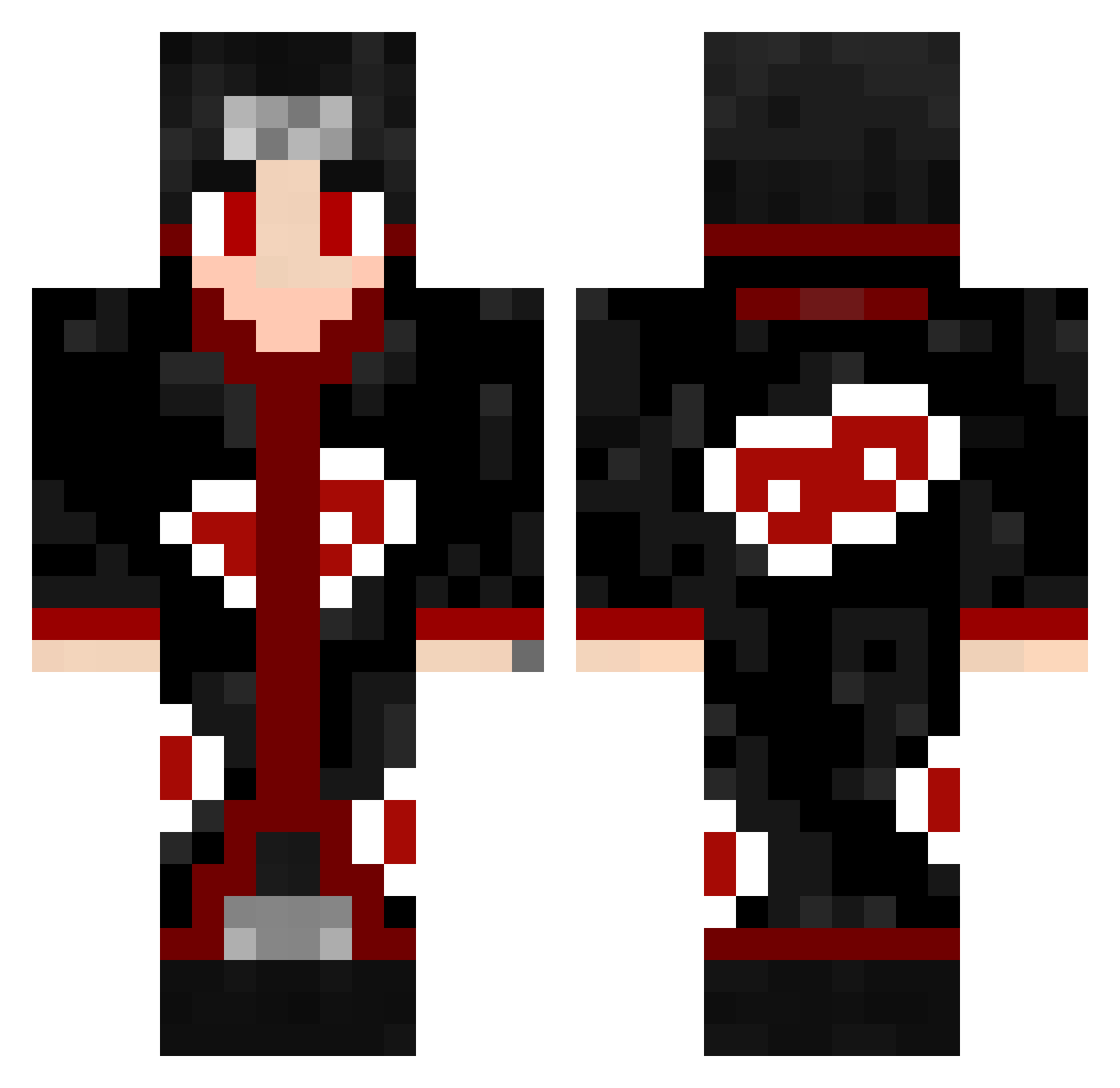
Current Minecraft skin of the player Sqndi, loaded from the official Mojang API. Rotate the 3D model with your mouse or finger, then download the skin as a PNG file and use it in Minecraft: Bedrock Edition or Java Edition for free. When Sqndi changes their skin, this page updates automatically and the old skin stays in the history below.
Other players with this skin (606)
Sqndi was the 473rd player we have seen with this skin, first spotted on 23.10.2026. The same skin was seen on these players. Open a nickname to see their current skin and skin history.
 NOTADI_TUFAN ccmcgee99 Binooclard__ 1ronextron Dream960 Preciise Tertemiz69 ChillyH Lukas598 killua587 SoUNvAcC xFedez THALLESBORGES WhoIsDiogo Shenevmerluk BrainDamage12 soldontmiss Frank4813 CarFon19 Gosal01 Daflick IcarusX25 fumasa7 Beefbros6864 henrique1570 THCxWill ImSkeptik SANAKE12 GrandDxddy Pierrodono SwirlyHarbor454 Itachi_OTF Gheller marcelo_king cellonic CraftMaxi10 The_Armadillo yeshwanth asdas901 Gtgale00 KalevOFF Avhishek 69onichann69 Newbie123456 Himbeertoni23 1235678980 DeadmanGameZ83 JeckSparho Stackingz towes124 GabrielAlbrecht QuanUchiha MeliodazSenpai HodenKobold14 Angel13lol Alves1908 thestonerk p_21 RayRay1542 Rojjo
More Itachi Uchiha Minecraft skins
See all 371 Itachi Uchiha skins
How to install the Sqndi skin
- Press the Download button above to save the skin as a PNG file.
- Minecraft: Bedrock Edition (PE): open the Dressing Room from the main menu (or tap your character → Edit Character), go to Classic Skins → Owned, press the + (new skin) button, choose the downloaded PNG and pick the Classic (Steve) model. Works on PC and mobile; consoles cannot import custom skins.
- Minecraft: Java Edition: open the Minecraft Launcher, go to the Skins tab, click New Skin, load the PNG, pick the Classic (Steve) model and press Save & Use. You can also upload it at minecraft.net → Profile → Change Skin.
The skin does not show up after import - what should I do?
Restart Minecraft and open the Dressing Room again - imported skins sometimes appear only after a restart. Also make sure you selected the imported skin and picked the Classic (Steve) model.
Which model should I choose, Classic or Slim?
This skin is designed for the Classic (Steve) model. If you pick the wrong model, the arms of the skin will look stretched or squeezed.
Is the skin of Sqndi free to download?
Yes. Press Download, save the PNG file and use it in Minecraft: Bedrock Edition or Java Edition - no payment or registration needed. The skin also works on multiplayer servers and Realms.
More skins
Looking for more? Go back to all Minecraft skins and check the top skins of the week, month and all time, or find any player's skin by nickname.