
SoullessCN - Minecraft Skins & Skin History
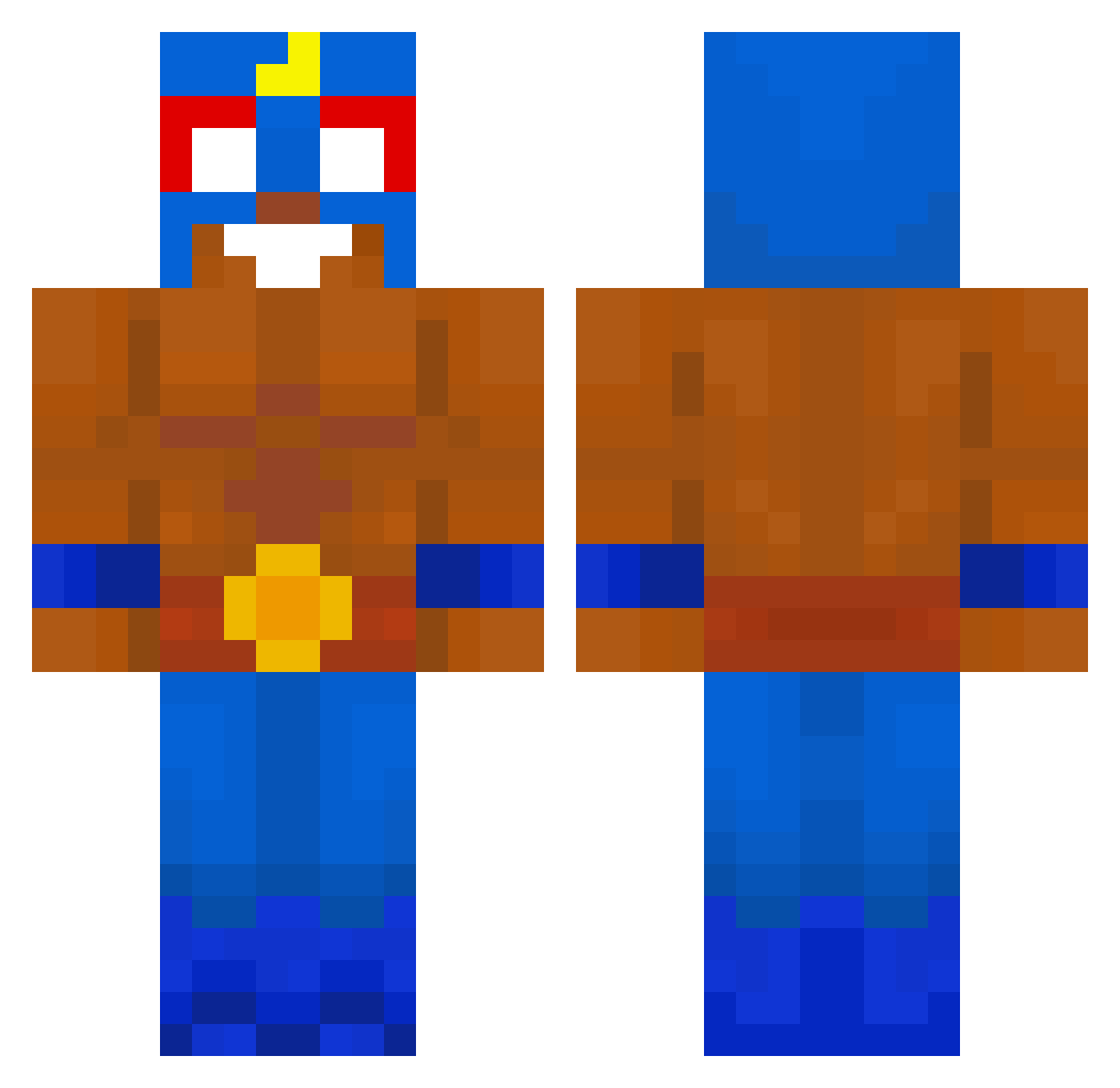
Current Minecraft skin of the player SoullessCN, loaded from the official Mojang API. Rotate the 3D model with your mouse or finger, then download the skin as a PNG file and use it in Minecraft: Bedrock Edition or Java Edition for free. When SoullessCN changes their skin, this page updates automatically and the old skin stays in the history below.
Other players with this skin (659)
SoullessCN was the 556th player we have seen with this skin, first spotted on 24.10.2026. The same skin was seen on these players. Open a nickname to see their current skin and skin history.
 Thibone Baehayul4949 Hansbrik1 ERAERA78 z7dxnnis JIGsaw54 LEEJAESEUNG0317 Mancio17 COREYPYc Revi2115 SIGMACLASSIC shwarzy4 Juka11 b1ad3ik Zrestalfa azusamaru _Unobtanium_ MOTOTOKO LeozinDoBrawl mutku elpriimoo ninjaro1 Metehan_1 Stailus your_stepmom Diaz_fls PolskiGR4CZ Tusolol nebyuu _Florda_ ElChelitosv Mozart_official ilBaroz kiritoosvaldo DiegoRey2013 lian_big ellismelly09 goKuzo ReekyDeek AndrewHopps rhla PANQUESIT0 issa0318 PONO_TV xwins123 FelsCraft Nitoipo QuangDuck pacovius C0RM0 ComandanteBeto AARamaSiyahi codexgiga jakijopski Liezart ghjiwNK Tictazz Kretciol reayn12 pauyyyy
More El Primo Minecraft skins
How to install the SoullessCN skin
- Press the Download button above to save the skin as a PNG file.
- Minecraft: Bedrock Edition (PE): open the Dressing Room from the main menu (or tap your character → Edit Character), go to Classic Skins → Owned, press the + (new skin) button, choose the downloaded PNG and pick the Classic (Steve) model. Works on PC and mobile; consoles cannot import custom skins.
- Minecraft: Java Edition: open the Minecraft Launcher, go to the Skins tab, click New Skin, load the PNG, pick the Classic (Steve) model and press Save & Use. You can also upload it at minecraft.net → Profile → Change Skin.
The skin does not show up after import - what should I do?
Restart Minecraft and open the Dressing Room again - imported skins sometimes appear only after a restart. Also make sure you selected the imported skin and picked the Classic (Steve) model.
Which model should I choose, Classic or Slim?
This skin is designed for the Classic (Steve) model. If you pick the wrong model, the arms of the skin will look stretched or squeezed.
Is the skin of SoullessCN free to download?
Yes. Press Download, save the PNG file and use it in Minecraft: Bedrock Edition or Java Edition - no payment or registration needed. The skin also works on multiplayer servers and Realms.
More skins
Looking for more? Go back to all Minecraft skins and check the top skins of the week, month and all time, or find any player's skin by nickname.