
SortaSleepii - Minecraft Skins & Skin History
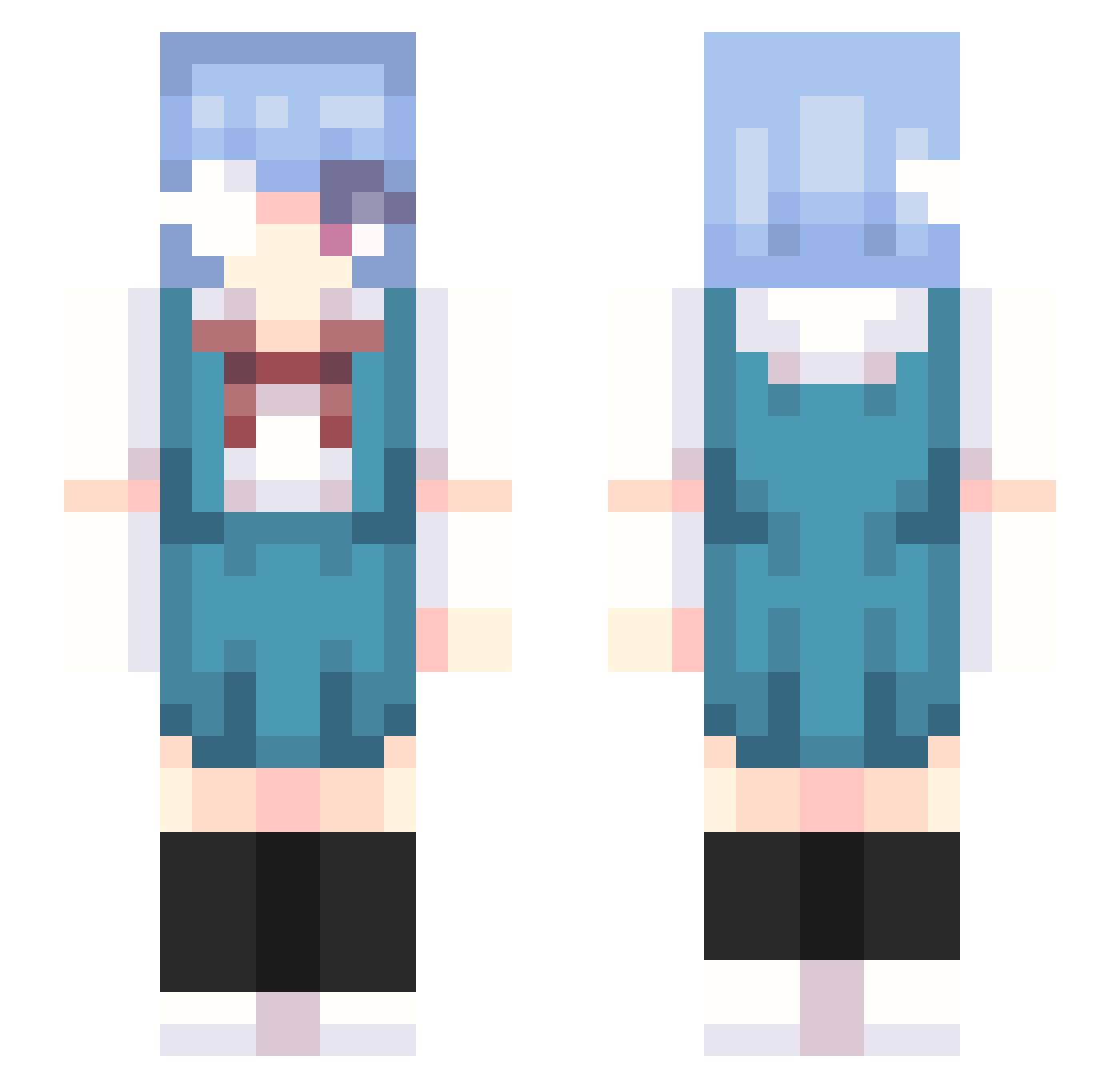
Current Minecraft skin of the player SortaSleepii, loaded from the official Mojang API. Rotate the 3D model with your mouse or finger, then download the skin as a PNG file and use it in Minecraft: Bedrock Edition or Java Edition for free. When SortaSleepii changes their skin, this page updates automatically and the old skin stays in the history below.
Other players with this skin (340)
SortaSleepii was the 312th player we have seen with this skin, first spotted on 04.11.2026. The same skin was seen on these players. Open a nickname to see their current skin and skin history.
 Isakito69 vyxmuse rebel2345 NekoTau dailerg7 SHePEeRd ORE62 KkoSx derabeRiTa BabyBK CryItzi Whisperd777 DarkShining87 ZonicTheHedgehog crwffeine Vaitho iCodeinoslav hestiafanboy AlanElPlatano niko_js NiwanoJ Luna_Maria_ sinpai7 vwampster gmcend KEENE__ Cupcakedino AmooAlt7 su_ao Halabe Eric940921 medicinehealth geo5172 Zxiy69 S1ro_Yuk1 proviamoci DFoKxS Corwin_1200 sjauwn ReiAyanamiCandy levfield reiplush ShinobuMei KKXHI rooins KittyToTheKat draxouy Chaosshiva Letgamertag1697 EJZ112008 Edding2 soudathief kobenyy SammyWalkEmDown vlvke h4fsv ninjaminji BluwuTheSniper ShinjiNik SpaceXVll
Previous skins of SortaSleepii
Skins that SortaSleepii wore before, newest first. Click a skin to open its page and download it.
More Rei Ayanami Minecraft skins
How to install the SortaSleepii skin
- Press the Download button above to save the skin as a PNG file.
- Minecraft: Bedrock Edition (PE): open the Dressing Room from the main menu (or tap your character → Edit Character), go to Classic Skins → Owned, press the + (new skin) button, choose the downloaded PNG and pick the Slim (Alex) model. Works on PC and mobile; consoles cannot import custom skins.
- Minecraft: Java Edition: open the Minecraft Launcher, go to the Skins tab, click New Skin, load the PNG, pick the Slim (Alex) model and press Save & Use. You can also upload it at minecraft.net → Profile → Change Skin.
The skin does not show up after import - what should I do?
Restart Minecraft and open the Dressing Room again - imported skins sometimes appear only after a restart. Also make sure you selected the imported skin and picked the Slim (Alex) model.
Which model should I choose, Classic or Slim?
This skin is designed for the Slim (Alex) model. If you pick the wrong model, the arms of the skin will look stretched or squeezed.
Is the skin of SortaSleepii free to download?
Yes. Press Download, save the PNG file and use it in Minecraft: Bedrock Edition or Java Edition - no payment or registration needed. The skin also works on multiplayer servers and Realms.
More skins
Looking for more? Go back to all Minecraft skins and check the top skins of the week, month and all time, or find any player's skin by nickname.