
Skuurex - Minecraft Skins & Skin History
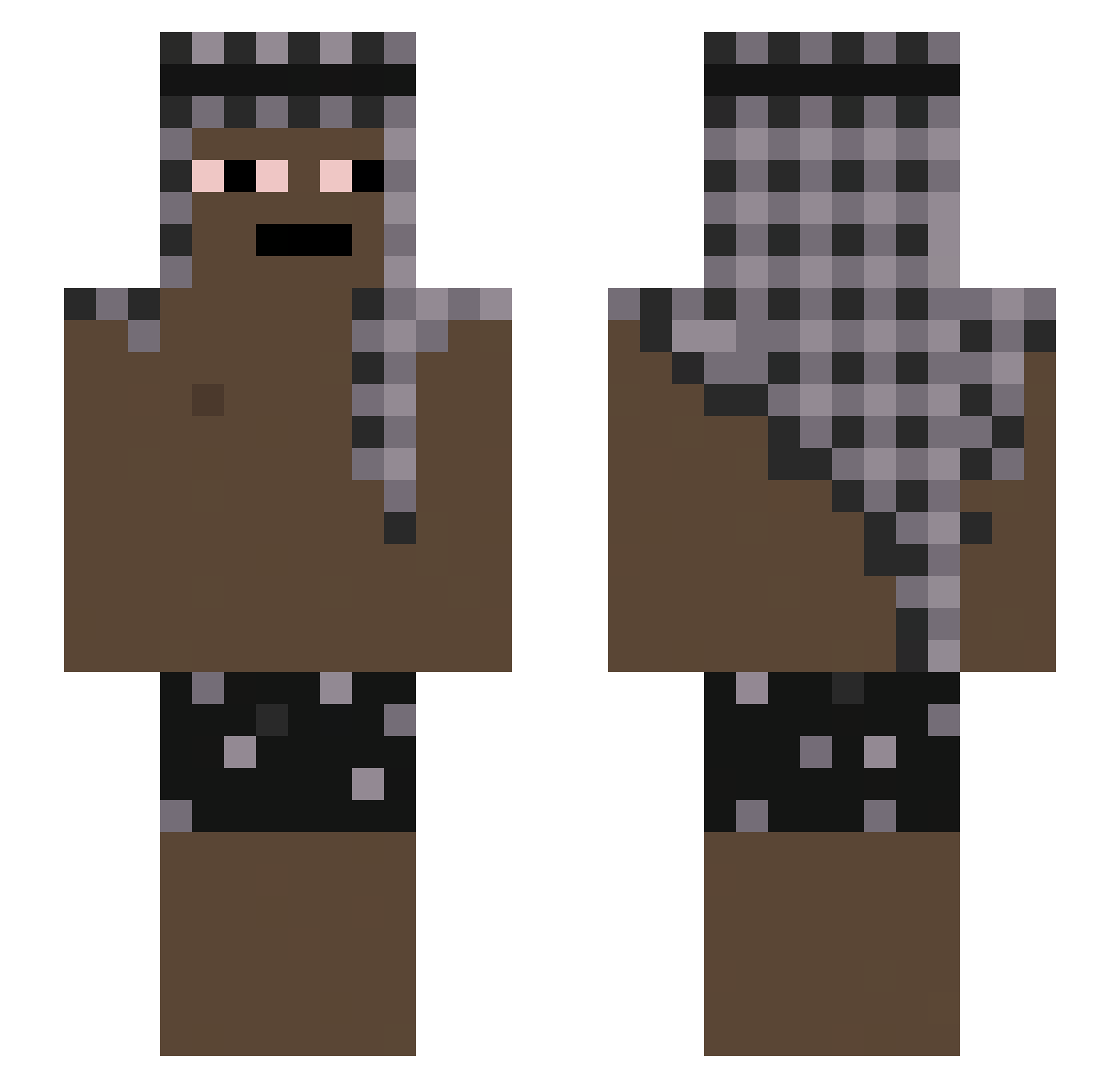
Current Minecraft skin of the player Skuurex, loaded from the official Mojang API. Rotate the 3D model with your mouse or finger, then download the skin as a PNG file and use it in Minecraft: Bedrock Edition or Java Edition for free. When Skuurex changes their skin, this page updates automatically and the old skin stays in the history below.
Other players with this skin (61)
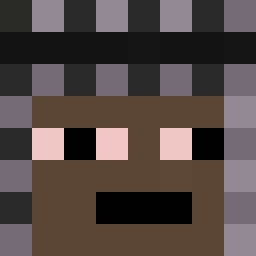
Skuurex was the 32nd player we have seen with this skin, first spotted on 16.10.2026. The same skin was seen on these players. Open a nickname to see their current skin and skin history.
 ImYgorkkj Sratos_MC Richedz Emeryt_Amir777 NaMe_Exist verticus09 Kynkk Daniel7878 Armane1337 Narhuu LakatosArmando13 forsoys blood2137 Moonisto Sandro_2601 nielubiecie1313 Cuvos mzFpS m1reczek Bobby5955 ZenkRush Adele_Hitfish Kr4sn4l3k_ miznipizdzik Martimseraf Dimi0303 Mixterps20 benzynowka_ EmilZzZz LoLzm4n ForeverWinter irritar HessaHann Snowkijn Fox_Playss erlogen KackwurstLutw andreL7 Nicocreta Galoux21 stropek02 qodlyhits kuuyv blodr9 vvnmp Vodylendin mixxyvya turatsu23 YouKnowNico Luis_294 Labrid Zjose24 vic234 __Purified MrTry21 Lukaku300 SS8_ osmaladen exhaults PeppyOnTop224
More Keffiyeh Minecraft skins
How to install the Skuurex skin
- Press the Download button above to save the skin as a PNG file.
- Minecraft: Bedrock Edition (PE): open the Dressing Room from the main menu (or tap your character → Edit Character), go to Classic Skins → Owned, press the + (new skin) button, choose the downloaded PNG and pick the Slim (Alex) model. Works on PC and mobile; consoles cannot import custom skins.
- Minecraft: Java Edition: open the Minecraft Launcher, go to the Skins tab, click New Skin, load the PNG, pick the Slim (Alex) model and press Save & Use. You can also upload it at minecraft.net → Profile → Change Skin.
The skin does not show up after import - what should I do?
Restart Minecraft and open the Dressing Room again - imported skins sometimes appear only after a restart. Also make sure you selected the imported skin and picked the Slim (Alex) model.
Which model should I choose, Classic or Slim?
This skin is designed for the Slim (Alex) model. If you pick the wrong model, the arms of the skin will look stretched or squeezed.
Is the skin of Skuurex free to download?
Yes. Press Download, save the PNG file and use it in Minecraft: Bedrock Edition or Java Edition - no payment or registration needed. The skin also works on multiplayer servers and Realms.
More skins
Looking for more? Go back to all Minecraft skins and check the top skins of the week, month and all time, or find any player's skin by nickname.