
Sir_AppleBottom - Minecraft Skins & Skin History
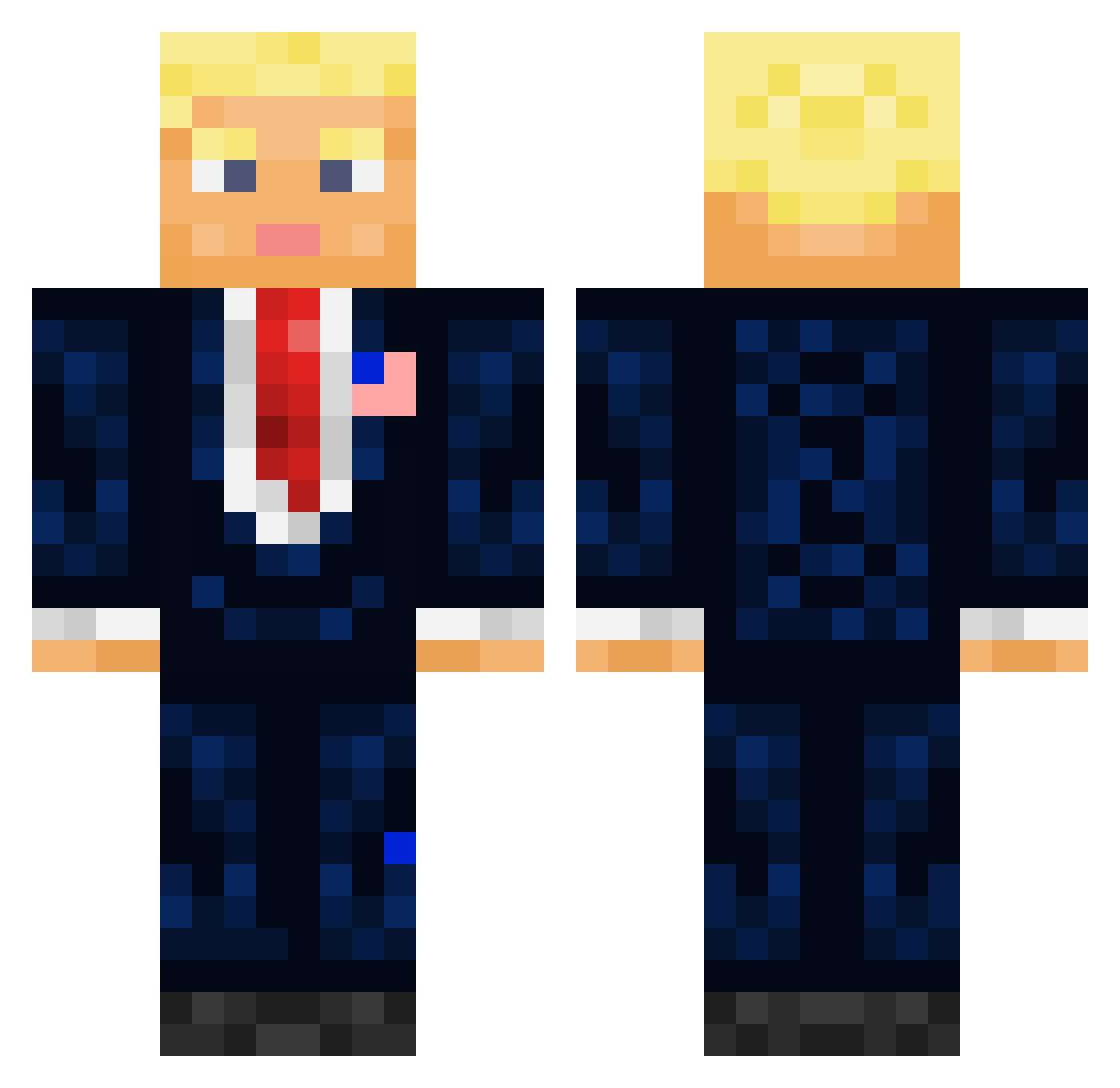
Current Minecraft skin of the player Sir_AppleBottom, loaded from the official Mojang API. Rotate the 3D model with your mouse or finger, then download the skin as a PNG file and use it in Minecraft: Bedrock Edition or Java Edition for free. When Sir_AppleBottom changes their skin, this page updates automatically and the old skin stays in the history below.
Other players with this skin (694)
Sir_AppleBottom was the 587th player we have seen with this skin, first spotted on 20.10.2026. The same skin was seen on these players. Open a nickname to see their current skin and skin history.
 NotSalvi MlkDavizinho wpme_michal Pashanter PC1126 RestingSplash Chillingz DonaldJTrump45 SenatorSupreme Spooky_1260 Bonge22 jang00114 SimplyPlaysMC Mailisk ChiefTa1nt PapiBananou Hrossharsgrani TheFuns 5Elka5 VulgoJorge Izuha07 Mrdawson ErfahrungSammeln Aunties_Perc NathanV10 iTronixHD Dldero Officer_Arsch Jason4372 dc_cp JawshD ntwhites Jxnnikk Kols012 KatsuCurry21 K7T0 toxic_rip trumpismydaddy42 KOBA007 CalebMines FuchsFuchs Duffygames Holmenstad cavcrafter Donold_Trump FireMatrix1 Full_Metal_Jake guerrepaix Axurn yuki0411 GIK23 SkorpionFaser13 erosgyerek Matteo070867 stapleface Meaty_tofu Dcwuko unbiasedcash SkittaWUmemes Sacuel
More President Minecraft skins
How to install the Sir_AppleBottom skin
- Press the Download button above to save the skin as a PNG file.
- Minecraft: Bedrock Edition (PE): open the Dressing Room from the main menu (or tap your character → Edit Character), go to Classic Skins → Owned, press the + (new skin) button, choose the downloaded PNG and pick the Classic (Steve) model. Works on PC and mobile; consoles cannot import custom skins.
- Minecraft: Java Edition: open the Minecraft Launcher, go to the Skins tab, click New Skin, load the PNG, pick the Classic (Steve) model and press Save & Use. You can also upload it at minecraft.net → Profile → Change Skin.
The skin does not show up after import - what should I do?
Restart Minecraft and open the Dressing Room again - imported skins sometimes appear only after a restart. Also make sure you selected the imported skin and picked the Classic (Steve) model.
Which model should I choose, Classic or Slim?
This skin is designed for the Classic (Steve) model. If you pick the wrong model, the arms of the skin will look stretched or squeezed.
Is the skin of Sir_AppleBottom free to download?
Yes. Press Download, save the PNG file and use it in Minecraft: Bedrock Edition or Java Edition - no payment or registration needed. The skin also works on multiplayer servers and Realms.
More skins
Looking for more? Go back to all Minecraft skins and check the top skins of the week, month and all time, or find any player's skin by nickname.