
SinnedK0me_4_n0s - Minecraft Skins & Skin History
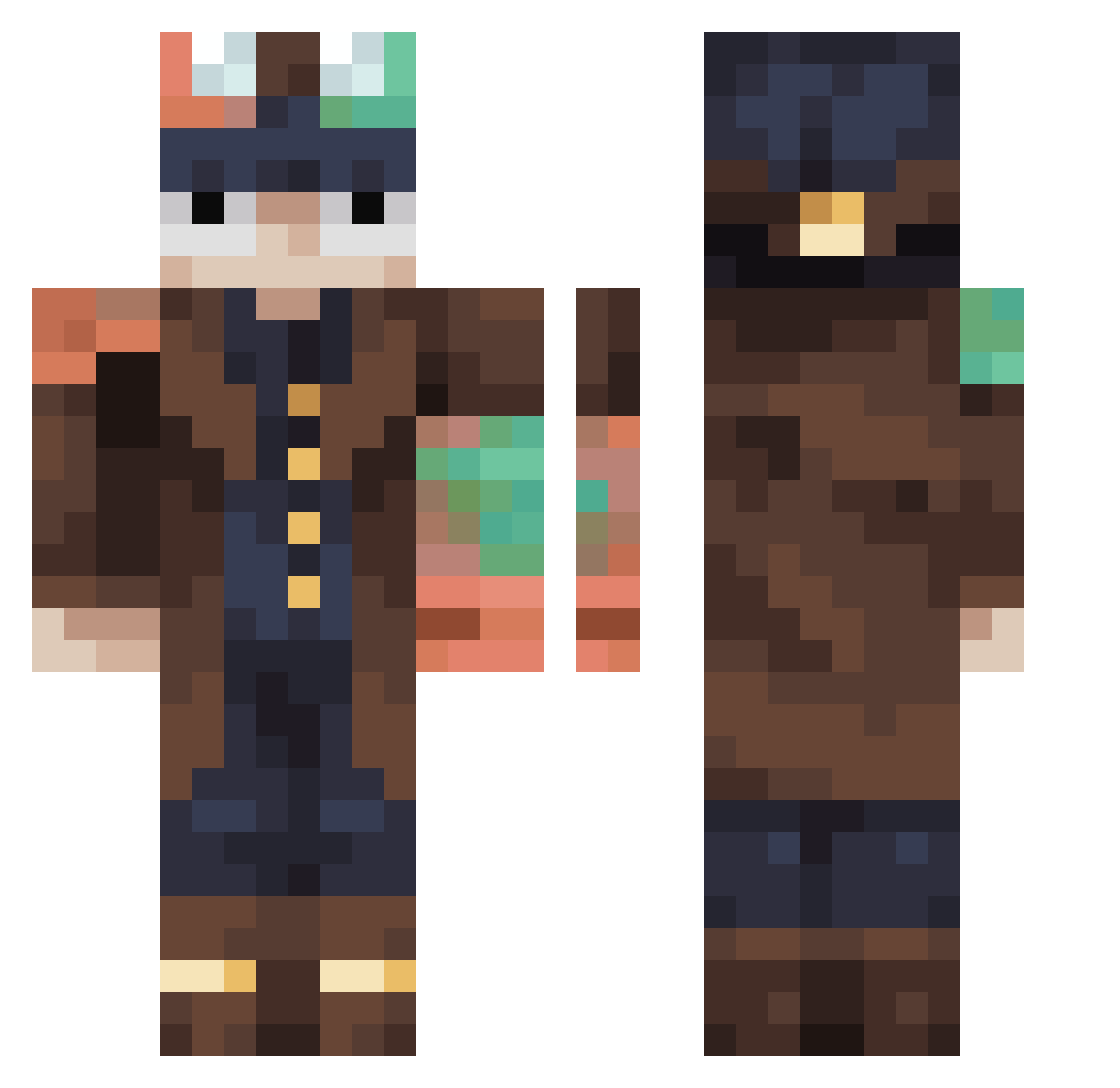
Current Minecraft skin of the player SinnedK0me_4_n0s, loaded from the official Mojang API. Rotate the 3D model with your mouse or finger, then download the skin as a PNG file and use it in Minecraft: Bedrock Edition or Java Edition for free. When SinnedK0me_4_n0s changes their skin, this page updates automatically and the old skin stays in the history below.
Other players with this skin (454)
SinnedK0me_4_n0s was the 357th player we have seen with this skin, first spotted on 16.10.2026. The same skin was seen on these players. Open a nickname to see their current skin and skin history.
 Szalik2021 Xoniris KenderDuFasar avakaduh MioCrafter WryCast Mandez02 xRAMMMx CreateEngineer32 NhidoggTmr bellamille14 CheekyCiggy MilanessaconPure Verinity0 lilloluangames f0di111 cocohen CatMom6427 9Q11 xALLEYCATx pedrowow212 Omega3288 Guy1019 Codecraftable SupremeZake florisfluitketel Dadoooooooo maokai2324 Grichmannen67 Buzek Fllon V1990 Kingshadow92 SonrisaXD godzilladude14 Noji2115 Yomiaba glyun misterfister4 Mene_Careca X3rtfy Nat0m1x TheBeningging Aleix1145 Weed_ist_nice averagesleepy feute RonaldBe AxC_ViTaL2 Catshadow525 mito9000 dribbelkiller L2o7n Pepeezz Ladyrosania Talha0115 Andrea_bomb3r wjdgurdl miaoyijinisa Fmsp21
More Steampunk Minecraft skins
How to install the SinnedK0me_4_n0s skin
- Press the Download button above to save the skin as a PNG file.
- Minecraft: Bedrock Edition (PE): open the Dressing Room from the main menu (or tap your character → Edit Character), go to Classic Skins → Owned, press the + (new skin) button, choose the downloaded PNG and pick the Classic (Steve) model. Works on PC and mobile; consoles cannot import custom skins.
- Minecraft: Java Edition: open the Minecraft Launcher, go to the Skins tab, click New Skin, load the PNG, pick the Classic (Steve) model and press Save & Use. You can also upload it at minecraft.net → Profile → Change Skin.
The skin does not show up after import - what should I do?
Restart Minecraft and open the Dressing Room again - imported skins sometimes appear only after a restart. Also make sure you selected the imported skin and picked the Classic (Steve) model.
Which model should I choose, Classic or Slim?
This skin is designed for the Classic (Steve) model. If you pick the wrong model, the arms of the skin will look stretched or squeezed.
Is the skin of SinnedK0me_4_n0s free to download?
Yes. Press Download, save the PNG file and use it in Minecraft: Bedrock Edition or Java Edition - no payment or registration needed. The skin also works on multiplayer servers and Realms.
More skins
Looking for more? Go back to all Minecraft skins and check the top skins of the week, month and all time, or find any player's skin by nickname.