
Shushh1 - Minecraft Skins & Skin History
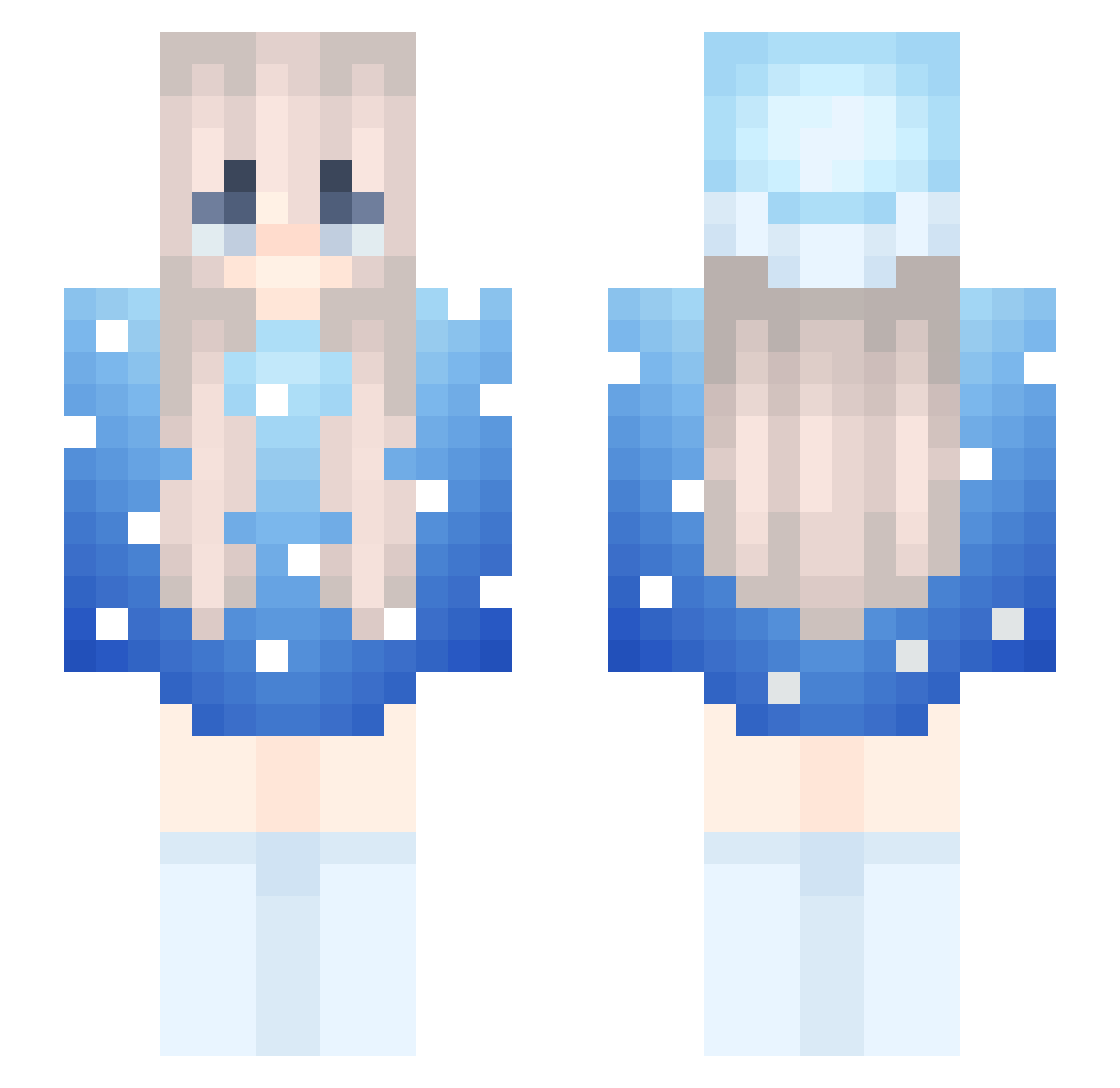
Current Minecraft skin of the player Shushh1, loaded from the official Mojang API. Rotate the 3D model with your mouse or finger, then download the skin as a PNG file and use it in Minecraft: Bedrock Edition or Java Edition for free. When Shushh1 changes their skin, this page updates automatically and the old skin stays in the history below.
Other players with this skin (272)
Shushh1 was the 210th player we have seen with this skin, first spotted on 17.10.2026. The same skin was seen on these players. Open a nickname to see their current skin and skin history.
 marlcwwv Luroww Jazzindopvp poomplay Nethrix minpr0og TheLordMarloww PumpkinAddict67 OnurbSednem dominikcool xaavs marlowtop mARLOWWW54 _cw1 bigtp22 Malrloww lofszexumirim meil2 meil11 Der_krasse_julie 7alice WelfareState flckpurpleprison flickydaddy rjpavone1 cassiiopeia_ Leiciel OPSECLarpGod1234 itzRealZaa flamesinhut1 SONgSon4321 KowalanoMojBoss annrizuna gragoullon NXDVictor TchoupieLaHess_ EspOccean34 ArdaXiln TheShyQ White_US ToastAnnt raveEsMG4WwF Zeedy38 SinisterMarloww wojtuss12 ChickenBoi778 yasin2012 FrostJcBoy6 Vulpes3333 coconutsmp Dabeb RogothGaming __qm Mqws FP_sul MarlowwwCute Azizu28 mr_epic14 zixzymc unt_mc
More Snow Minecraft skins
How to install the Shushh1 skin
- Press the Download button above to save the skin as a PNG file.
- Minecraft: Bedrock Edition (PE): open the Dressing Room from the main menu (or tap your character → Edit Character), go to Classic Skins → Owned, press the + (new skin) button, choose the downloaded PNG and pick the Slim (Alex) model. Works on PC and mobile; consoles cannot import custom skins.
- Minecraft: Java Edition: open the Minecraft Launcher, go to the Skins tab, click New Skin, load the PNG, pick the Slim (Alex) model and press Save & Use. You can also upload it at minecraft.net → Profile → Change Skin.
The skin does not show up after import - what should I do?
Restart Minecraft and open the Dressing Room again - imported skins sometimes appear only after a restart. Also make sure you selected the imported skin and picked the Slim (Alex) model.
Which model should I choose, Classic or Slim?
This skin is designed for the Slim (Alex) model. If you pick the wrong model, the arms of the skin will look stretched or squeezed.
Is the skin of Shushh1 free to download?
Yes. Press Download, save the PNG file and use it in Minecraft: Bedrock Edition or Java Edition - no payment or registration needed. The skin also works on multiplayer servers and Realms.
More skins
Looking for more? Go back to all Minecraft skins and check the top skins of the week, month and all time, or find any player's skin by nickname.