
SharksV2 - Minecraft Skins & Skin History
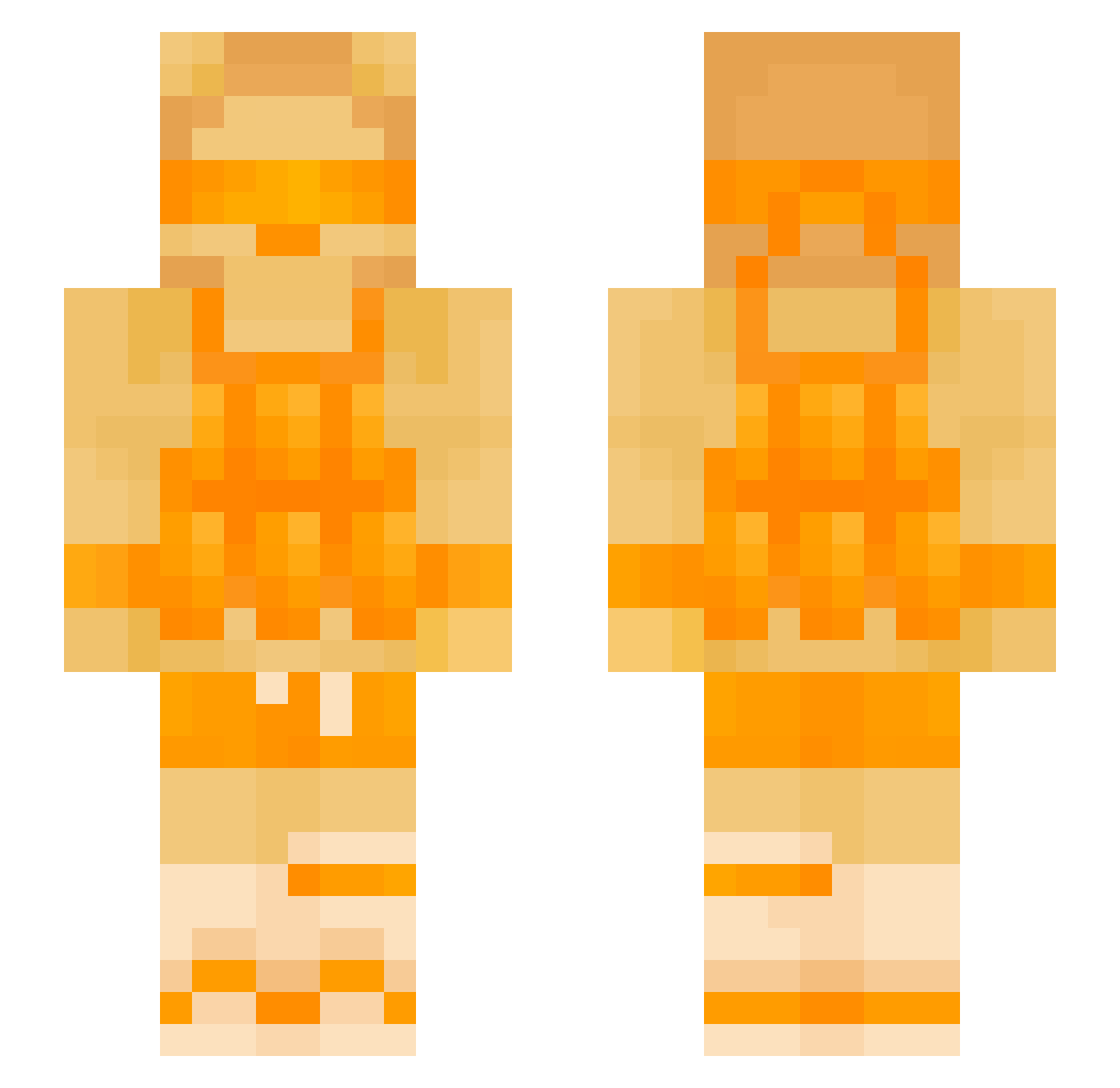
Current Minecraft skin of the player SharksV2, loaded from the official Mojang API. Rotate the 3D model with your mouse or finger, then download the skin as a PNG file and use it in Minecraft: Bedrock Edition or Java Edition for free. When SharksV2 changes their skin, this page updates automatically and the old skin stays in the history below.
Other players with this skin (138)
SharksV2 was the 118th player we have seen with this skin, first spotted on 21.10.2026. The same skin was seen on these players. Open a nickname to see their current skin and skin history.
 Jamzeyy milospov Ady_monster SENZishu 6Immune9 TugarinZmej12 ImaDolphinLol Arcticfox82 Void_Hunter_ Euro9 Jian132651520 _sascha__ juju9042 MonarIsHere bizbussin TheScarlet9 larsvurtorenpsg Manedear Ignis___ andreya7 Rubioooooo_Wmb Dofi255 Eddie6225 Areeiscool DJCookie170 Limborius rudasz AppleMC12 Wemchan VextonCore198 ace87286 Twerxi zab_BVW7C_08_22 Kai_Nobody YUS40 sebasttt7 safnz2014 Corviet ManeGrape Brokeboy67 Avomaaa ULG709 tommynux primalshep sunnn00 FreshMellow PetrifiedX NotToasts shaked_007 Gamingkyllerpro peanutMA jacob8842 TornadoFireboi Obitrab Denise_001 ManePearEN Viggo321Pro runt_x1ms jonikaktponi DarkBasMC
More Visor Minecraft skins
How to install the SharksV2 skin
- Press the Download button above to save the skin as a PNG file.
- Minecraft: Bedrock Edition (PE): open the Dressing Room from the main menu (or tap your character → Edit Character), go to Classic Skins → Owned, press the + (new skin) button, choose the downloaded PNG and pick the Slim (Alex) model. Works on PC and mobile; consoles cannot import custom skins.
- Minecraft: Java Edition: open the Minecraft Launcher, go to the Skins tab, click New Skin, load the PNG, pick the Slim (Alex) model and press Save & Use. You can also upload it at minecraft.net → Profile → Change Skin.
The skin does not show up after import - what should I do?
Restart Minecraft and open the Dressing Room again - imported skins sometimes appear only after a restart. Also make sure you selected the imported skin and picked the Slim (Alex) model.
Which model should I choose, Classic or Slim?
This skin is designed for the Slim (Alex) model. If you pick the wrong model, the arms of the skin will look stretched or squeezed.
Is the skin of SharksV2 free to download?
Yes. Press Download, save the PNG file and use it in Minecraft: Bedrock Edition or Java Edition - no payment or registration needed. The skin also works on multiplayer servers and Realms.
More skins
Looking for more? Go back to all Minecraft skins and check the top skins of the week, month and all time, or find any player's skin by nickname.