
Sgtsuperhockey - Minecraft Skins & Skin History
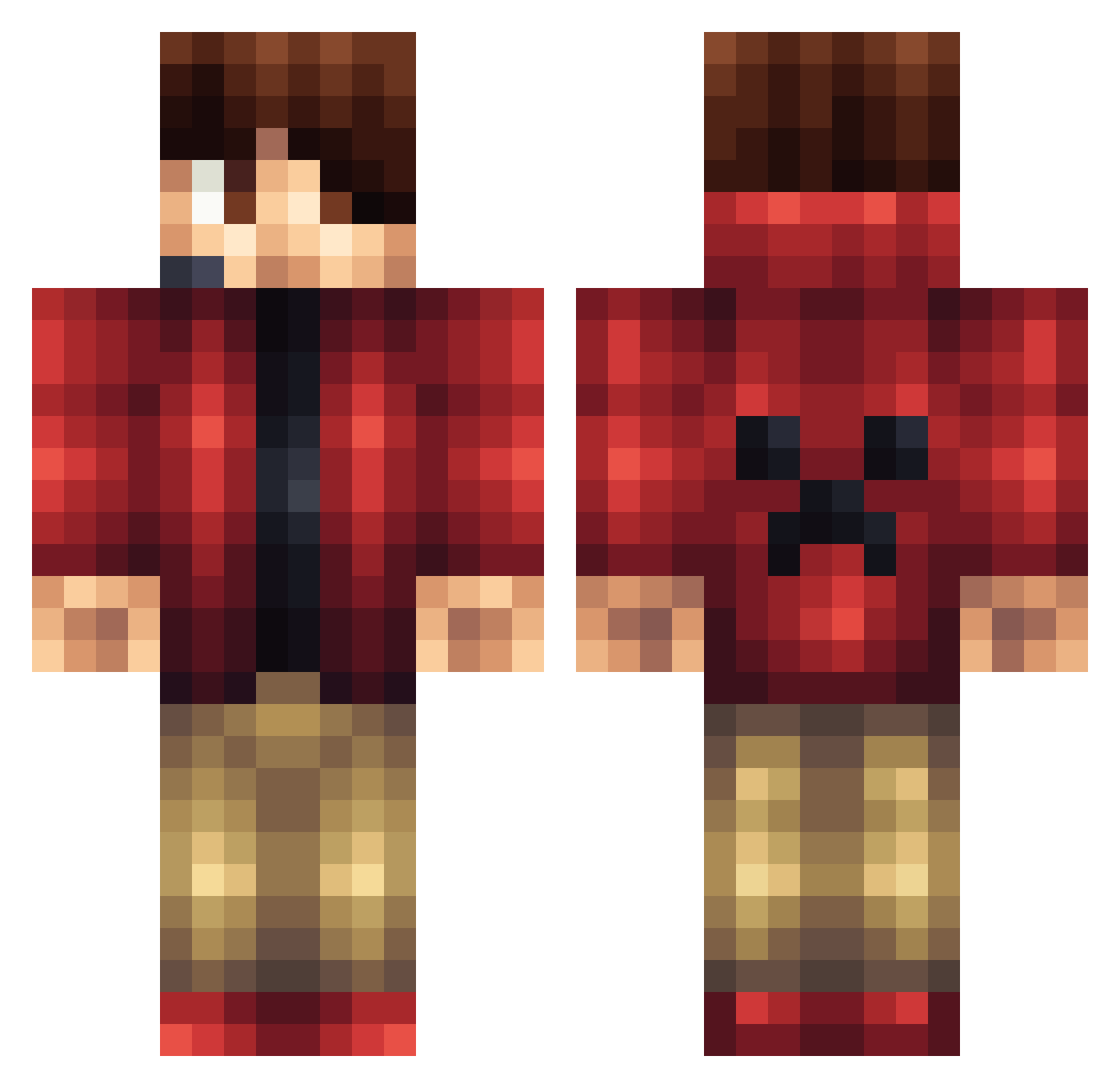
Current Minecraft skin of the player Sgtsuperhockey, loaded from the official Mojang API. Rotate the 3D model with your mouse or finger, then download the skin as a PNG file and use it in Minecraft: Bedrock Edition or Java Edition for free. When Sgtsuperhockey changes their skin, this page updates automatically and the old skin stays in the history below.
Other players with this skin (196)
Sgtsuperhockey was the 147th player we have seen with this skin, first spotted on 21.10.2026. The same skin was seen on these players. Open a nickname to see their current skin and skin history.
 weiziyu EightLizard8130 Madjdc1988 DearestChicken5 PetrSTARK97 TastefulMints siwoo1202 Yoon_rang PhosQAQ AFMADL Aurora_K Smithville21 JojoLP7306 noisiboy45 HiKarimm MelloTV cjendrze jorgeaztec Nefutari rebelin eWeiME TurnAndRepent saffron_sky SpringBrother dan67dan Rurrezz pureownage2 darksmile1510 Lcook06 Taxi12345 Darkdiamons458 R5W Vemrryck SethKrazy ___Zhao___ JesseHello Mijed Chriffy Braxxs stesan137 BurreRH MrButter1313 IceKwibby Torpid_Gaming chageo52 Brixton42 sngdysc MunchNPlay Kyroue DolvinDolphin Legoboy117 lukasfisher02 Peypy Godkiller_MKII Grunk_G 25Bassieboy2001 fattymanw Krosnoz BeerCanDan199 Dutchgecko
More Headset Minecraft skins
How to install the Sgtsuperhockey skin
- Press the Download button above to save the skin as a PNG file.
- Minecraft: Bedrock Edition (PE): open the Dressing Room from the main menu (or tap your character → Edit Character), go to Classic Skins → Owned, press the + (new skin) button, choose the downloaded PNG and pick the Classic (Steve) model. Works on PC and mobile; consoles cannot import custom skins.
- Minecraft: Java Edition: open the Minecraft Launcher, go to the Skins tab, click New Skin, load the PNG, pick the Classic (Steve) model and press Save & Use. You can also upload it at minecraft.net → Profile → Change Skin.
The skin does not show up after import - what should I do?
Restart Minecraft and open the Dressing Room again - imported skins sometimes appear only after a restart. Also make sure you selected the imported skin and picked the Classic (Steve) model.
Which model should I choose, Classic or Slim?
This skin is designed for the Classic (Steve) model. If you pick the wrong model, the arms of the skin will look stretched or squeezed.
Is the skin of Sgtsuperhockey free to download?
Yes. Press Download, save the PNG file and use it in Minecraft: Bedrock Edition or Java Edition - no payment or registration needed. The skin also works on multiplayer servers and Realms.
More skins
Looking for more? Go back to all Minecraft skins and check the top skins of the week, month and all time, or find any player's skin by nickname.