
Semispinalis - Minecraft Skins & Skin History
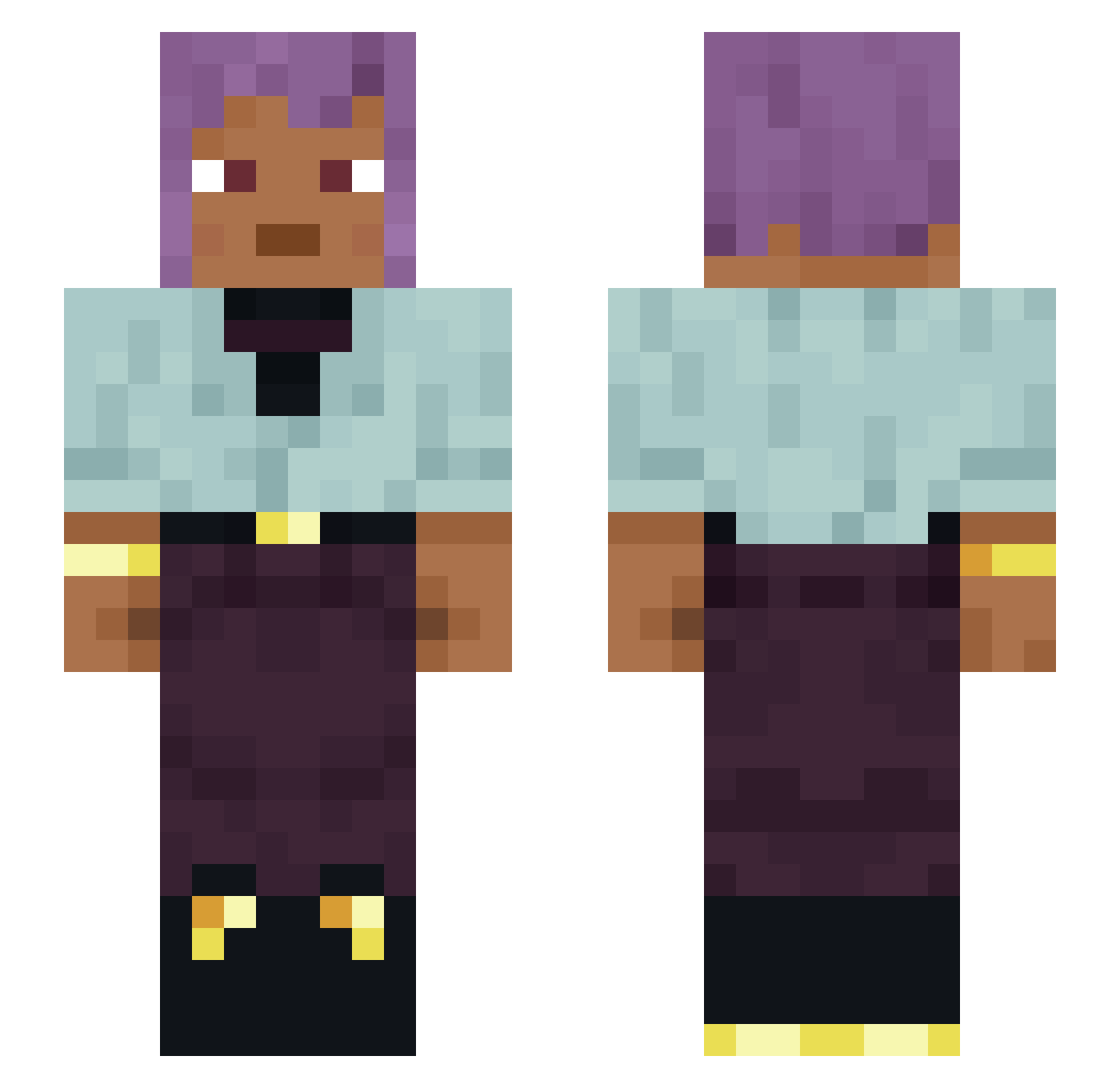
Current Minecraft skin of the player Semispinalis, loaded from the official Mojang API. Rotate the 3D model with your mouse or finger, then download the skin as a PNG file and use it in Minecraft: Bedrock Edition or Java Edition for free. When Semispinalis changes their skin, this page updates automatically and the old skin stays in the history below.
Other players with this skin (1483)
Semispinalis was the 1135th player we have seen with this skin, first spotted on 21.10.2026. The same skin was seen on these players. Open a nickname to see their current skin and skin history.
 finlet Ambhose Iceekream Snakydilan RatmanRulerOf macjuz0 Katzenhai7 cjevs N_Bounty68 fdjesko Marco_101 Kozohinator Fleral Thrower Merestone Crossest AiEgar Shigram petroleuse Benempted me4tloaf3 Peduncular pcv9 Ependix LeeWooHyuk Aloy_Nora Archimandrite janthony69 Nimuro_ Oocysts Ganima devind909 Photogen Decarbonize M3ndou Molvi smithy spoonio strengthity coos SrNikolas anthrop Stormf sarcosis Competitive mumpish MonKeyDYato avoirdupois FrickleSnot okkero 7j6 Whuffle Bhook jetaimepas42 zaramay LinhUjHxn1221 Danlas b1nk1 P1kachu77 dhlee01
How to install the Semispinalis skin
- Press the Download button above to save the skin as a PNG file.
- Minecraft: Bedrock Edition (PE): open the Dressing Room from the main menu (or tap your character → Edit Character), go to Classic Skins → Owned, press the + (new skin) button, choose the downloaded PNG and pick the Slim (Alex) model. Works on PC and mobile; consoles cannot import custom skins.
- Minecraft: Java Edition: open the Minecraft Launcher, go to the Skins tab, click New Skin, load the PNG, pick the Slim (Alex) model and press Save & Use. You can also upload it at minecraft.net → Profile → Change Skin.
The skin does not show up after import - what should I do?
Restart Minecraft and open the Dressing Room again - imported skins sometimes appear only after a restart. Also make sure you selected the imported skin and picked the Slim (Alex) model.
Which model should I choose, Classic or Slim?
This skin is designed for the Slim (Alex) model. If you pick the wrong model, the arms of the skin will look stretched or squeezed.
Is the skin of Semispinalis free to download?
Yes. Press Download, save the PNG file and use it in Minecraft: Bedrock Edition or Java Edition - no payment or registration needed. The skin also works on multiplayer servers and Realms.
More skins
Looking for more? Go back to all Minecraft skins and check the top skins of the week, month and all time, or find any player's skin by nickname.