
SavageFrynez - Minecraft Skins & Skin History
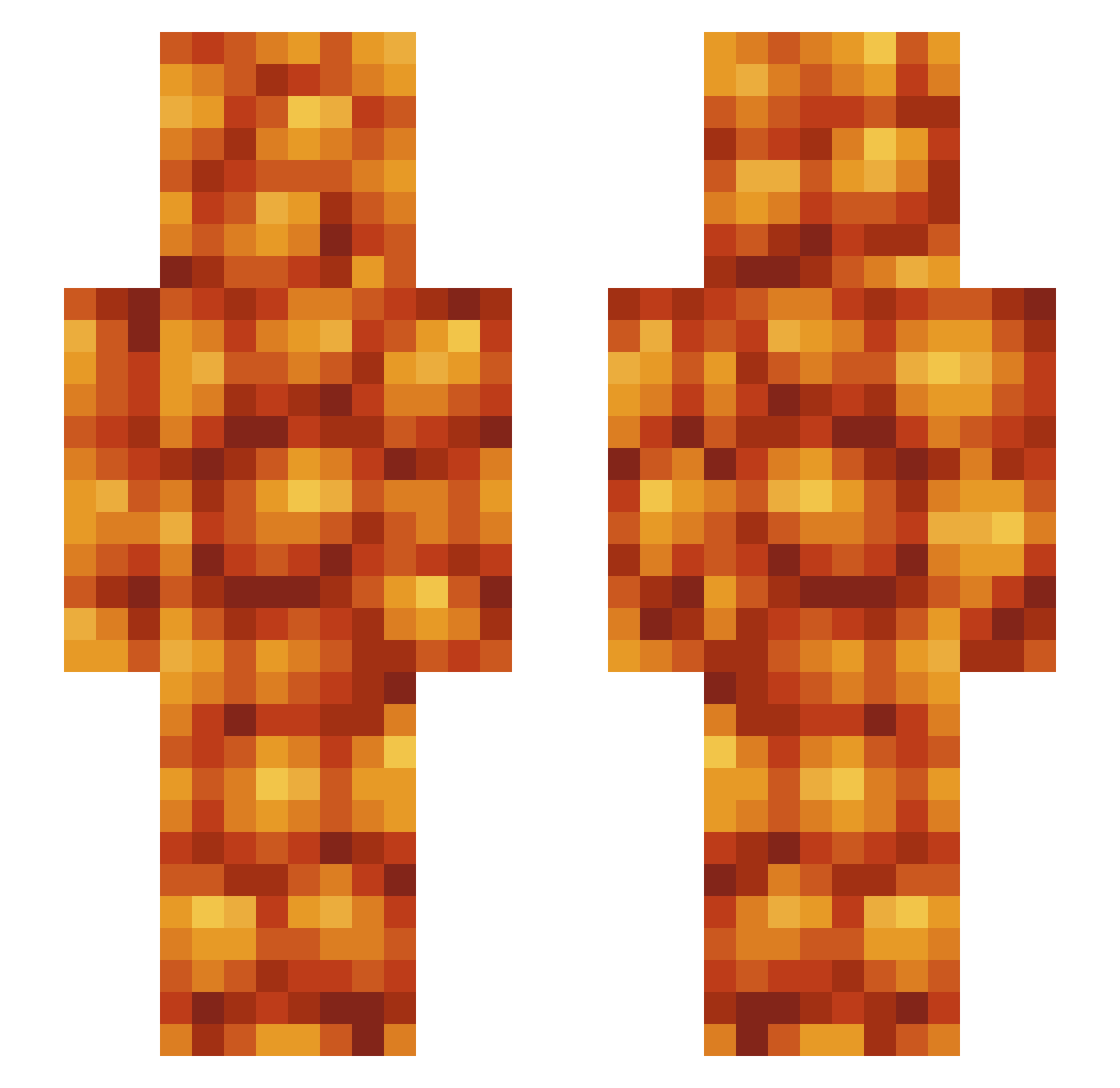
Current Minecraft skin of the player SavageFrynez, loaded from the official Mojang API. Rotate the 3D model with your mouse or finger, then download the skin as a PNG file and use it in Minecraft: Bedrock Edition or Java Edition for free. When SavageFrynez changes their skin, this page updates automatically and the old skin stays in the history below.
Other players with this skin (585)
SavageFrynez was the 568th player we have seen with this skin, first spotted on 07.11.2026. The same skin was seen on these players. Open a nickname to see their current skin and skin history.
 SirFailguy linsen011 Boggooo BrillGaymer Toadlift Sameypooh66 ChrisLCF AcidBornChaos scoot_zoot Doyeek Glycinemax RazJT ChairBoat TheExpiredBean Tuco_the_rat SlaptinAmerica JaxkNZ CamDoesMC cavedragon12 Bean__Man grubyjp420 WalrusLegs973 Rurucci ChristopherJ248 DeLaneyR Dryler_ Hairlos Beanss__ Killafusey WTF_I_Am_I_Doing Foster1245 zzz1560 Im_Beans AyeItsKevin TheLynchingLlama zayeddj Slishh RealNotGage BiggerRock CheeseIsYum WSFGSY MrTaberman Pie00000 Fistie0 OhFlame FeBro Cokwr LEMONHECKER I_Need_Beans HangryBlueBean charlton_blanks MedaevalFreak Perschlaps DoubleGio2 Gamerman19 BopAdabony ilybakedbeans nattomilku colossusrex SmileyMcgee8888
More Baked Beans Minecraft skins
How to install the SavageFrynez skin
- Press the Download button above to save the skin as a PNG file.
- Minecraft: Bedrock Edition (PE): open the Dressing Room from the main menu (or tap your character → Edit Character), go to Classic Skins → Owned, press the + (new skin) button, choose the downloaded PNG and pick the Slim (Alex) model. Works on PC and mobile; consoles cannot import custom skins.
- Minecraft: Java Edition: open the Minecraft Launcher, go to the Skins tab, click New Skin, load the PNG, pick the Slim (Alex) model and press Save & Use. You can also upload it at minecraft.net → Profile → Change Skin.
The skin does not show up after import - what should I do?
Restart Minecraft and open the Dressing Room again - imported skins sometimes appear only after a restart. Also make sure you selected the imported skin and picked the Slim (Alex) model.
Which model should I choose, Classic or Slim?
This skin is designed for the Slim (Alex) model. If you pick the wrong model, the arms of the skin will look stretched or squeezed.
Is the skin of SavageFrynez free to download?
Yes. Press Download, save the PNG file and use it in Minecraft: Bedrock Edition or Java Edition - no payment or registration needed. The skin also works on multiplayer servers and Realms.
More skins
Looking for more? Go back to all Minecraft skins and check the top skins of the week, month and all time, or find any player's skin by nickname.