
Saralovesyou21 - Minecraft Skins & Skin History
Current Minecraft skin of the player Saralovesyou21, loaded from the official Mojang API. Rotate the 3D model with your mouse or finger, then download the skin as a PNG file and use it in Minecraft: Bedrock Edition or Java Edition for free. When Saralovesyou21 changes their skin, this page updates automatically and the old skin stays in the history below.
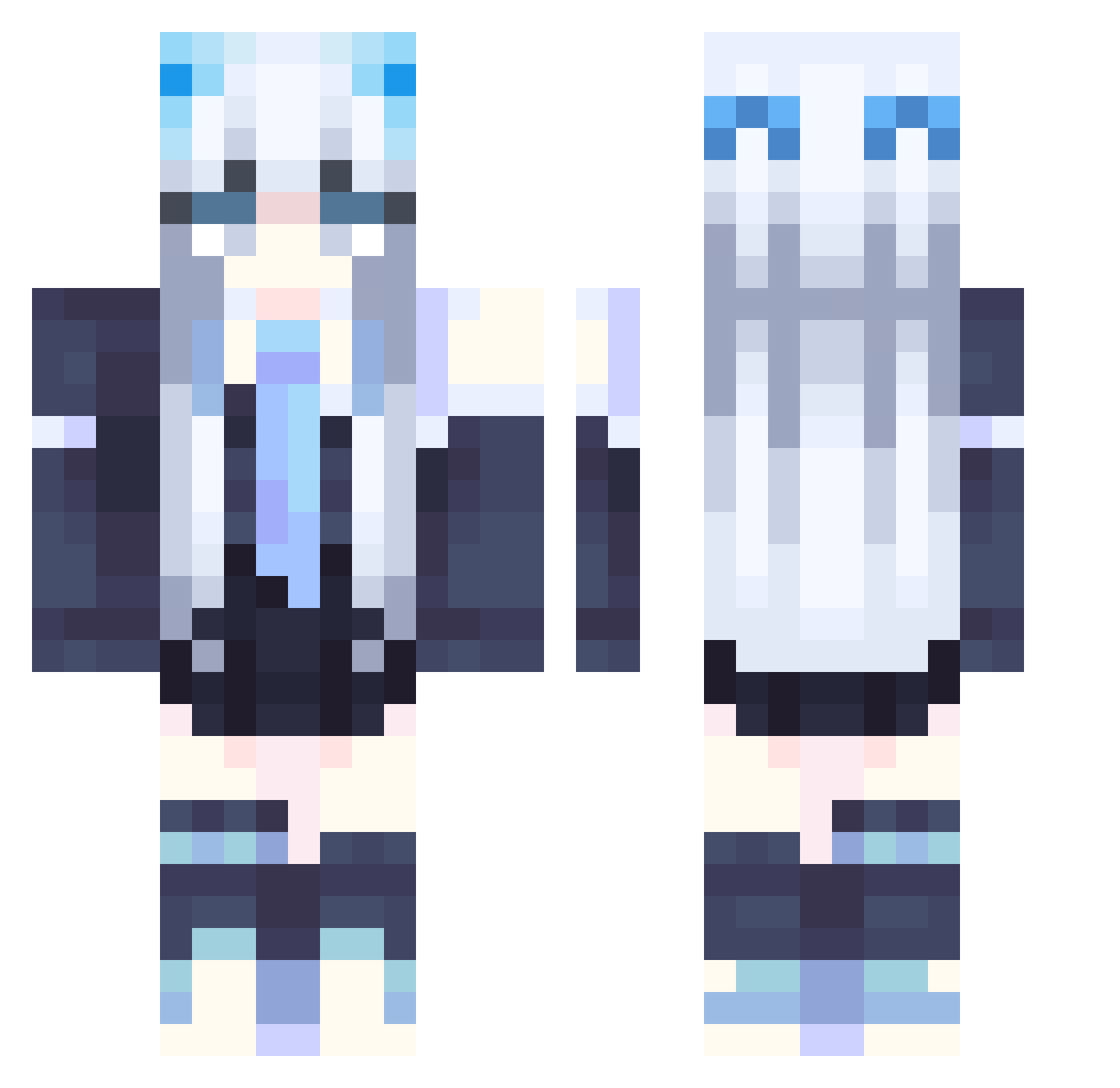
Other players with this skin (358)
Saralovesyou21 was the 219th player we have seen with this skin, first spotted on 06.10.2026. The same skin was seen on these players. Open a nickname to see their current skin and skin history.
 Starninggem_ YasminVitoria sanraku2001 Yokin72 lenettoyeur78 junskor_33 Mikieyyy Lifdemon IamMatysek Skra1mpe AmericanMadcow Scropn NONGG2021HIBARI Lin_jl beikuta yuzukiwi0813 Yuna420 Kuruliz KozmicgamR vivian1019 Aria72 Miku_Sakura01 Xaders_ Kamciaaaa Mint___Latte Su_Meng_Han RossiVelocity Kimistlo corv1n_ EternalLunar XINYU0105 Rhosil PDLGORL sumiiiowo Miyar0531 kouhei61 Tabane365 BLACK_PINK_FAN suchengl ZMZB HorseMystery Elysia720 Uree Moon_Halo_ plantern makissse EVTPINKBAT Naminmin EuterpeMuse Akiru_Jin ArcticPhantom0 Giny_71 Auttecr_Gaure426 ABDApplE samegames Pantaru DingTing DragonChen Harashima01 evilspams
More School Uniform Minecraft skins
See all 7166 School Uniform skins
How to install the Saralovesyou21 skin
- Press the Download button above to save the skin as a PNG file.
- Minecraft: Bedrock Edition (PE): open the Dressing Room from the main menu (or tap your character → Edit Character), go to Classic Skins → Owned, press the + (new skin) button, choose the downloaded PNG and pick the Classic (Steve) model. Works on PC and mobile; consoles cannot import custom skins.
- Minecraft: Java Edition: open the Minecraft Launcher, go to the Skins tab, click New Skin, load the PNG, pick the Classic (Steve) model and press Save & Use. You can also upload it at minecraft.net → Profile → Change Skin.
The skin does not show up after import - what should I do?
Restart Minecraft and open the Dressing Room again - imported skins sometimes appear only after a restart. Also make sure you selected the imported skin and picked the Classic (Steve) model.
Which model should I choose, Classic or Slim?
This skin is designed for the Classic (Steve) model. If you pick the wrong model, the arms of the skin will look stretched or squeezed.
Is the skin of Saralovesyou21 free to download?
Yes. Press Download, save the PNG file and use it in Minecraft: Bedrock Edition or Java Edition - no payment or registration needed. The skin also works on multiplayer servers and Realms.
More skins
Looking for more? Go back to all Minecraft skins and check the top skins of the week, month and all time, or find any player's skin by nickname.